SaaS · E-Commerce · AI
AI website builder for small businesses
An AI website builder for small businesses. From concept stage I owned e-commerce, live editing, onboarding and the design system behind 2000 templates, and the AI wizard, validated through A/B/C testing, doubled customer engagement.
- Client's country
- Canada
- Platform
- Web
- Team
- 25 people · 6 product designers
- Duration
- 1 year 5 months · 2021–2022
Overview
An AI website builder for small businesses: templates, live editing, store, marketing, booking, blogging, events, video courses.
Team
I joined at concept stage, one of six product designers in a ~25-person team.
What I owned
E-commerce, live editing, testimonials, onboarding and the design system.
Result
The AI wizard doubled customer engagement, validated through usability and A/B testing.
Context
01
Product
A website builder where AI does the heavy lifting: a wizard assembles a personalized site in minutes, and everything stays editable (store, marketing, booking, blogging, events, video courses, file manager).
02
Users
Small business owners, freelancers and service providers (beauty, wellness, retail, events, consulting, creative fields). They need a site, not a design course.
03
Market
In 2020–21 website builders had no AI generation, and the rigid inputs-left / preview-right layout boxed users in. We analyzed 20 competitor onboarding flows to find the gap.
Approach
Research
20 competitor onboardings, JTBD and empathy maps.
Hypothesize
The wizard bet: people don't want to build a site, they want to edit one.
Prototype & test
Usability at every step; A/B/C on the wizard's question format.
The wizard's core hypothesis set the direction for everything else: people don't want to create a website, they want to edit one already made for them.
Process
Core functionality
01
AI wizard onboarding
Problem
The builder market was crowded and hard to stand out in, and the wizard itself was the weak link: with too many questions people never reached the end, and the drop-offs showed many of them were coming from a phone, where the wizard did not work at all.
Hypothesis
If a wizard assembles three personalised site options in minutes, from the smallest possible number of questions, the number of customers will double, because people don't want to create a website, they want to edit one already made for them.
Solution
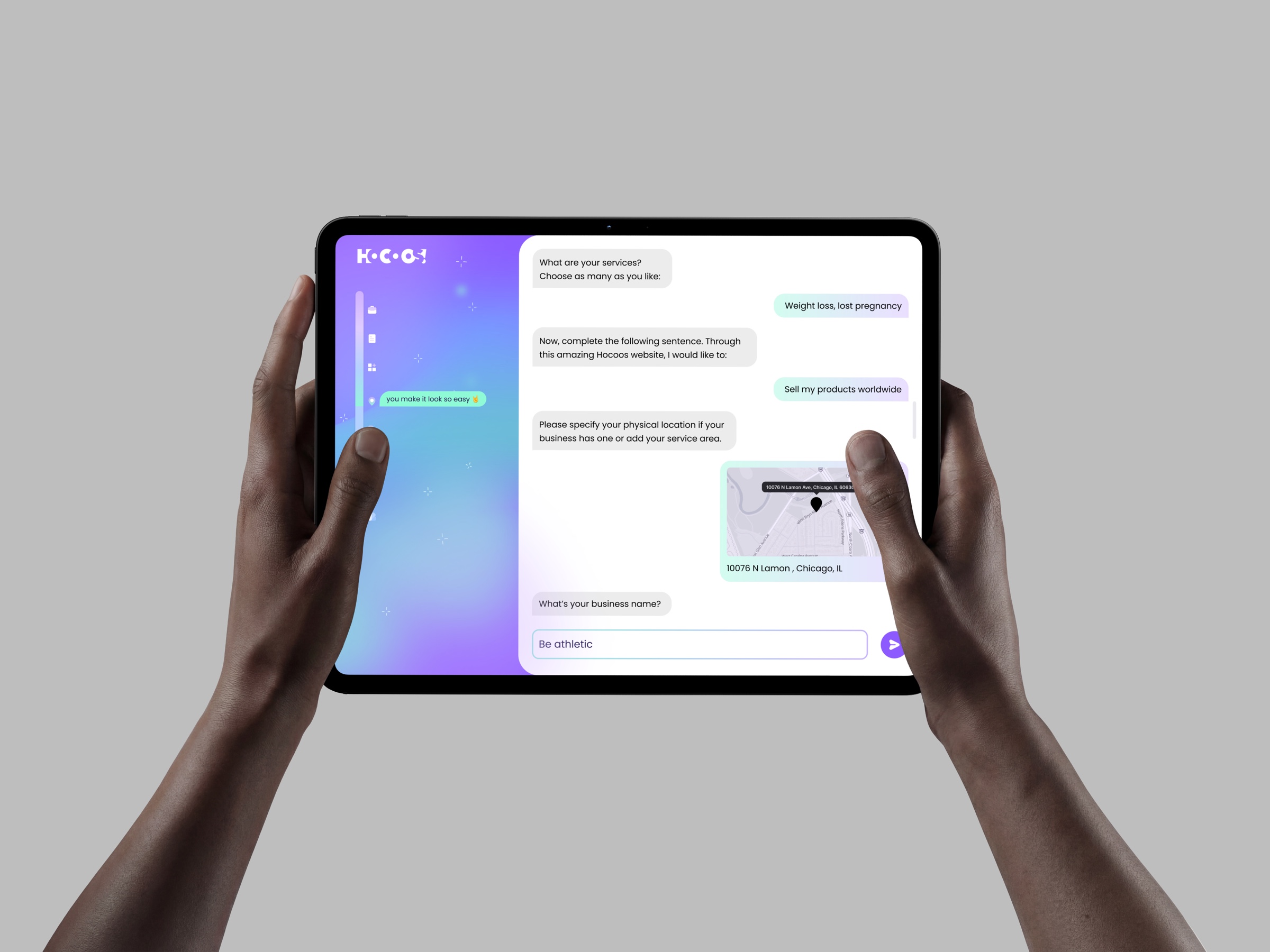
A short quiz with minimum questions and prewritten multiple-choice answers, then the wizard generates three personalized site options in minutes. Pick one; everything stays editable. Fully functional on mobile.
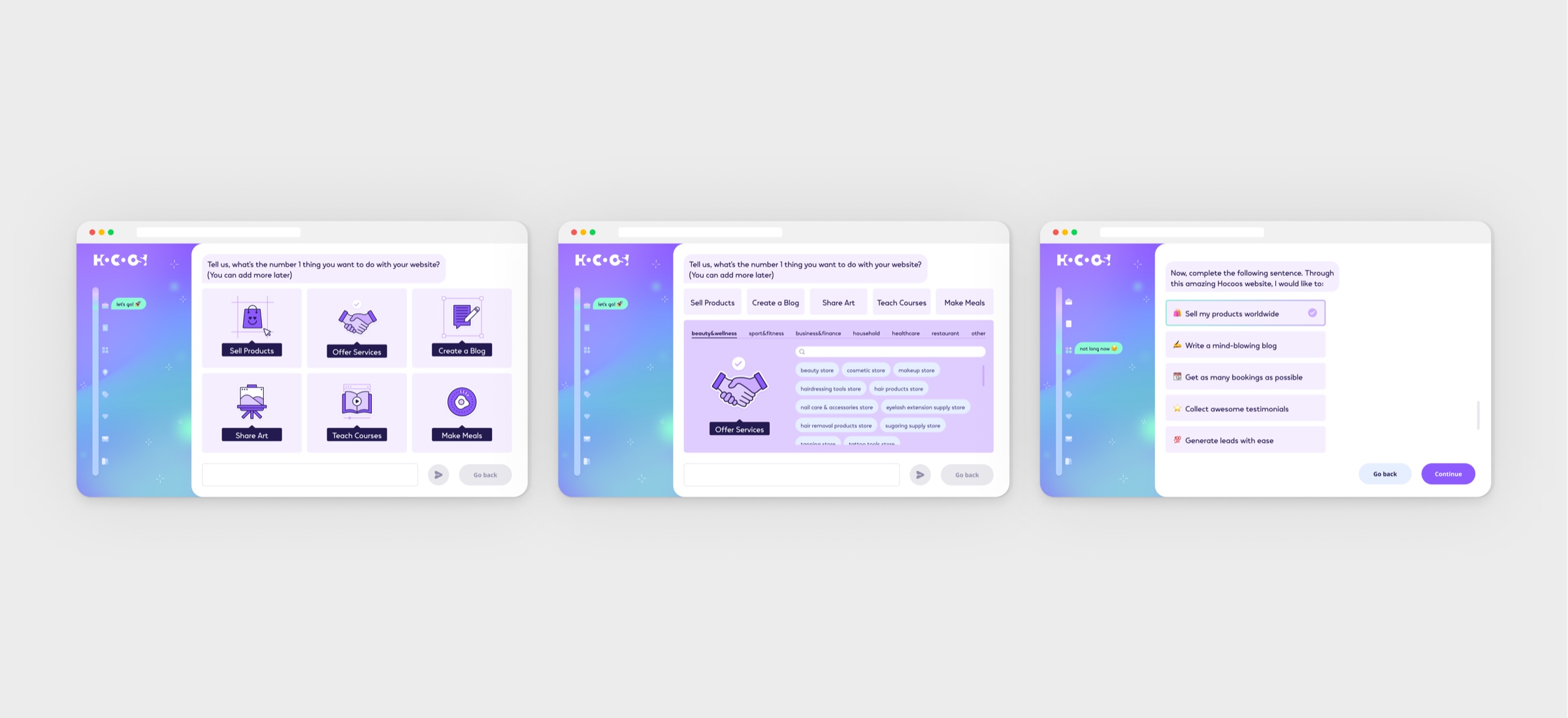

Three options: personal, not paralyzing.
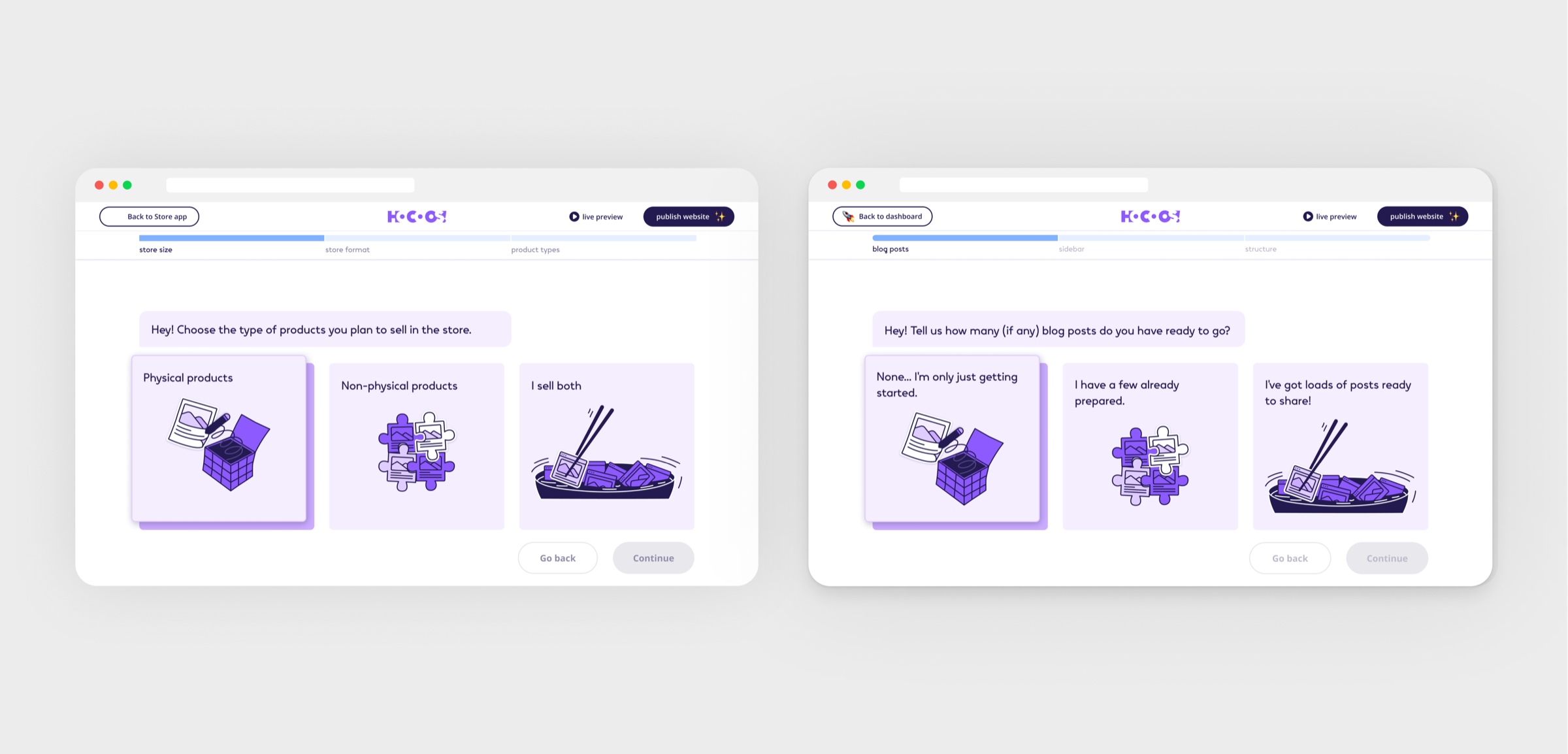
App setup: the same question style for the store and the blog
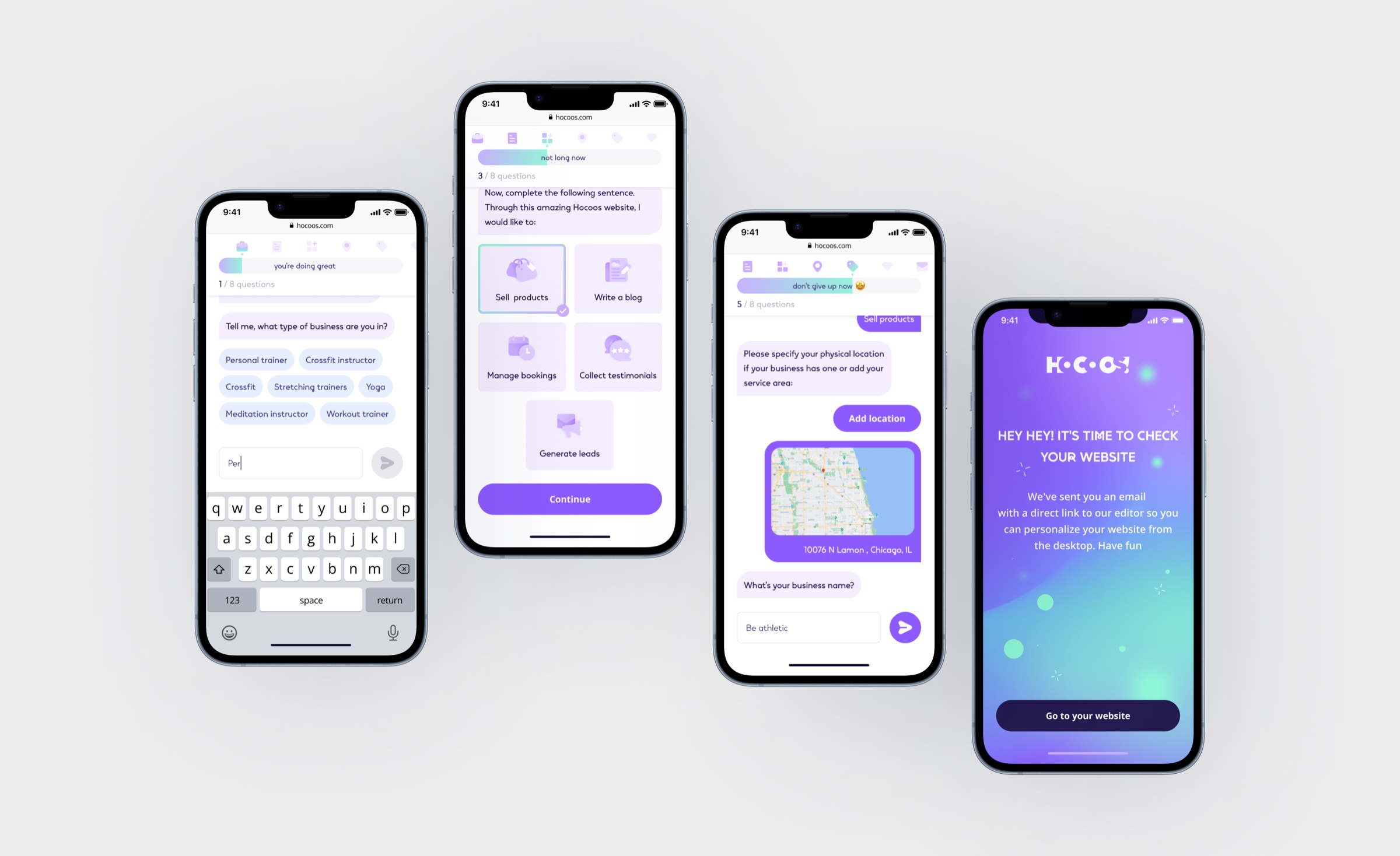
The same flow on mobile: questions, location, and the finished site
Result
Confirmed: customer engagement doubled after the wizard shipped.
×2
Customer engagement after the wizard
20
Competitor onboardings analysed
3
Options generated: the most practical number
What usability and A/B/C testing changed
Too many questions, so users abandoned the journey.
Cut to the minimum number of questions, with prewritten multiple-choice answers instead of free input.
Users arrived on phones and found no mobile version.
The whole wizard rebuilt to be completed from a phone.
Important steps were overlooked: the question navigation, the back and skip buttons.
Titled every step, moved the controls to the bottom of the page and resized them.
Nobody knew which question format held attention. The team's bet was video.
Three identical flows A/B/C tested: video came last (users skipped it), written second, illustrated won.
02
Editor & live editing
Problem
Every builder on the market put configuration on the left and the preview on the right. The flow was unclear, users got lost between the two halves, and templates could only be changed as far as the panel allowed.
Hypothesis
If editing moves inside the template itself, with hover settings on every element, users will understand the builder without a manual, and templates can become fully customisable.
Solution
Hover settings on every element replaced the rigid split layout: users change what they see, right where they see it, and templates became fully customizable.
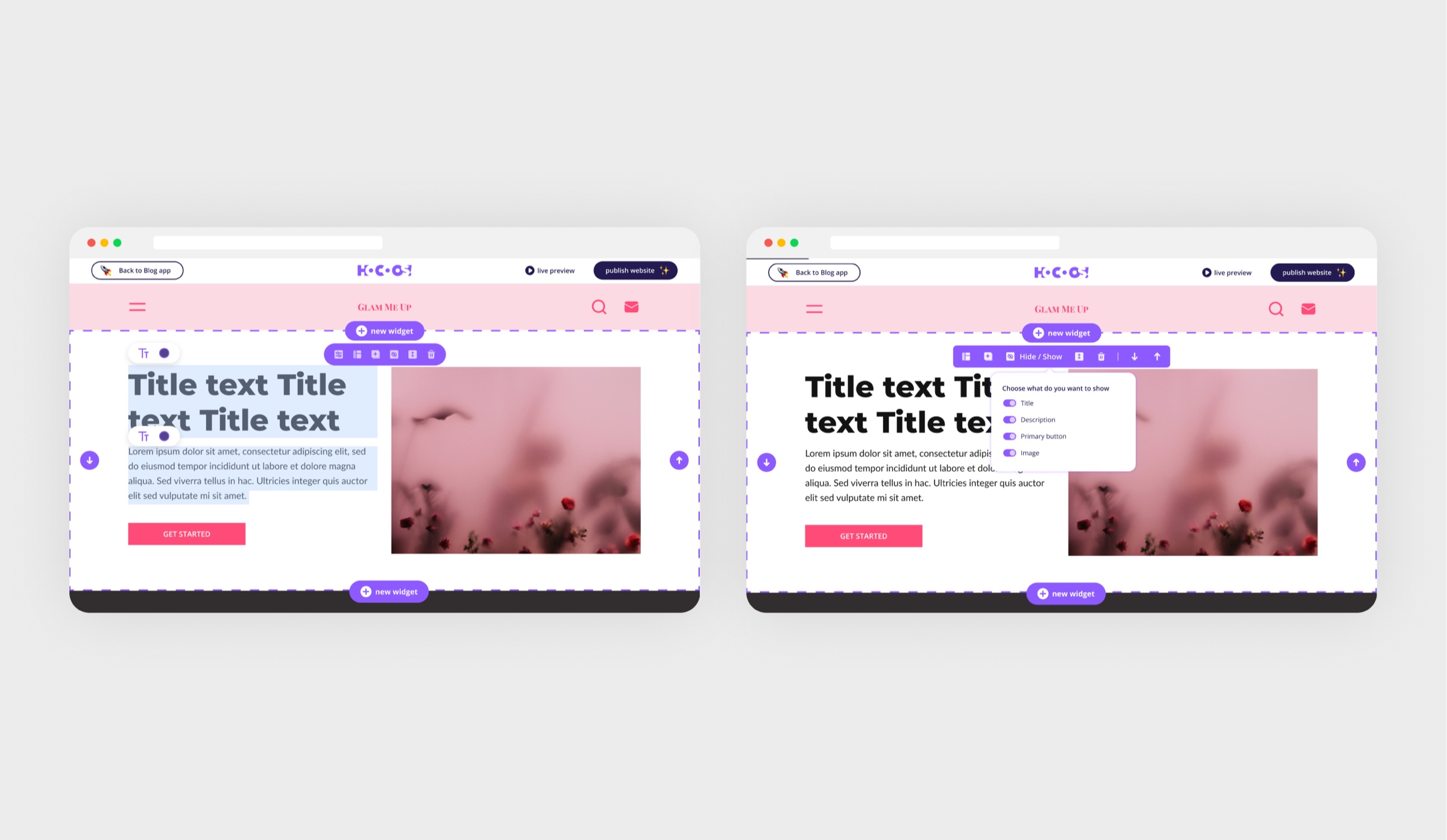
Edit what you see, where you see it. This became the product's edge.
Result
Live editing became the product's main advantage over competitors.
03
E-commerce
Problem
To sell online a small business owner has to enable the store and set up product and collection pages, cart, checkout, wishlist, payment and shipping methods, discounts, coupons and promotions, and do it without a developer and without reading documentation.
Hypothesis
If the whole store (pages, cart, checkout, payment, shipping, discounts) is configured inside the same builder, a small business can start selling without a developer.
Solution
A full store inside the builder: product pages with flexible block sequences, collection pages with filter and sidebar settings, cart and wishlist, payment configuration.
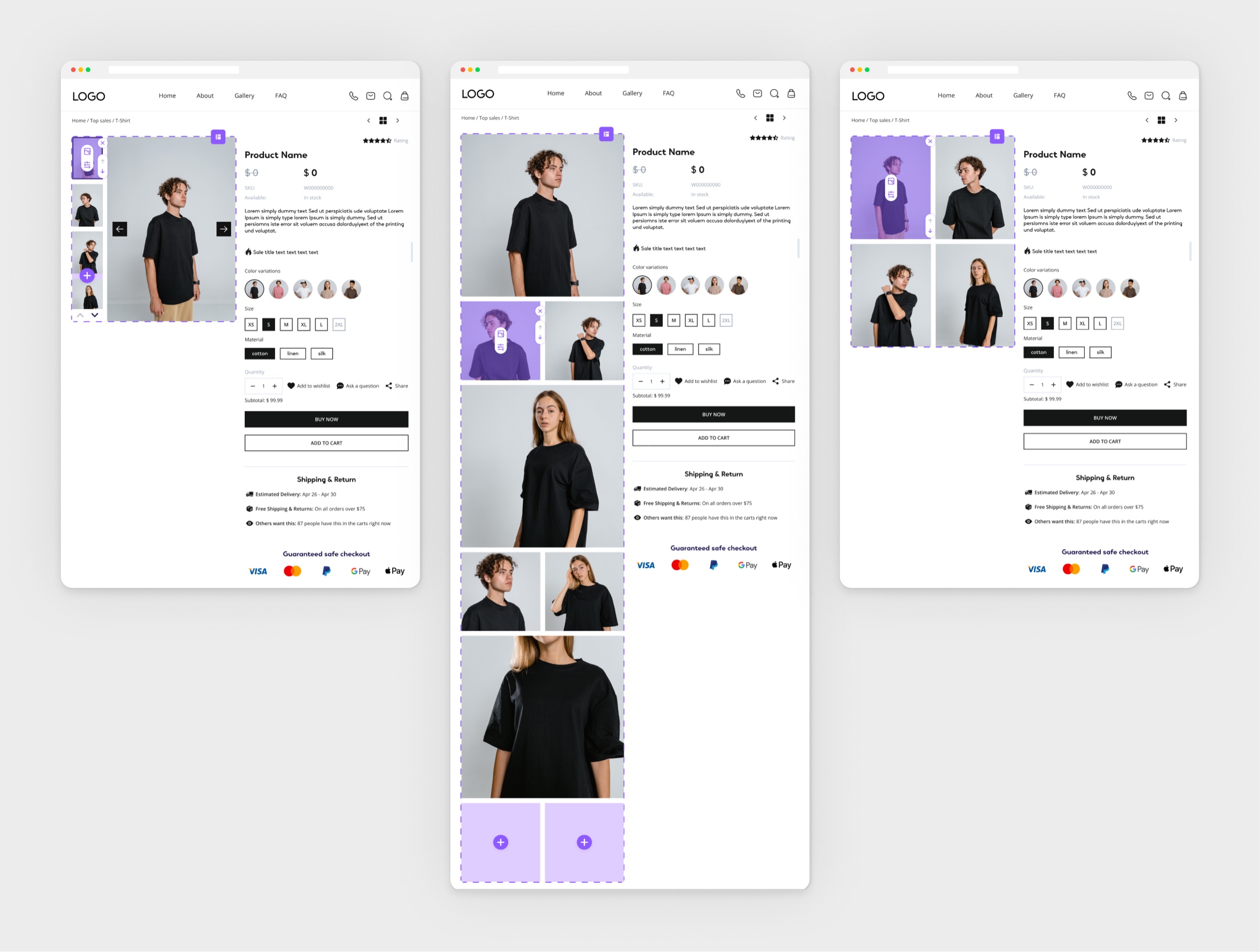
A page is a sequence of blocks.
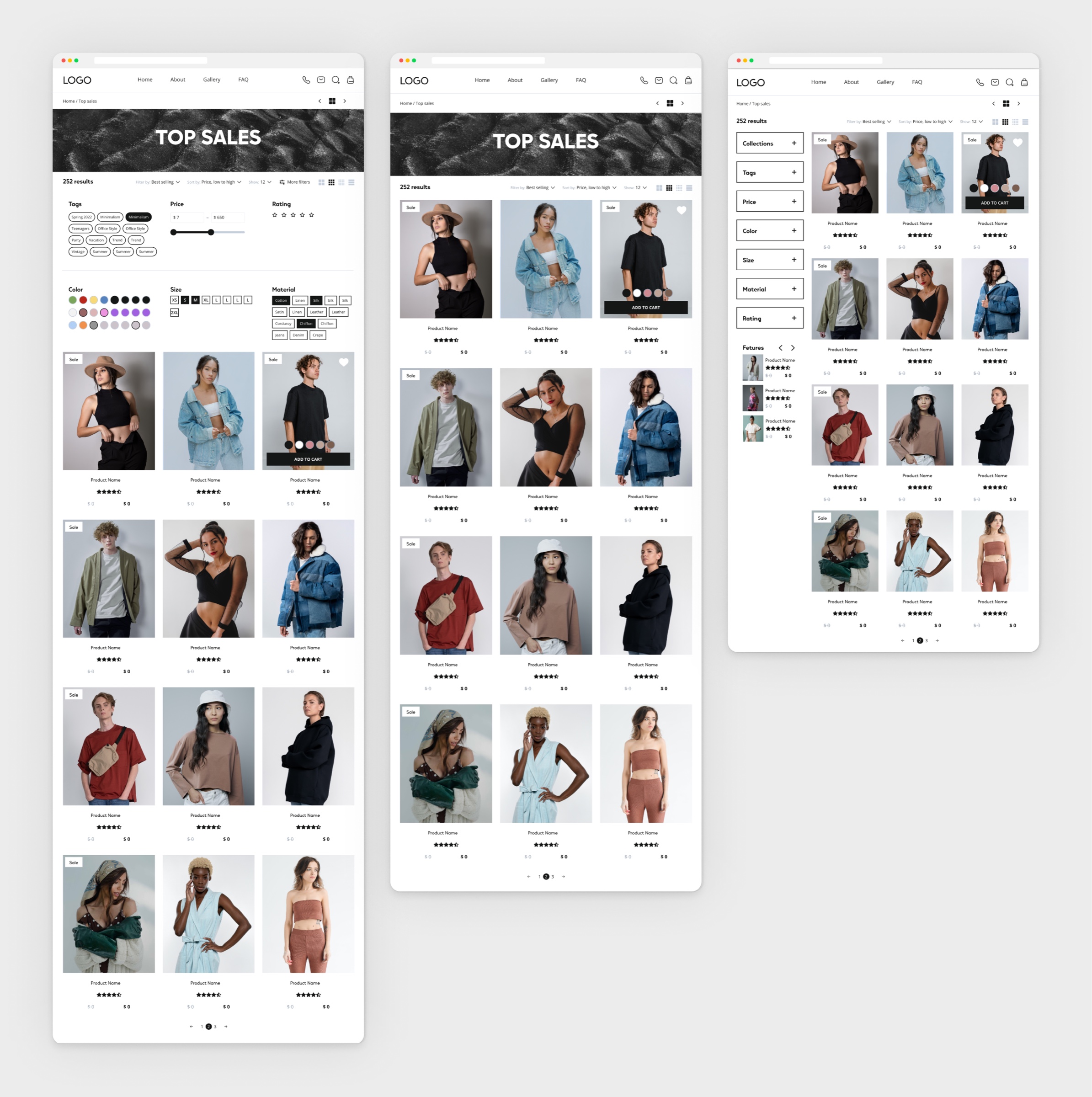
Collection pages: filters or a sidebar, and how many products fit in a row
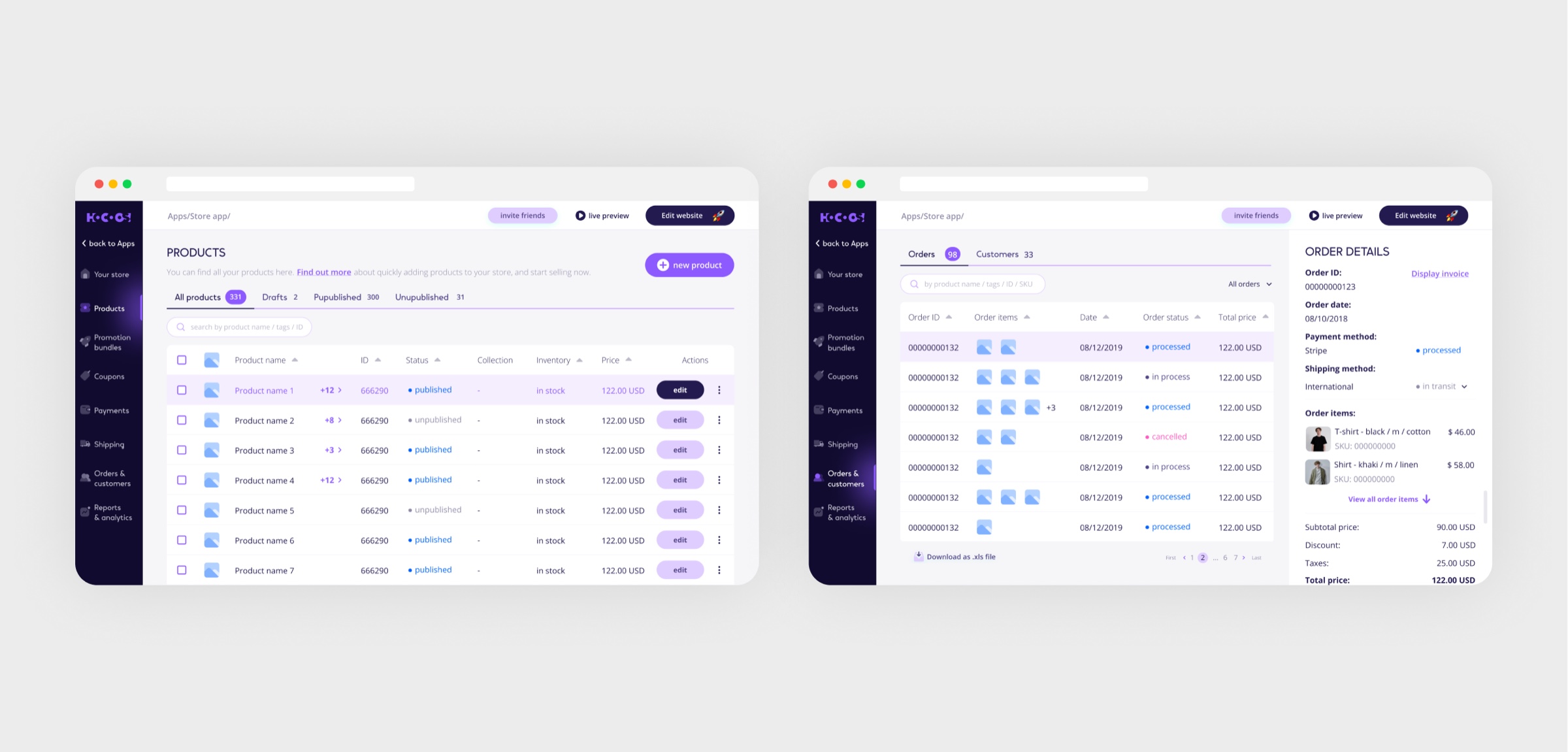
Products, orders and customers inside the builder
04
Self-filling checkout
Problem
Research on checkout flows showed the same thing everywhere: the longer the procedure, the more buyers fall out of it mid-way.
Hypothesis
If payment and shipping details pull from the site itself, the buyer only has to confirm, and more of them will reach the end.
Solution
Research showed long checkouts kill conversion, so payment and shipping details pull from the site automatically, and the buyer confirms instead of typing.
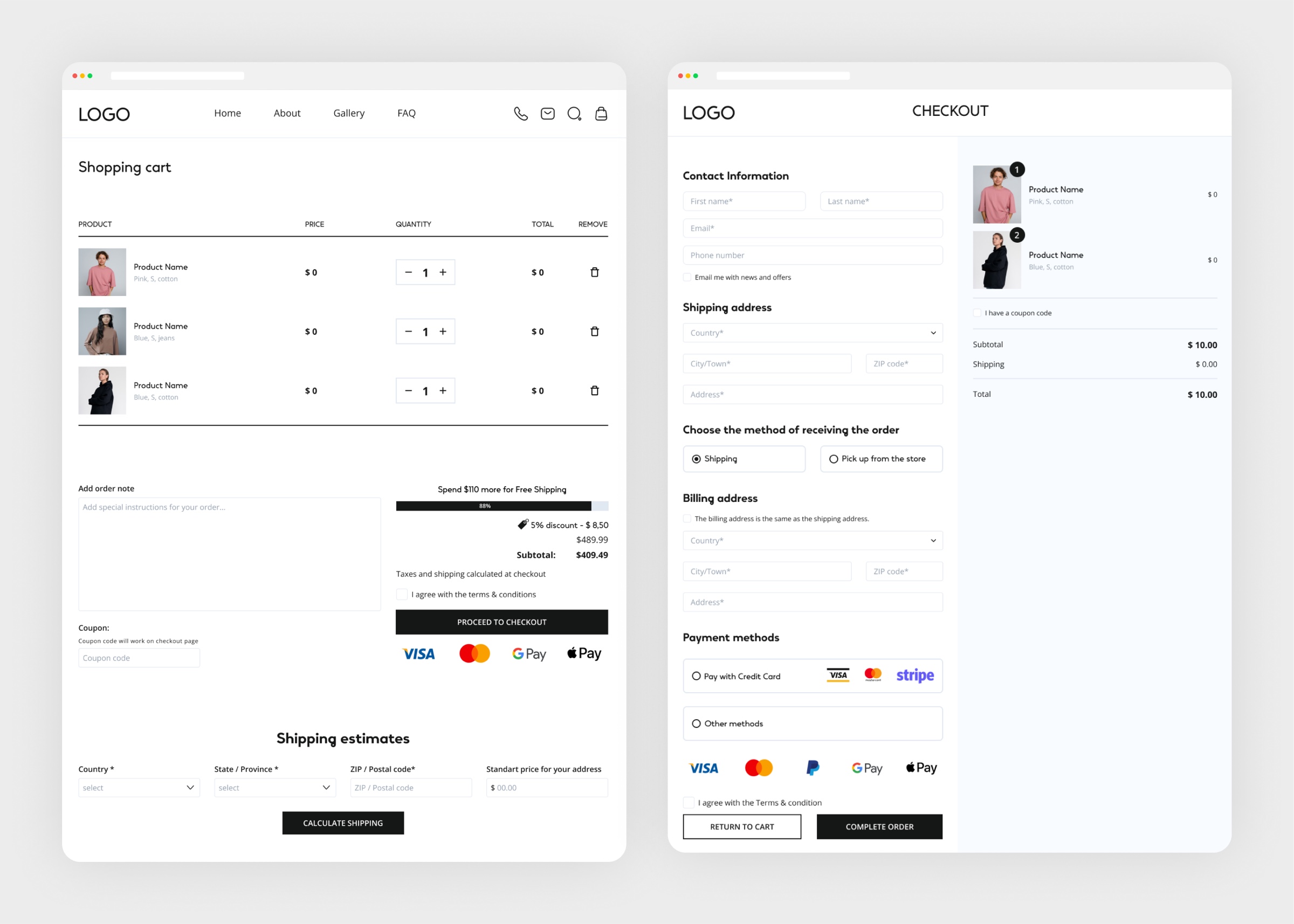
Long checkouts kill conversion, so buyers confirm instead of typing.
Result
The buyer confirms instead of typing.
05
Shipping, discounts & bundles
Problem
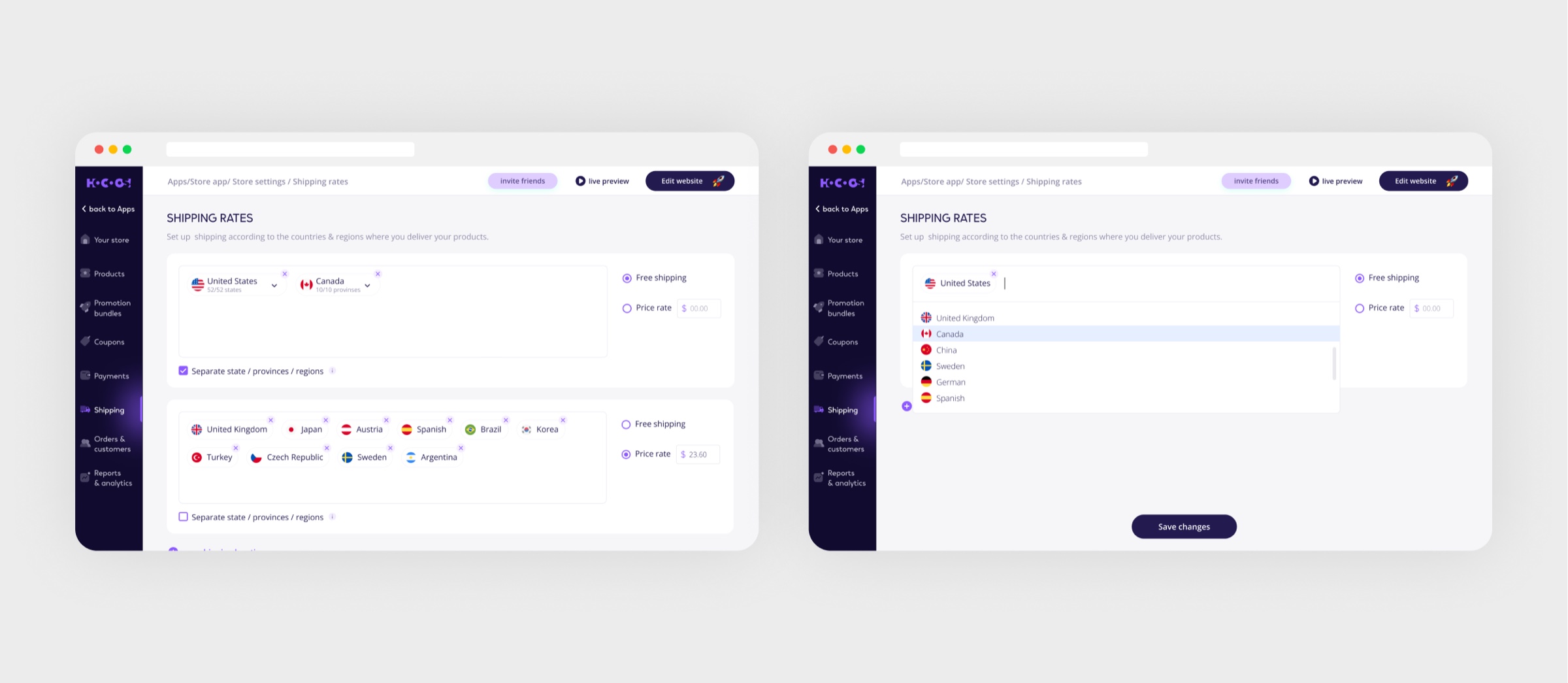
Shipping had to work for any kind of business, with fees depending on the country and the region of the delivery address, and coupons had to be enabled in a few clicks, not configured.
Hypothesis
If fees are set by country and region and coupons switch on in a few clicks, configuring a store stops being a developer's job.
Solution
Shipping fees by country and region for any business type; coupons enabled in a few clicks for any product or collection; promo bundles with suggested similar products.
Bundles suggest what to buy together, right on the product page.
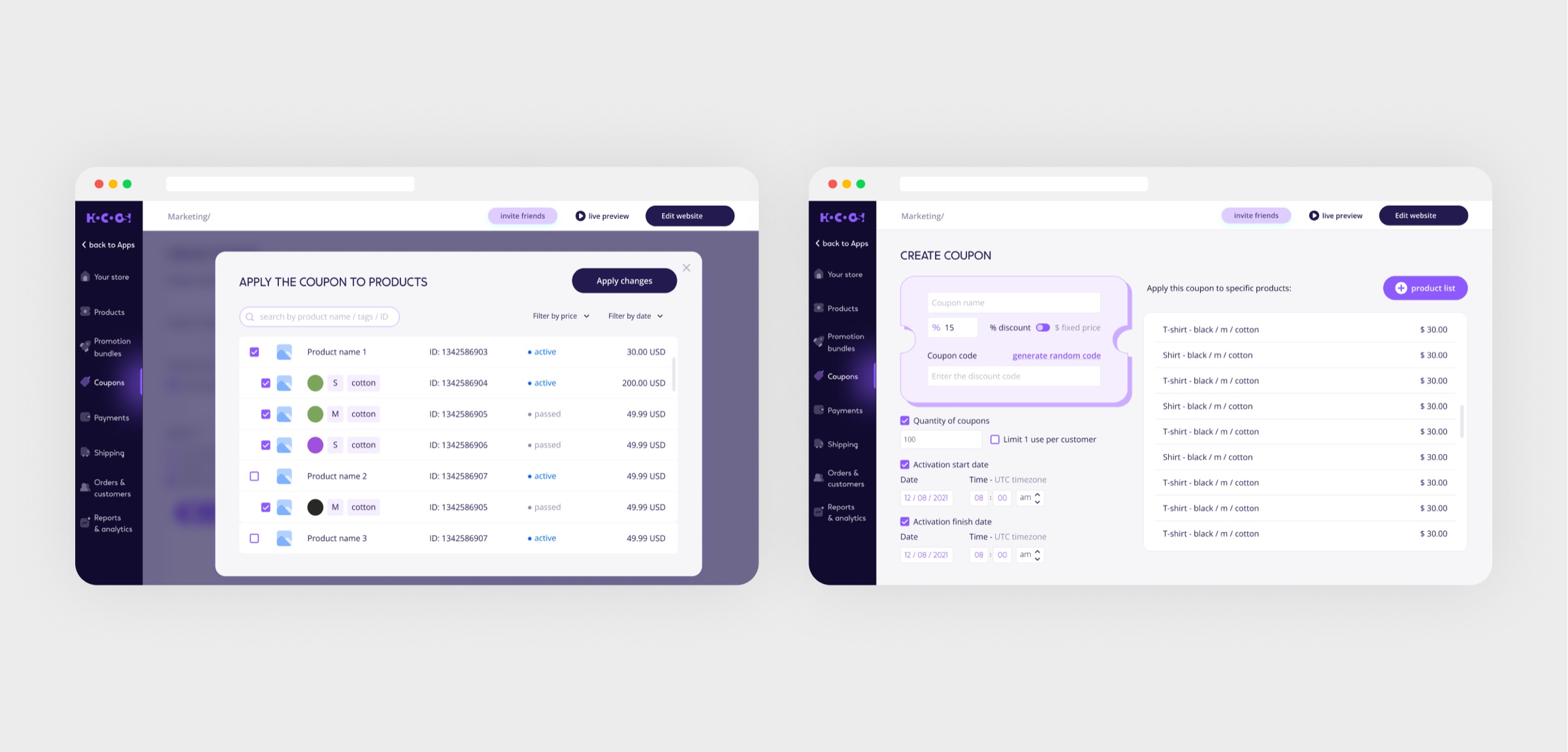
Coupons: applied to single products or a whole collection in a few clicks
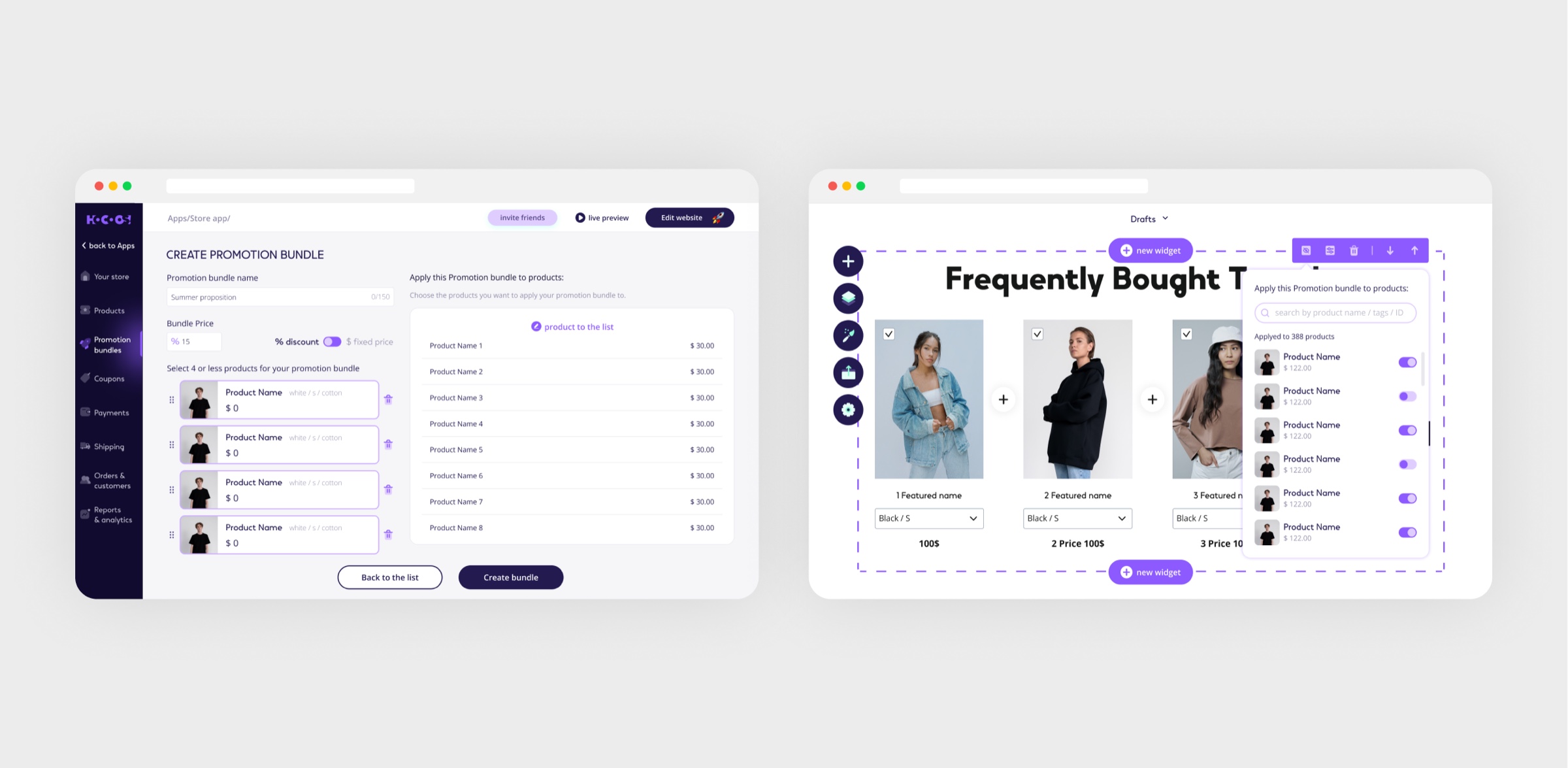
Promo bundles: the settings and the “frequently bought together” block on the site
06
Dashboard & settings
Problem
Once the site was live, the owner faced a dozen sections with no obvious place to start.
Hypothesis
If the site's status and every tool sit in one control centre, a small business runs its site without an admin.
Solution
The site owner's control center: site status, quick access to every tool, and the settings that keep a small business running without an admin.
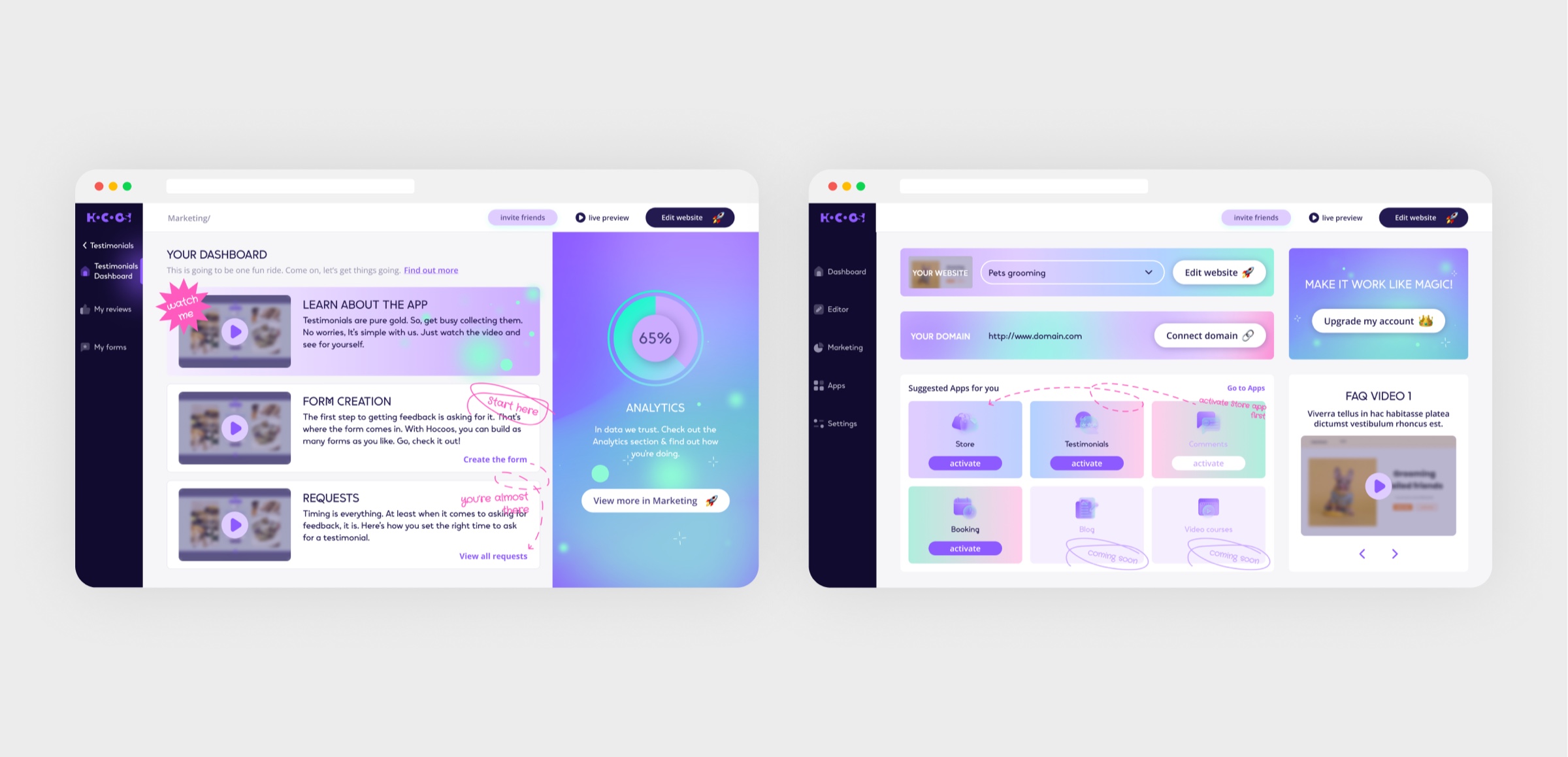
A small business runs its site without an admin.
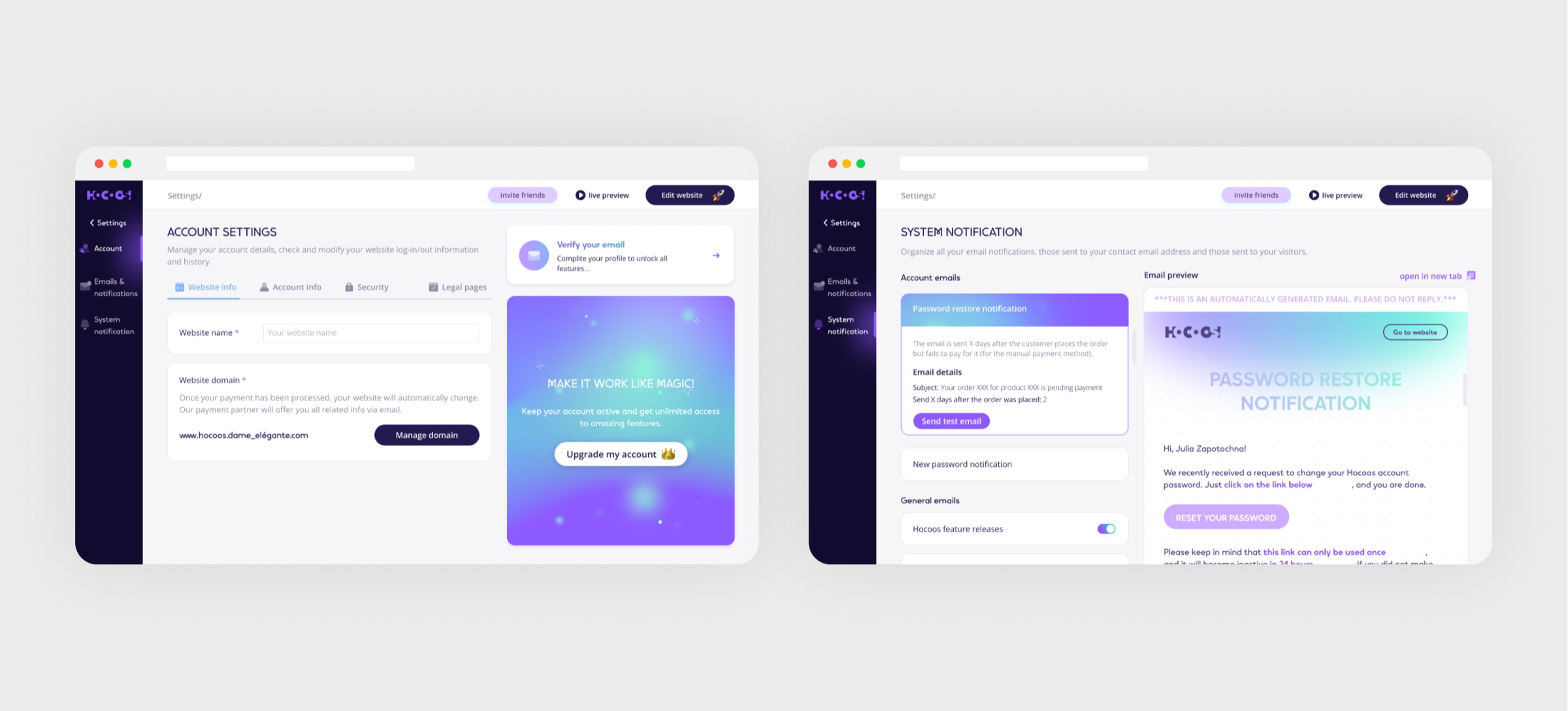
Site settings
07
Marketing & analytics
Problem
Promotion lived in separate services: mailing in one, analytics in another, links in a third.
Hypothesis
If lists, campaigns and their analytics live inside the builder, the owner does not have to assemble a stack of three subscriptions.
Solution
Mailing lists and email campaigns with built-in performance analytics, plus integrations and social links: promotion without leaving the builder.
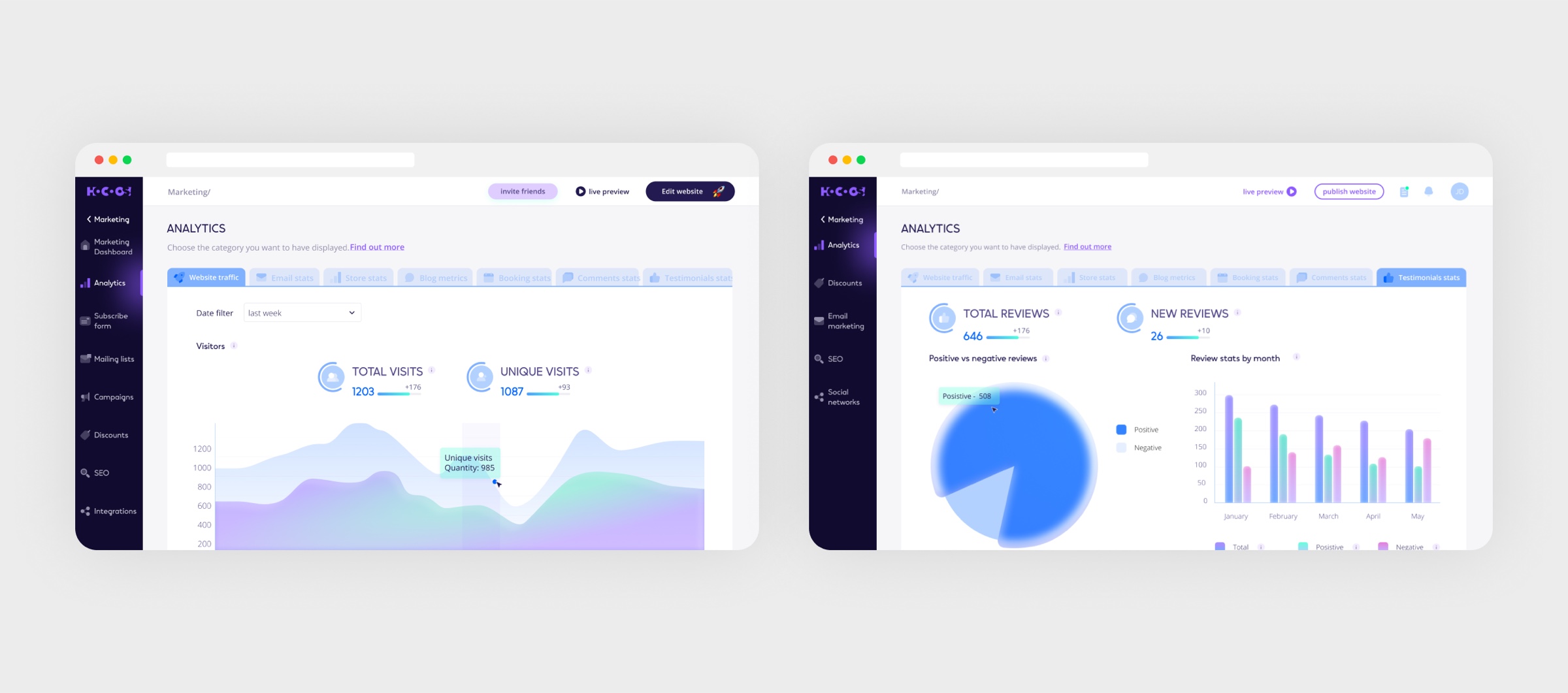
Promotion without leaving the builder.
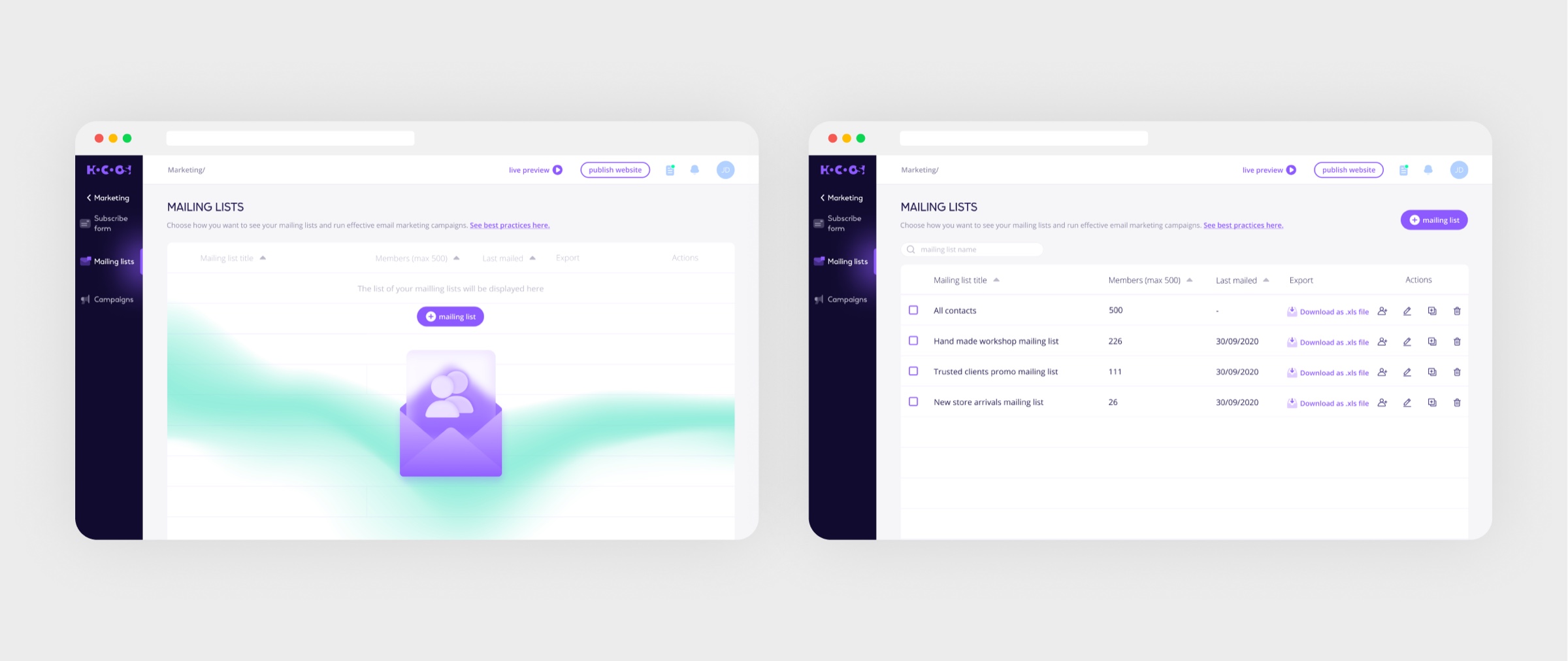
Mailing list management
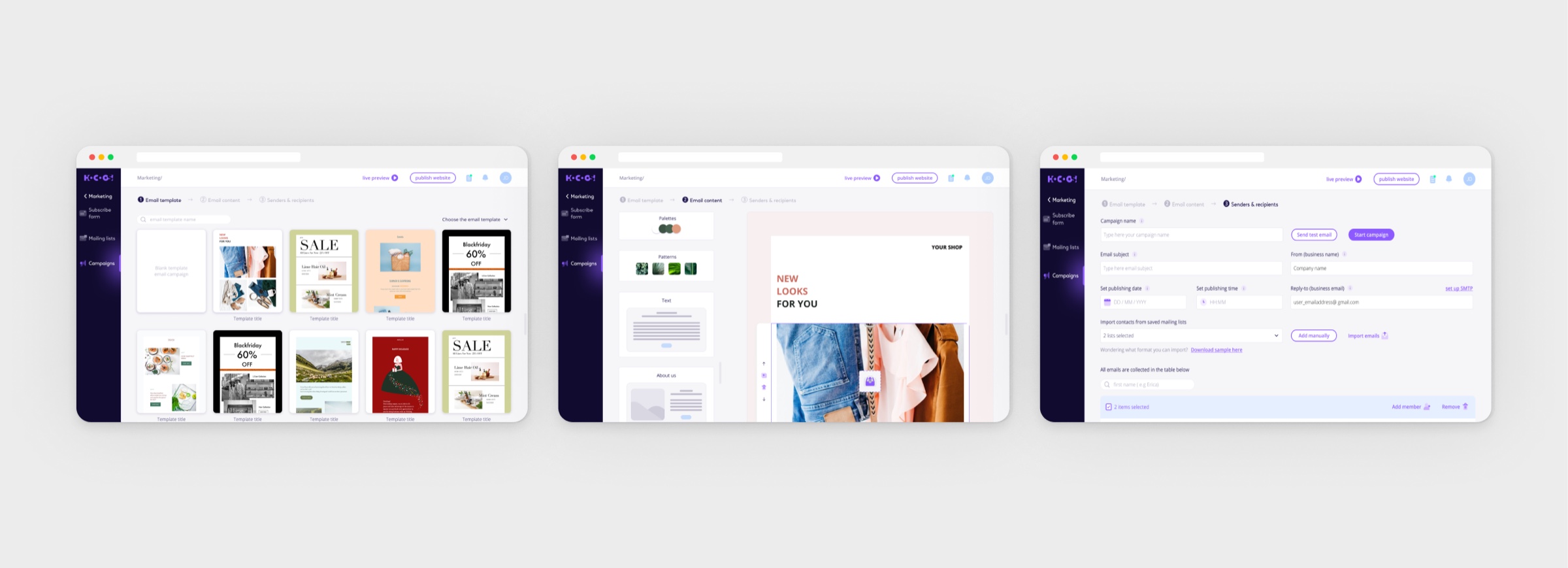
Email campaign builder
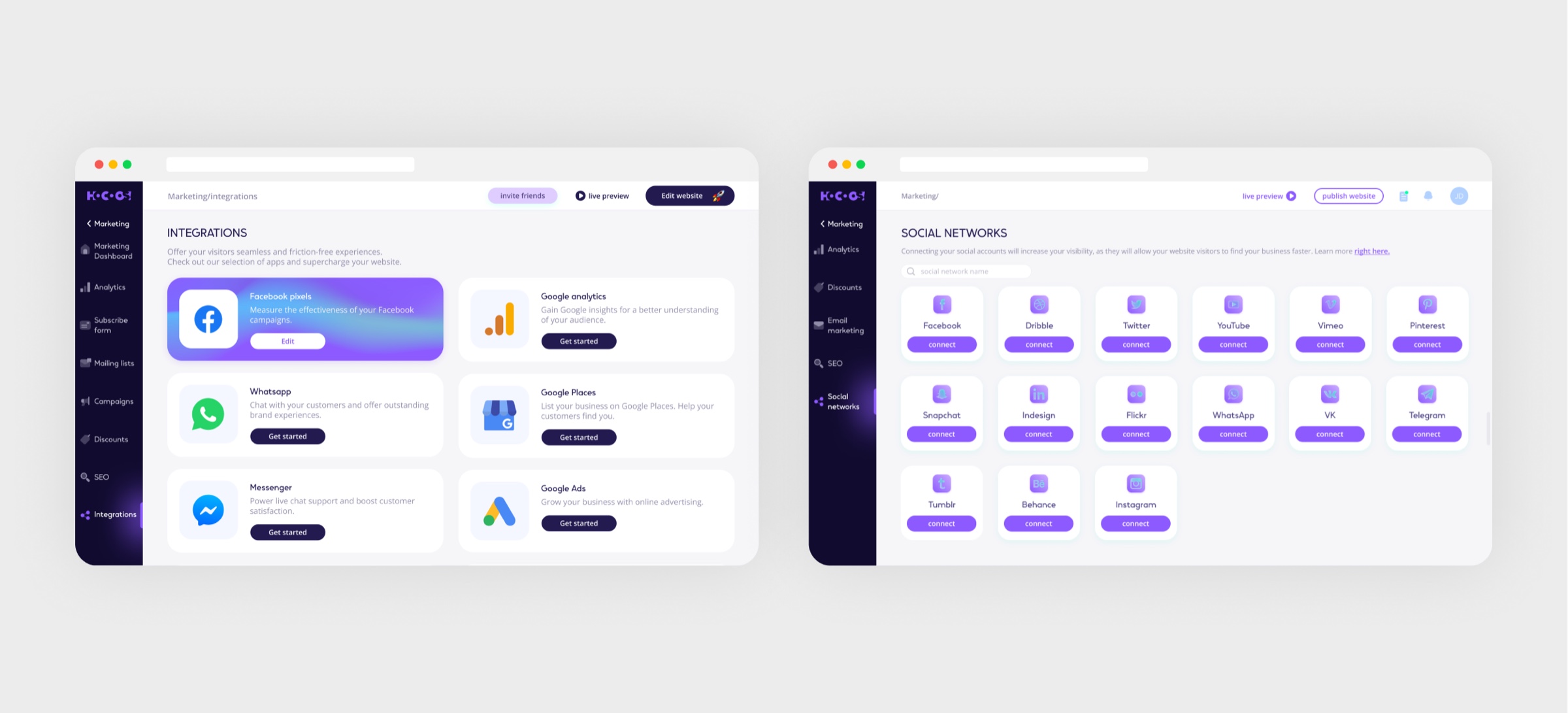
Integrations & social links
08
File management
Problem
Images and documents were uploaded one by one straight into a page, so the same file existed in five copies.
Hypothesis
If there is one library for the whole site, content gets reused instead of uploaded again.
Solution
Upload, store and organize content in an integrated file manager: images, documents and media ready to drop into any page.
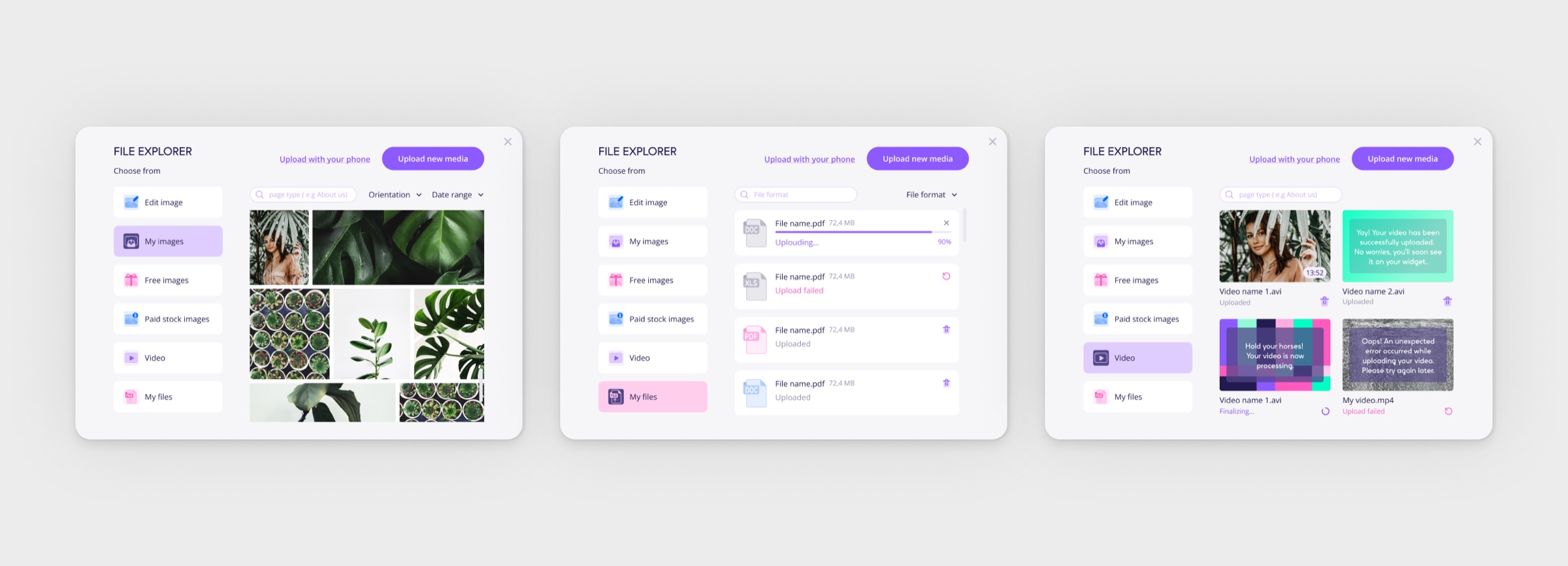
One library for every page's media.
09
Content & blogging
Problem
To run a blog a business went to a separate platform, and the site and the blog stopped being one product.
Hypothesis
If publishing happens in the same editor as the site, the blog stays part of the site instead of living next door.
Solution
Blogs, articles and a dynamic content hub: publishing built into the same editor as the site itself.
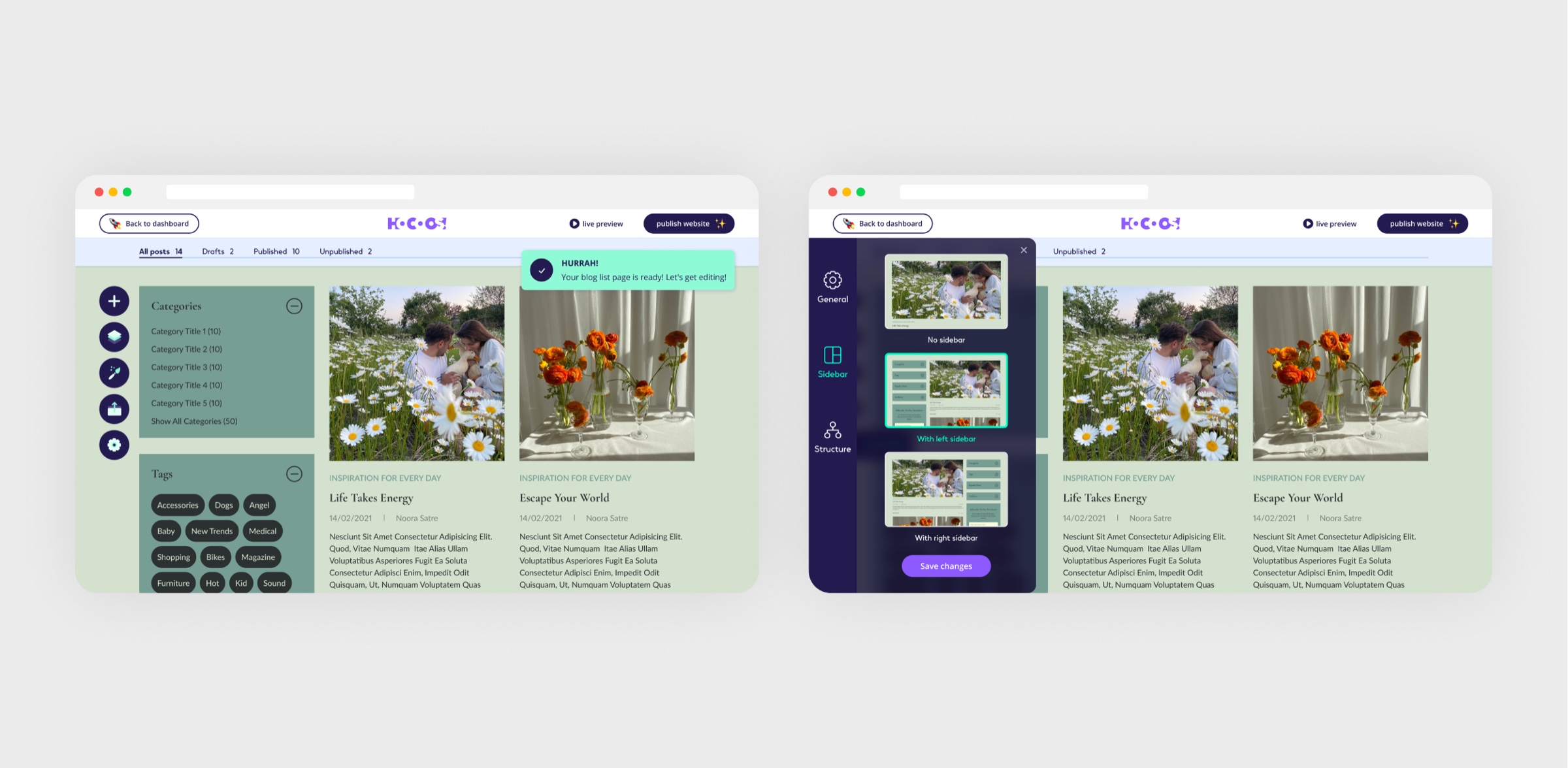
Publishing lives in the same editor as the site.
10
Booking & appointments
Problem
Service businesses took bookings over DMs and the phone, and the site played no part in it.
Hypothesis
If appointments are taken on the site itself, the business stops losing people between tabs.
Solution
Scheduling and booking for service businesses: appointments taken directly through the site.
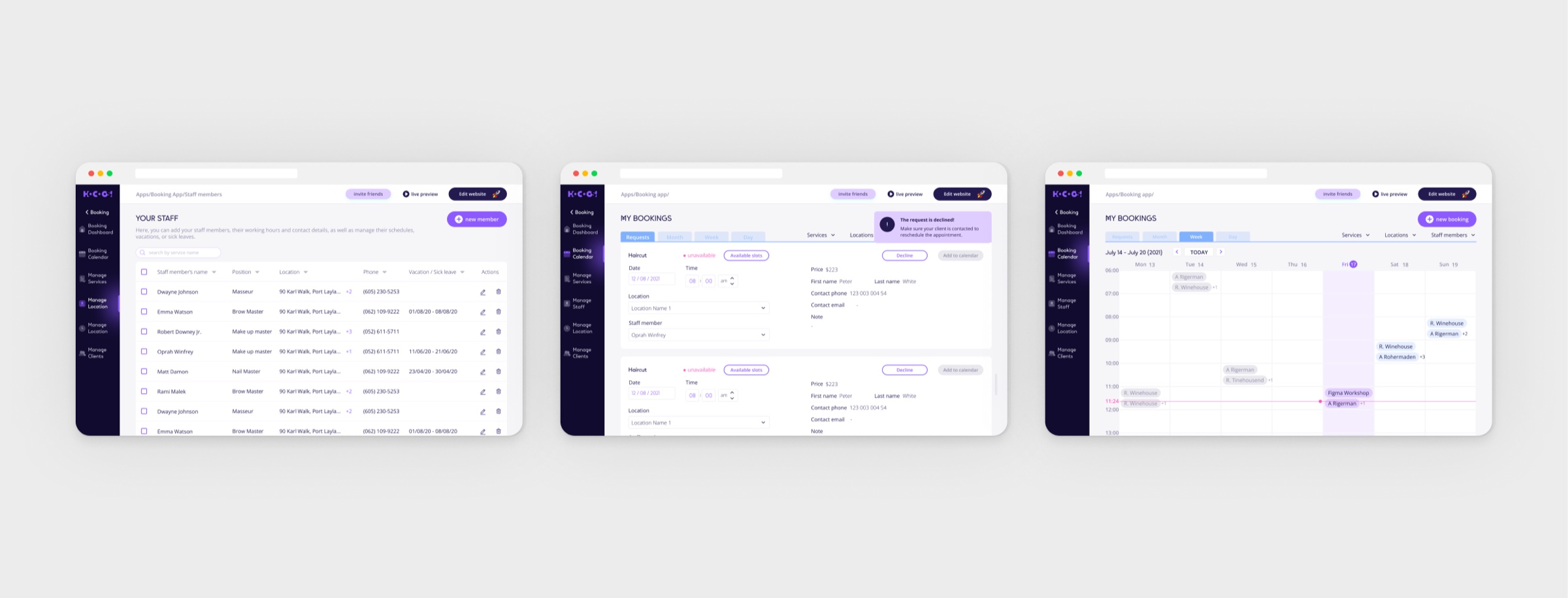
Service businesses take appointments right on their site.
11
Comments & testimonials
Problem
Final consumers rarely leave reviews on their own, and businesses lose potential customers over the missing feedback.
Hypothesis
If the system asks for feedback right after a completed purchase, the business gets the reviews customers never leave on their own.
Solution
Consumers rarely leave reviews on their own, so the system gathers feedback automatically after completed transactions and showcases it on the site.
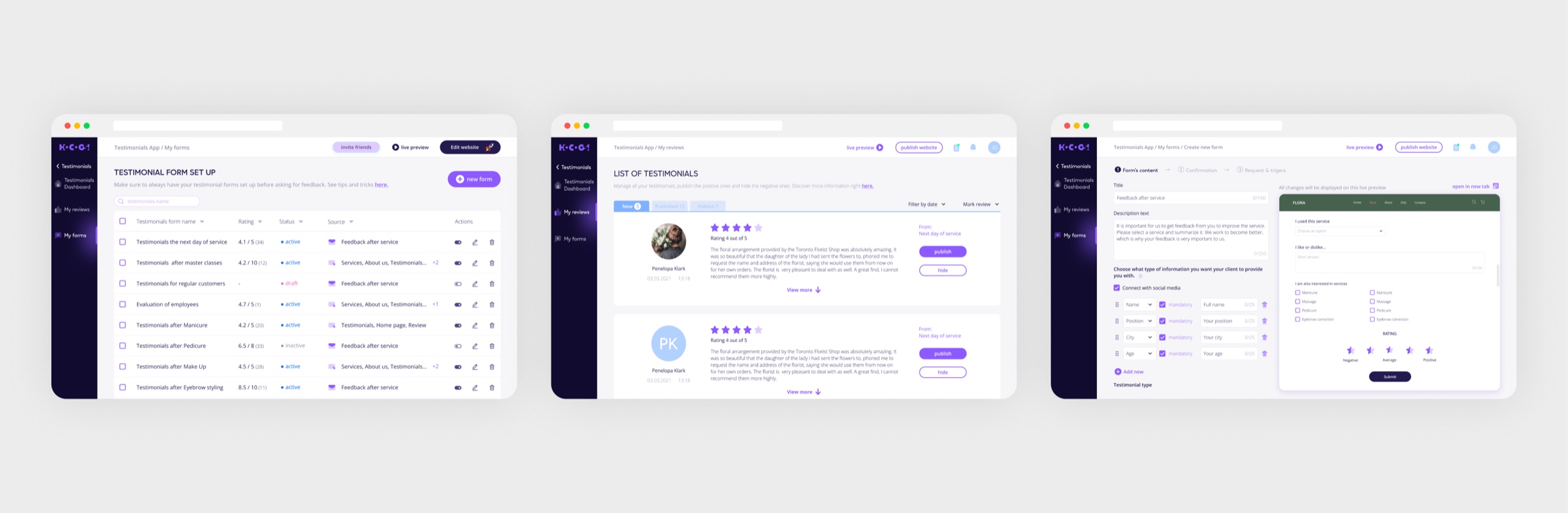
People rarely review unprompted, so feedback is asked after purchase.
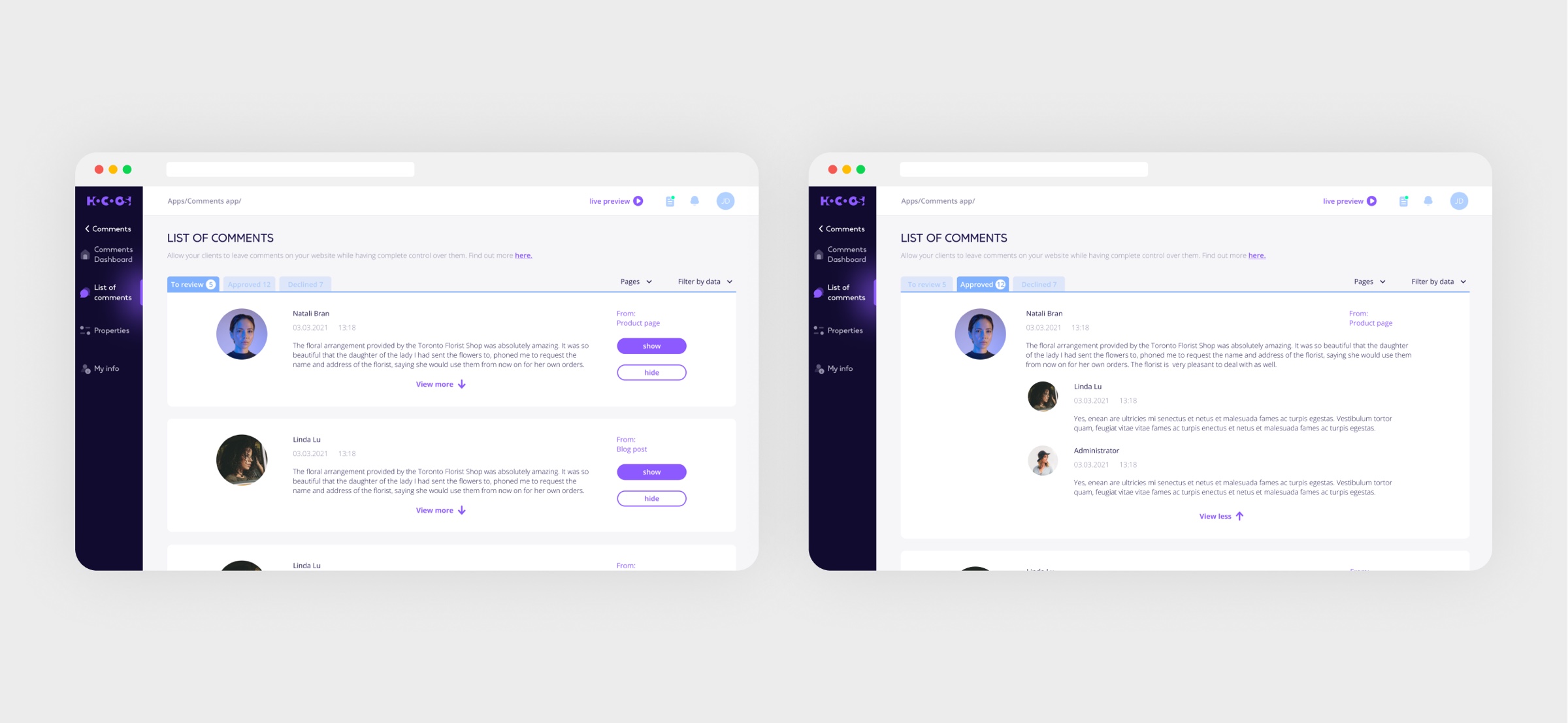
Comments on the storefront
Result
Feedback is collected automatically after a completed transaction.
12
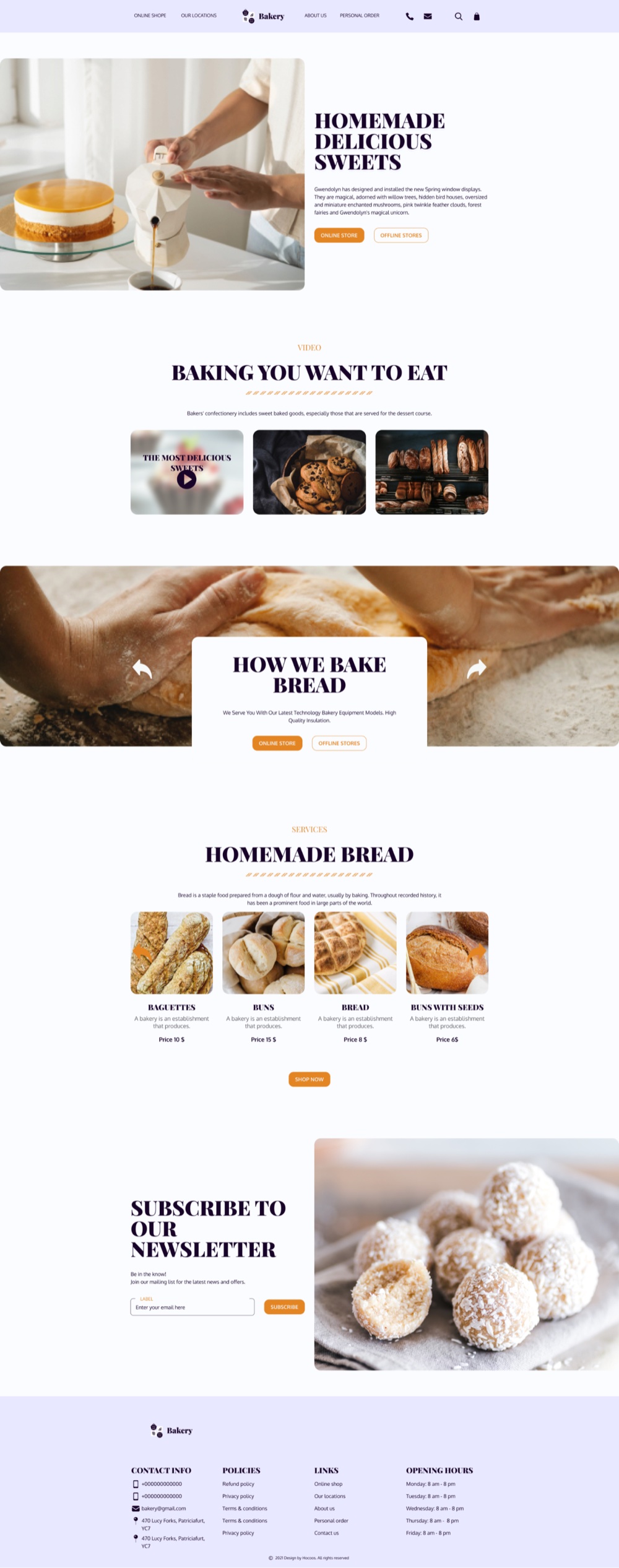
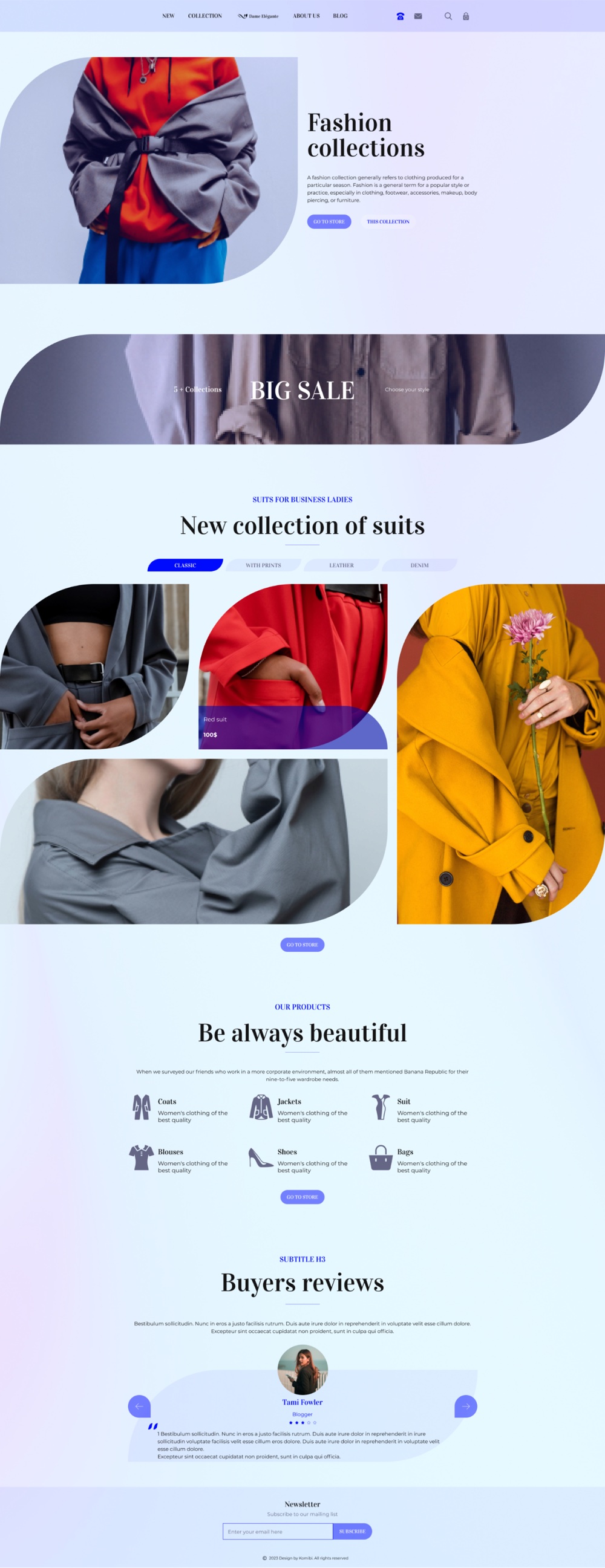
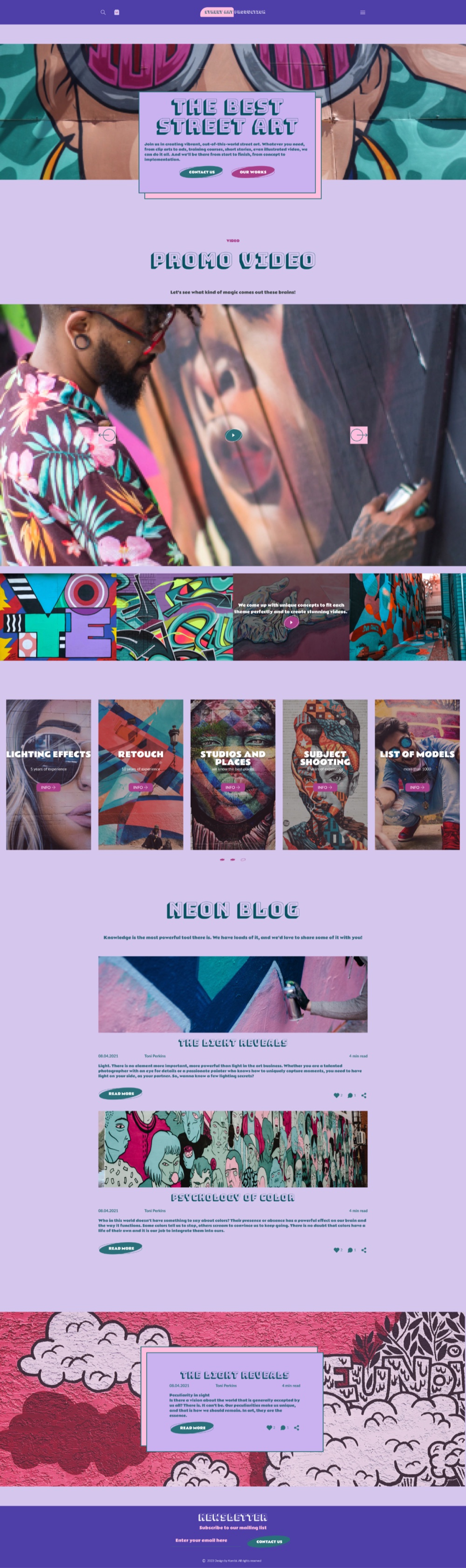
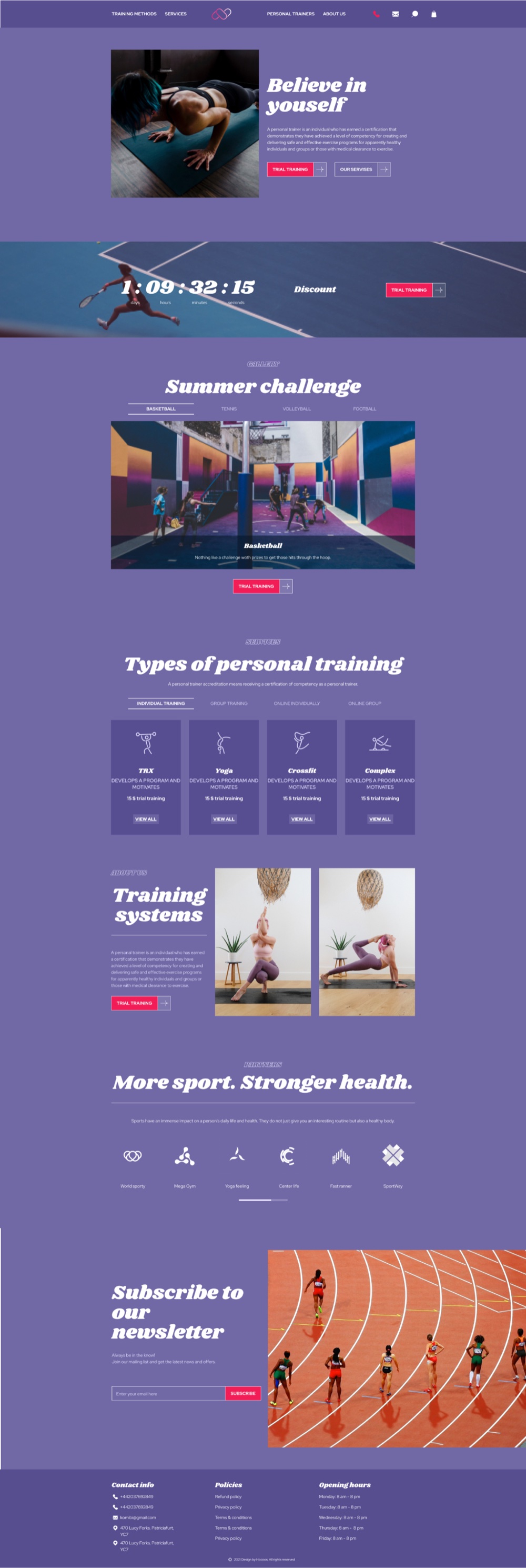
2000 templates & 300 styles
Problem
Every business segment had to find something fitting on day one, so the product needed an enormous template base, but in 2021 there was no AI generation to produce it. Every palette, font pairing and style variation was configured by hand and linked to UI elements.
Hypothesis
If there are 2000 templates built on 300 vetted font and palette pairs, every business segment finds a fitting starting point on day one.
Solution
Category analysis of business websites defined 2000 template themes; a rapid-creation tool and 50 freelance creators produced them on 300 hand-configured font and palette pairs. I built 50+ templates myself.
Bakery
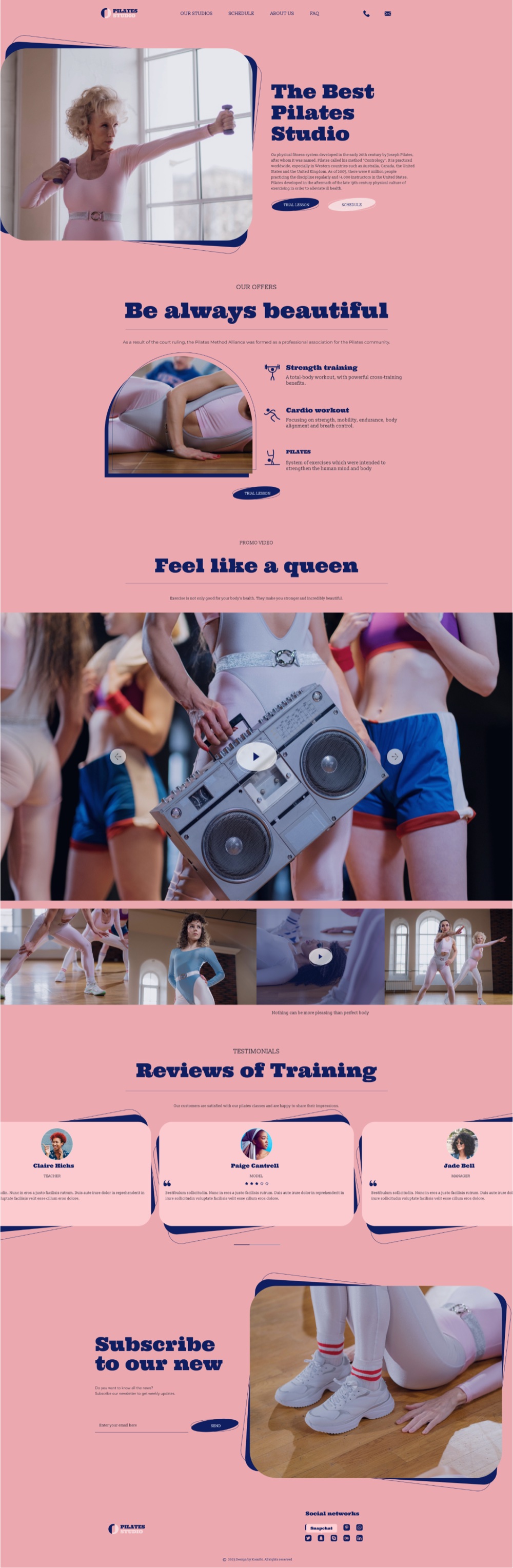
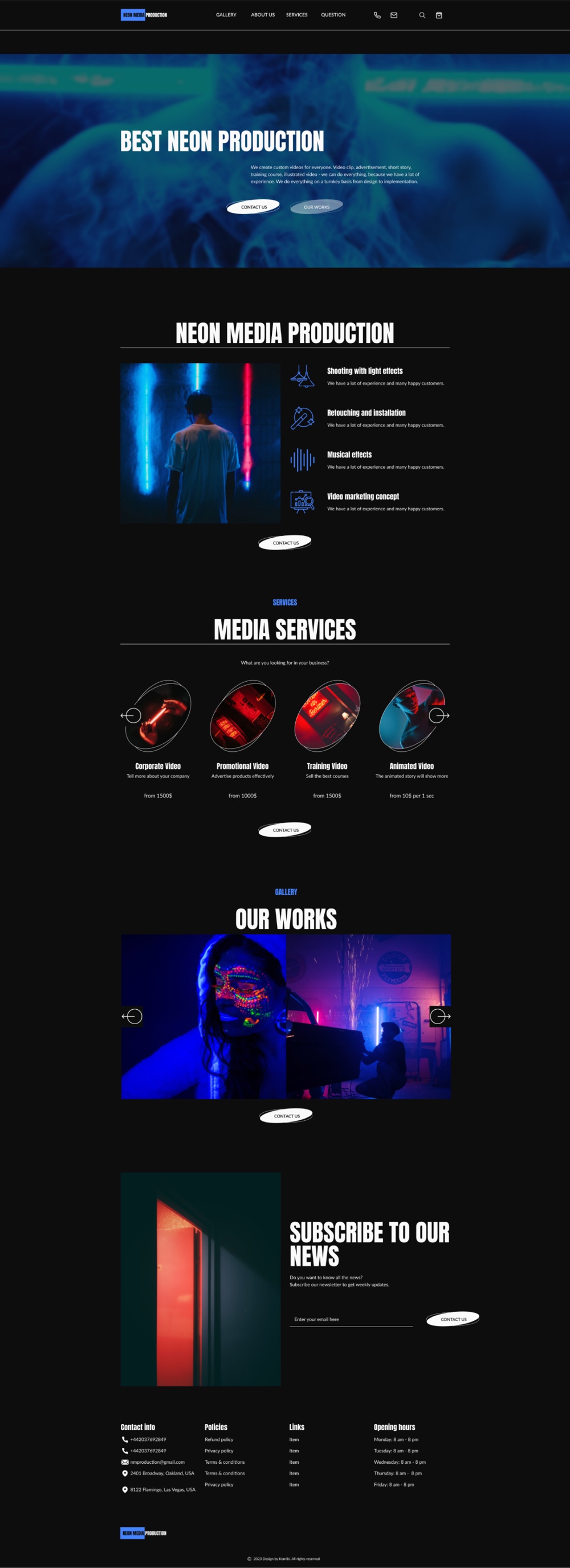
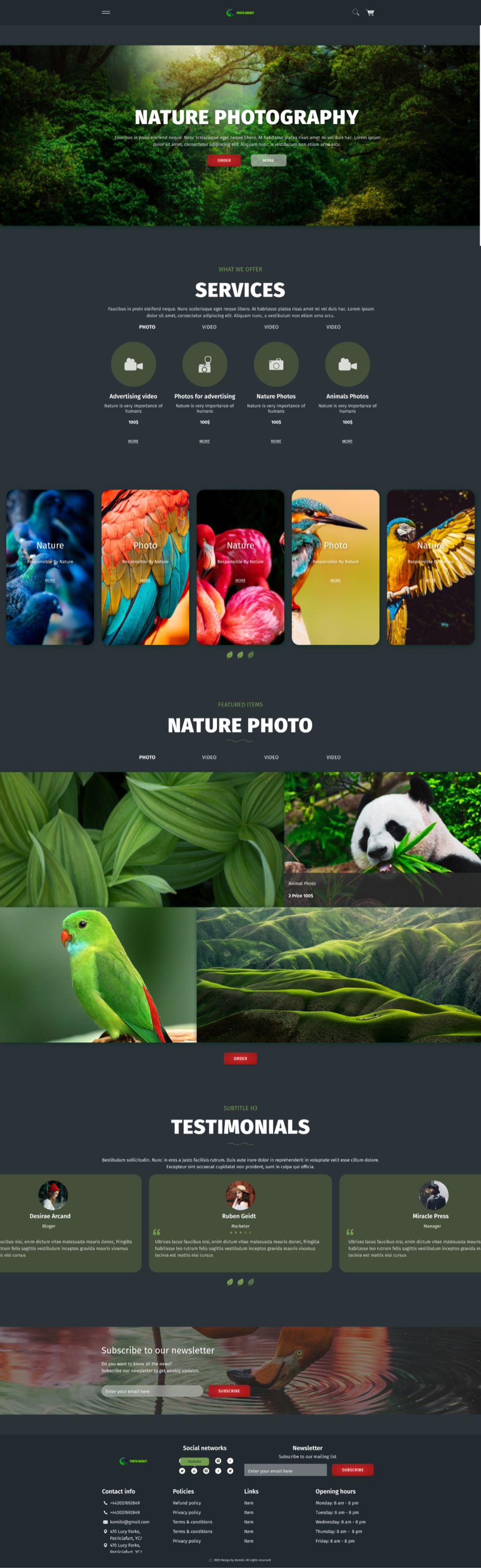
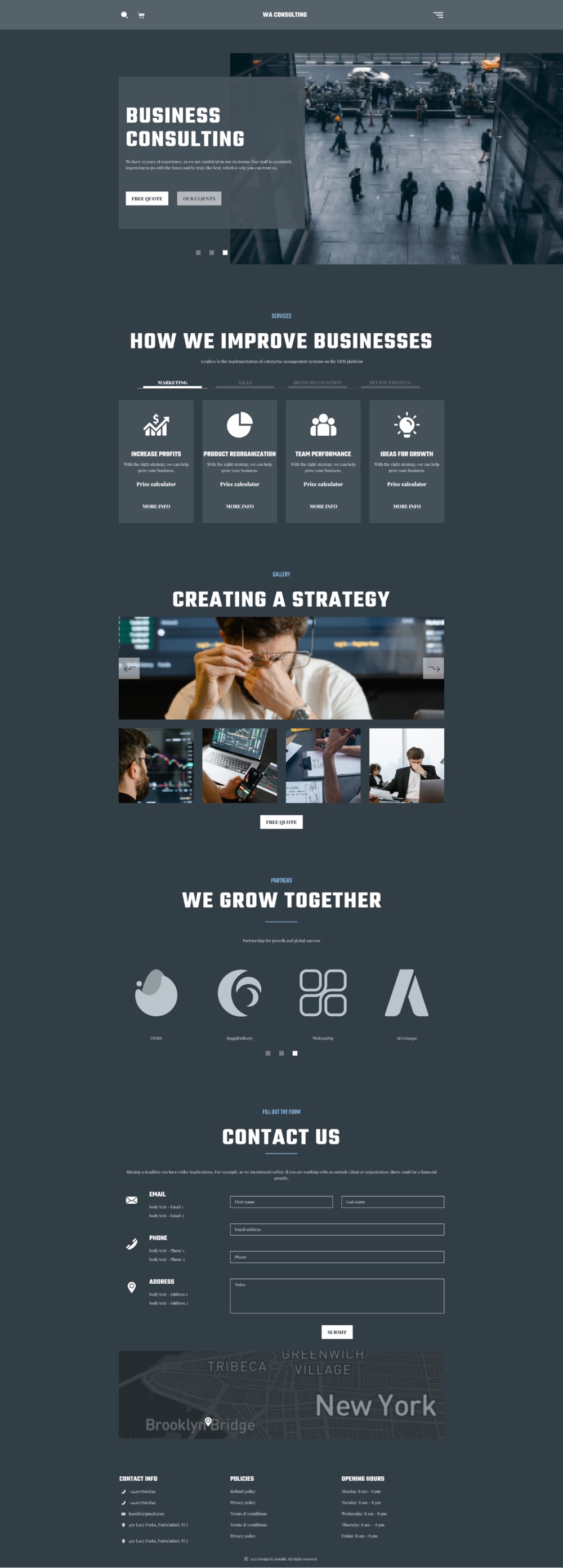
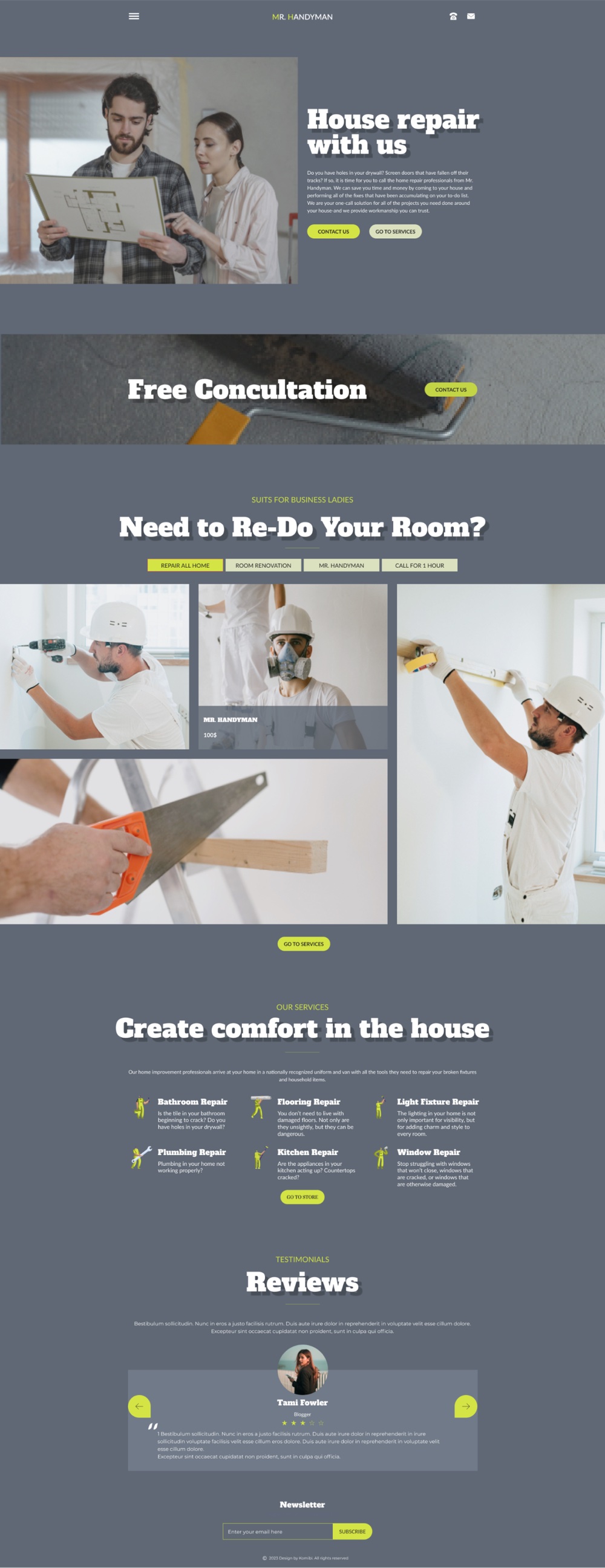
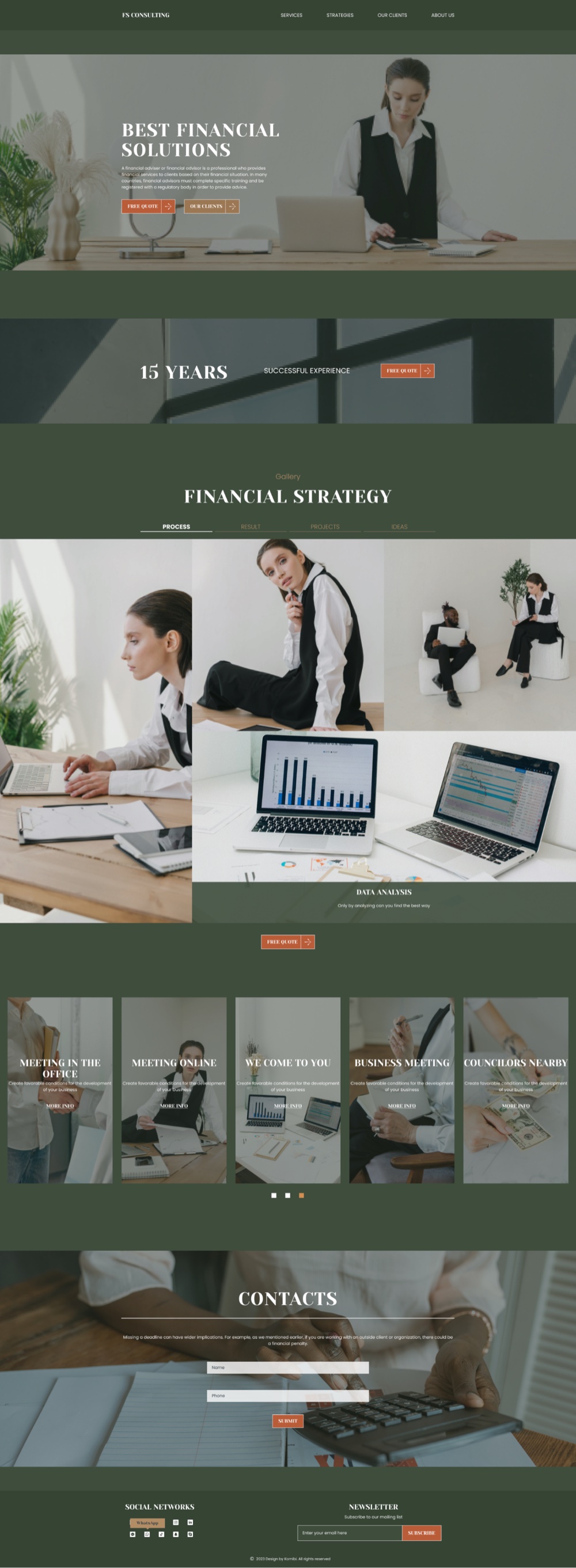
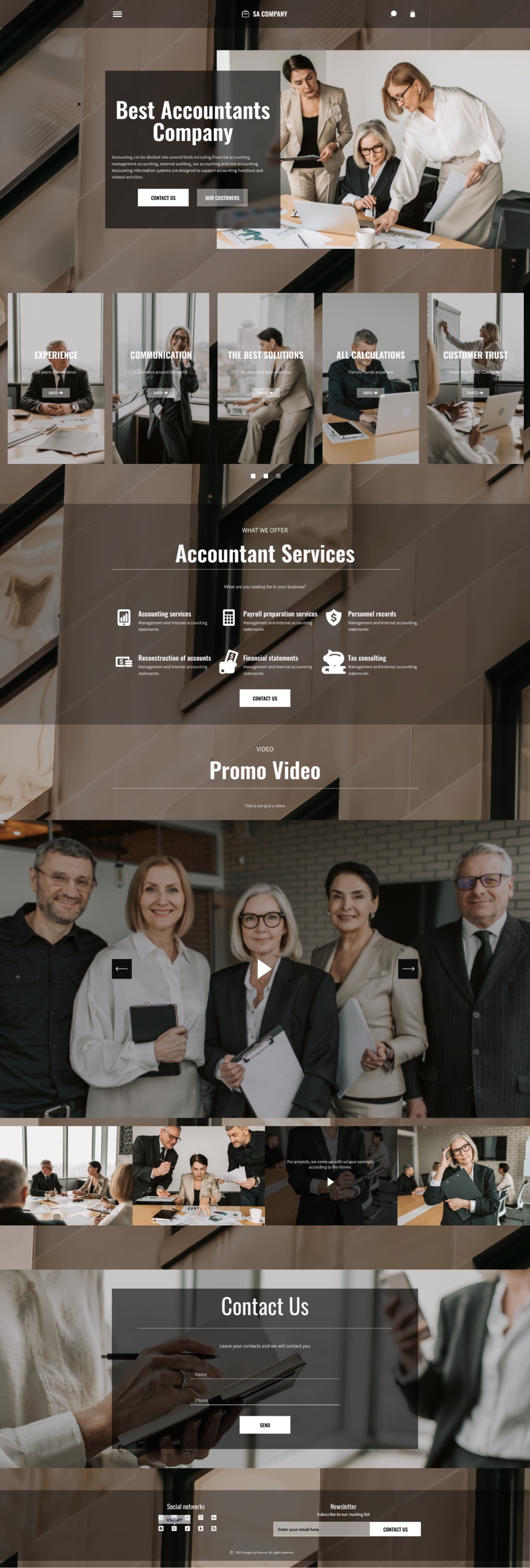
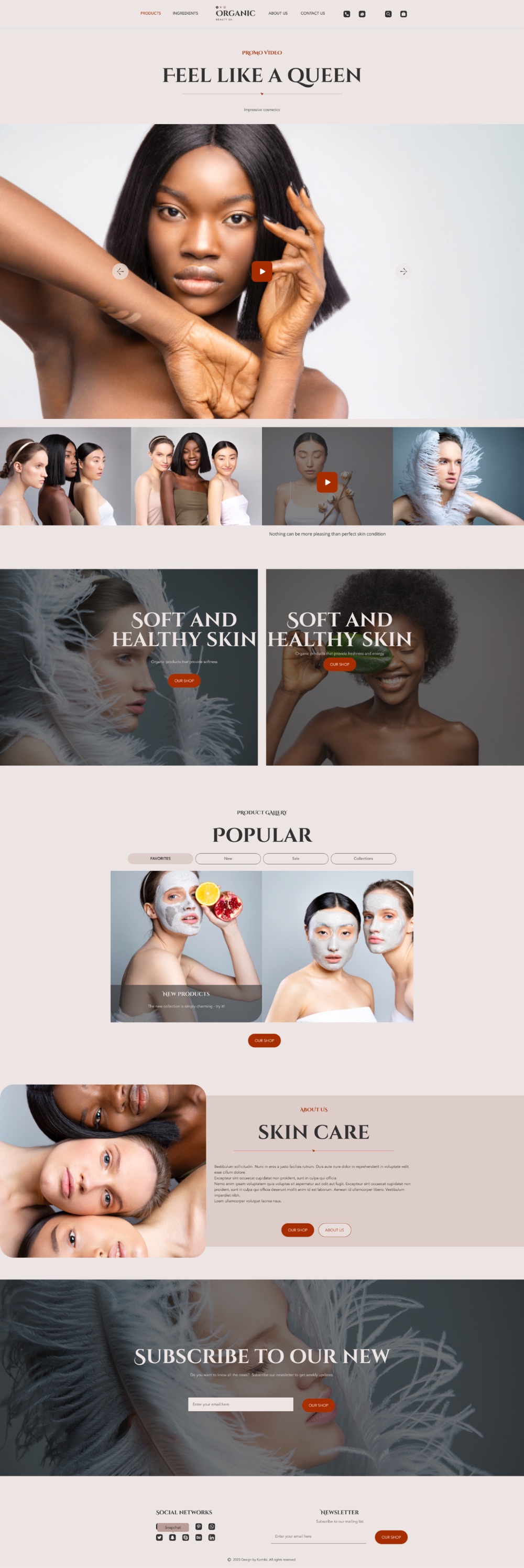
2000
Template themes defined from category analysis
300+
Font pairings, palettes and icon sets configured by hand
50+
Templates I built myself
Key decisions
01
The wizard: three options, minimum questions
Problem
In a crowded builder market users abandon long setups, and with too many wizard questions, people simply didn't finish the journey.
Hypothesis
With the wizard, the number of customers will double, because people don't want to create a website, they want to edit one already made for them.
Solution
Cut the flow to the minimum number of questions with multiple-choice answers; titled every step; moved the controls to the bottom; adapted the whole wizard for mobile after drop-offs showed users coming from phones.
Proof
The confirmed hypothesis: with the wizard, customer engagement doubled.
02
Illustrated questions beat video: our own bet lost
Problem
The initial hypothesis said video questions would win attention and traction.
Hypothesis
Video questions will receive more attention and traction than text.
Solution
Built three identical wizard flows differing only in question format (video, written, illustrated) and A/B/C tested them.
Proof
Video came last (users skipped it), written second, illustrated won. The losing hypothesis was ours. The test decided, not taste.
03
Hover editing over the split layout
Problem
The store builder's config-on-the-left, preview-on-the-right flow confused users and limited what templates could be.
Hypothesis
If editing happens inside the template itself, users will understand the builder without a manual, and templates can become fully customizable.
Solution
Moved editing into the template itself: hover settings on every element, edit in place.
Proof
Became the product's competitive advantage: fully customizable templates, editing that feels like touching the site itself.
Outcome
- Customer engagement ×2 after the wizard shipped
- 2000 templates on 300 hand-configured style pairs
- Hover editing became the product's competitive advantage
Store, booking, blogging, events and video courses all shipped inside one builder.
Next case
AI skincare & wellness app
A mobile app pairing AI skin analysis with a connected laser device and supplements. I joined the live product as senior designer and own its AI layer (daily insights, explained skin results, wellbeing reports), written as rules the team builds against.
View case