Enterprise
Analytics for a digital-asset-management platform
The analytics layer of a digital-asset-management platform, designed from scratch (library, user and asset levels, reporting and export) and instrumented so the dashboards measure their own use.
- Client's country
- Canada
- Platform
- Web · B2B
- Team
- 6 people · engineering, BA, QA, PM
- Duration
- 6 months · 2023–2024
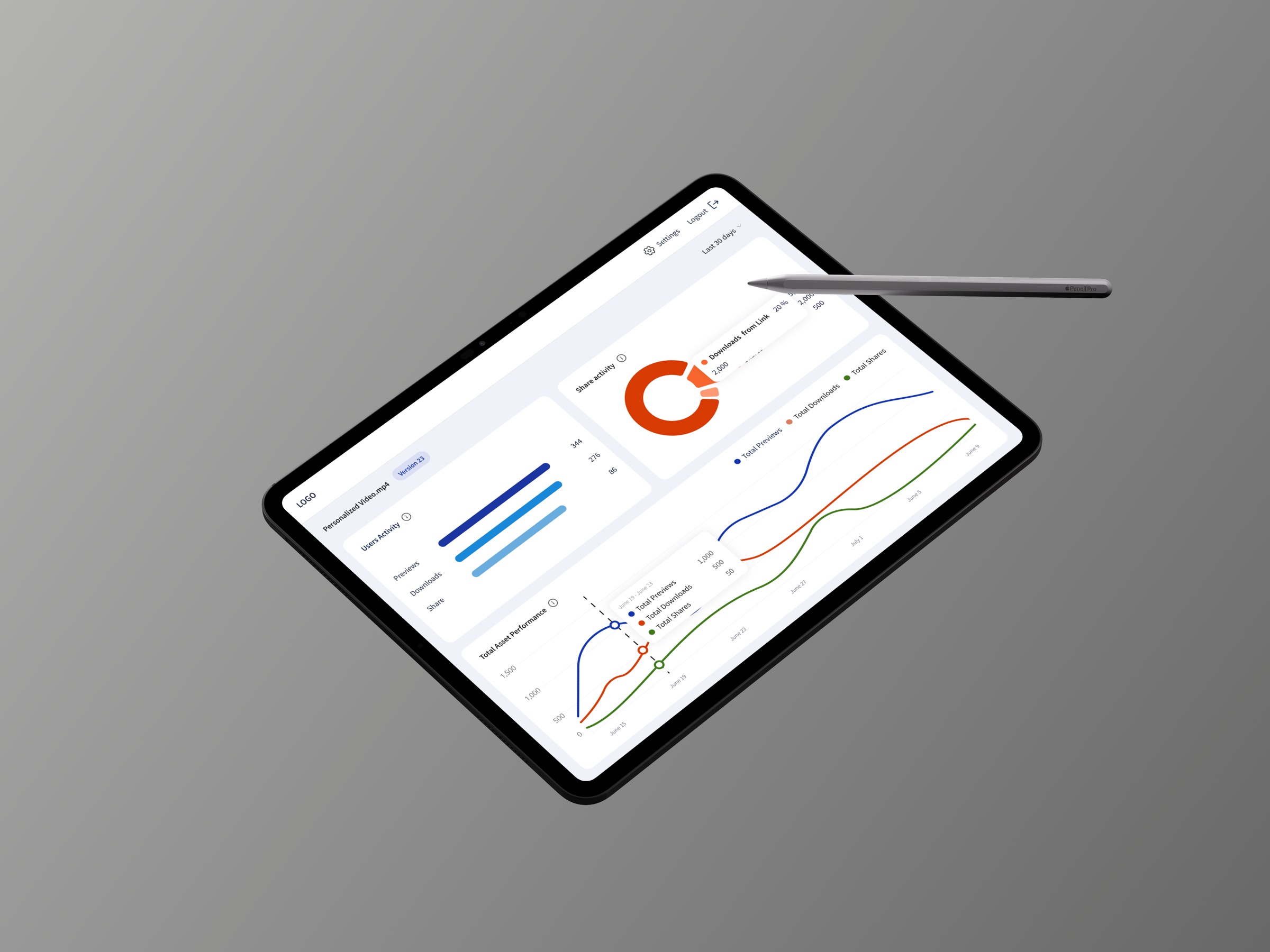
Overview
A B2B platform for digital asset management needed to answer one question: what is all this content actually worth?
What I owned
I designed its analytics layer from scratch: dashboards for asset usage, storage and user activity.
Team
A team of six working directly with stakeholders, full cycle from research to design QA.
Result
The dashboards measure themselves: behavior analytics wired in fed every iteration.
Context
01
Product
A digital-asset-management platform for a leading content-management company: centralized storage, retrieval and sharing of assets across teams and markets, but with no analytics layer on top.
02
Users
Client teams with different roles and permissions: admins overseeing activity, managers guiding users, teams tracking asset performance, on desktop, tablet and mobile.
03
Market
A benchmark of four leading DAM platforms: 22+ analytics features compared to find best practices and the gaps worth taking.
Approach
Listen
Stakeholder quotes defined the goals and the dashboard structure.
Architect
Three reporting levels (DAM, user, asset), one consistent metric language.
Design every state
Loading skeletons, empty widgets and errors designed with the happy path.
Edge cases were predicted before build, so the dashboards stay honest while data loads, and legible when there is none.
Process
Core functionality
01
DAM-level reporting
Problem
Out of everything the platform could measure, only some metrics lead to an action. Choosing those, and showing them so that clients with very different libraries read the same dashboard, was the whole job.
Hypothesis
If the key metrics are standardised across every dashboard, with detail on demand, clients with very different libraries will read them the same way.
Solution
The whole library at a glance: asset counts, storage, users, downloads and shares, with activity split by asset type, on desktop and mobile.
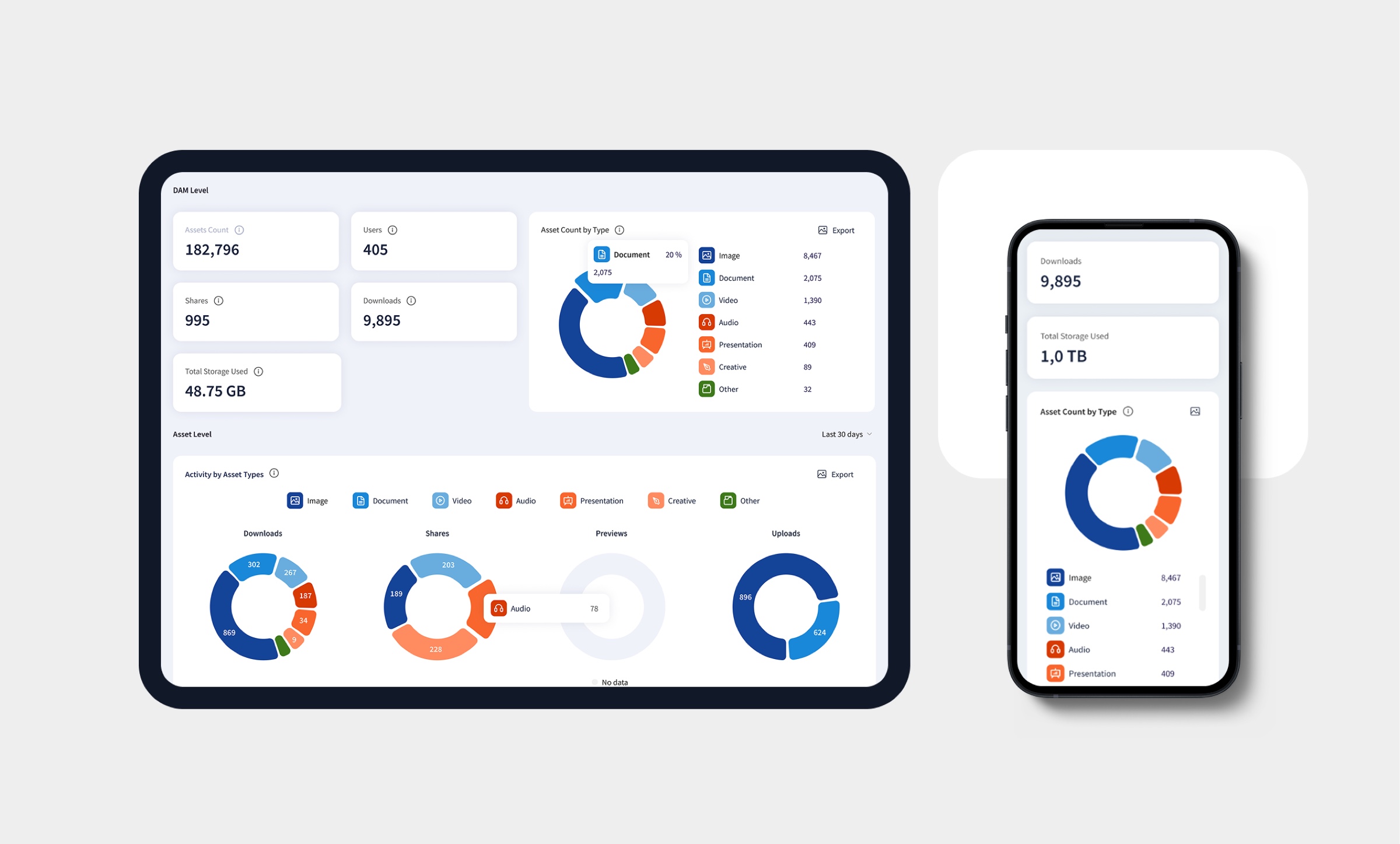

The whole library first, detail on demand.
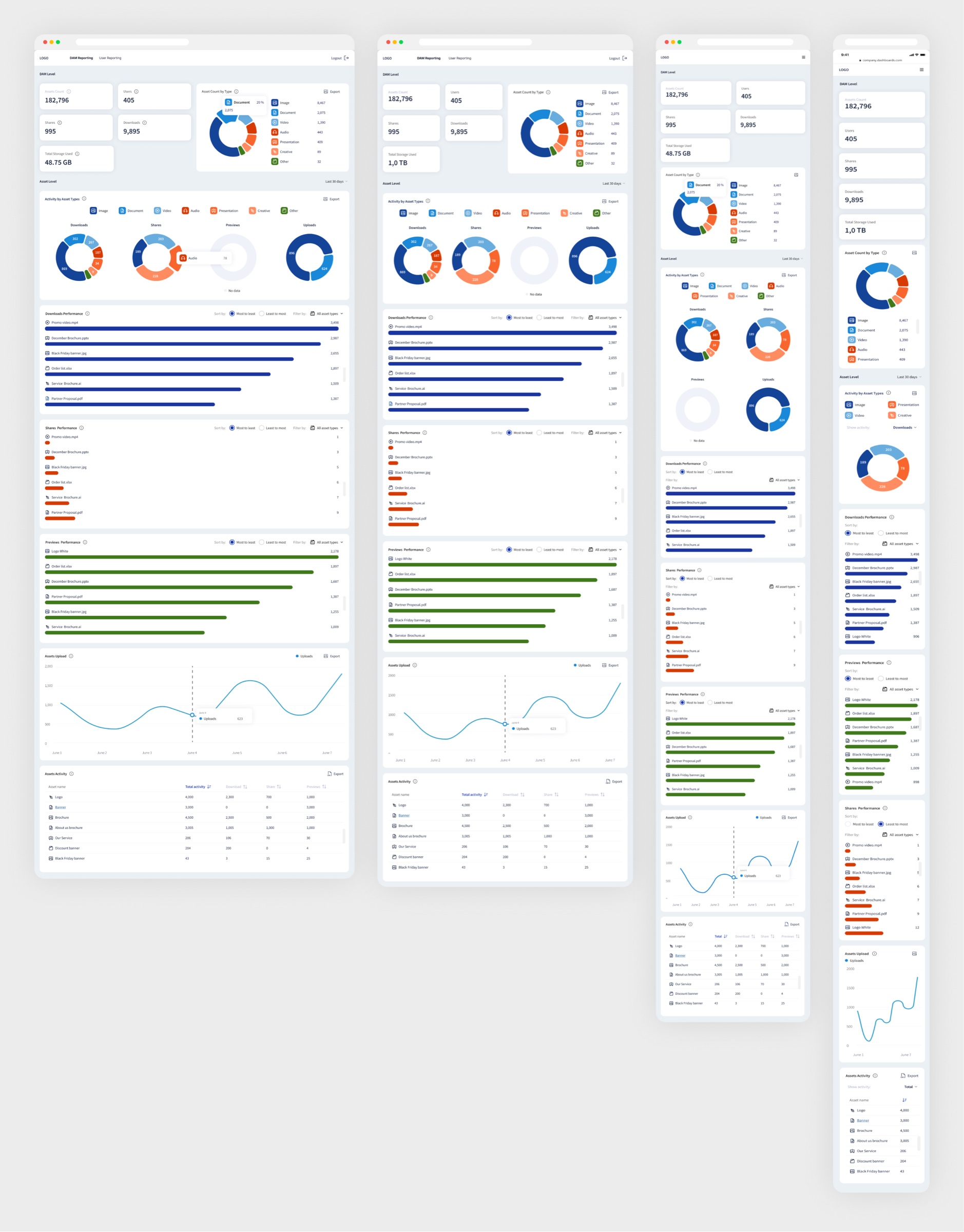
DAM-level reporting across every breakpoint
Result
Key metrics standardised across every dashboard, with drill-downs for the detail and comparison by client or by period.
02
User-level reporting
Problem
The client paid per seat without knowing who actually used the system.
Hypothesis
If activity is shown per person (logins, downloads, shares), admins see where the licences work and where they do not.
Solution
Who actually uses the system: per-user activity, logins, downloads and shares, with search and role-based access.
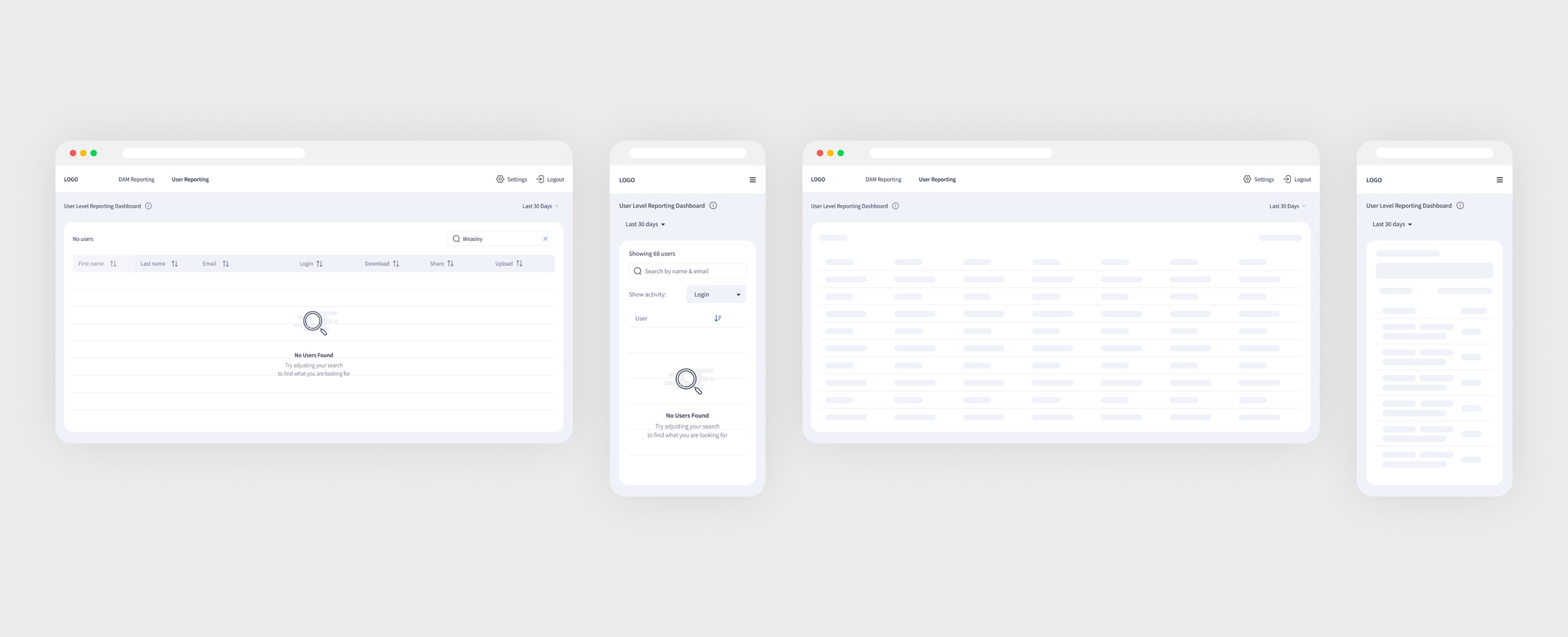
Adoption per person: who actually uses the system.
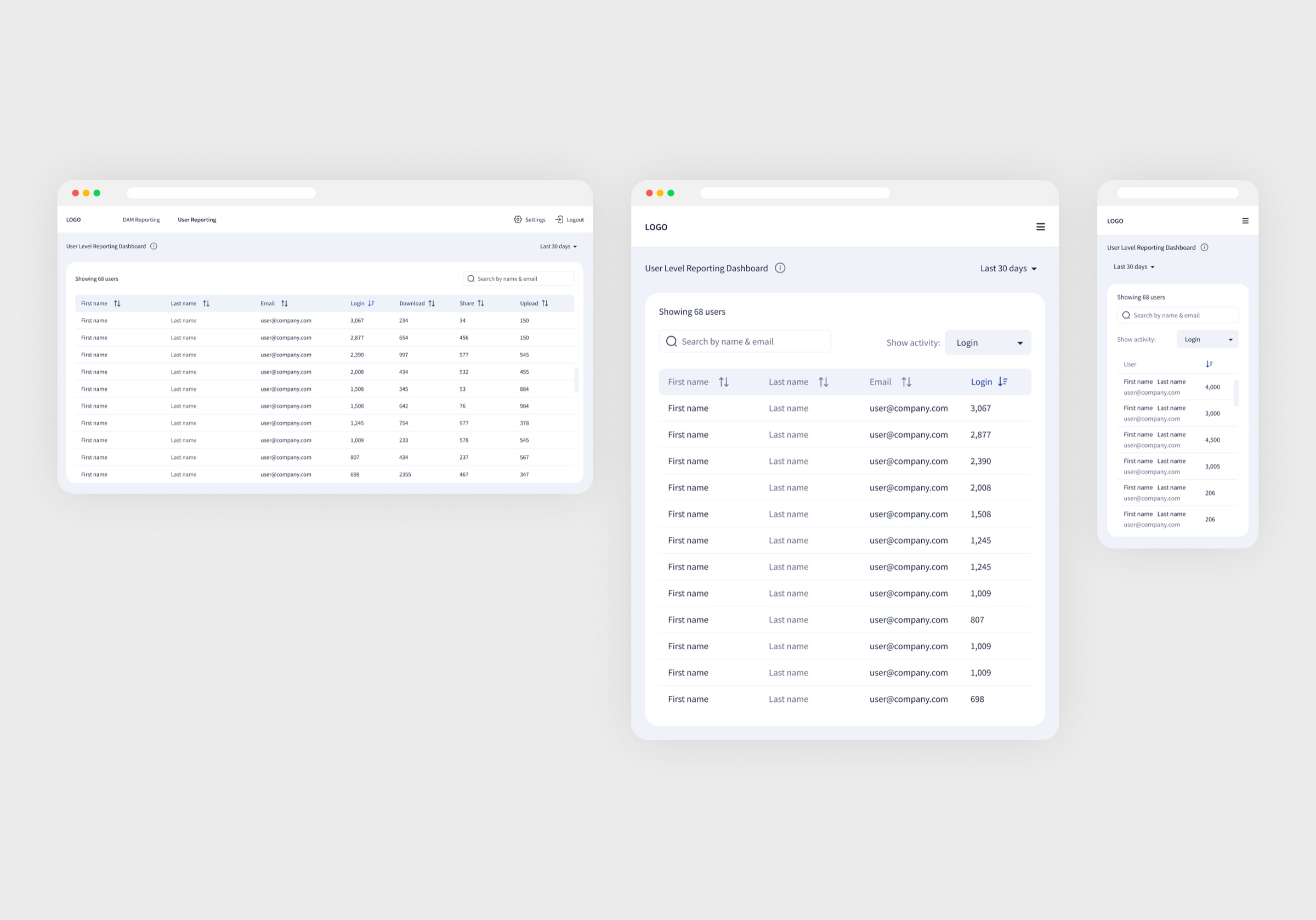
Nothing found, and nothing loaded yet
03
Asset-level reporting
Problem
The library grew, but nobody knew which assets worked and which were dead weight.
Hypothesis
If every asset shows its own history of views and downloads over time, the team can see what is worth refreshing.
Solution
Every asset tells its own story: previews, downloads and shares over time, with dense data made scannable.
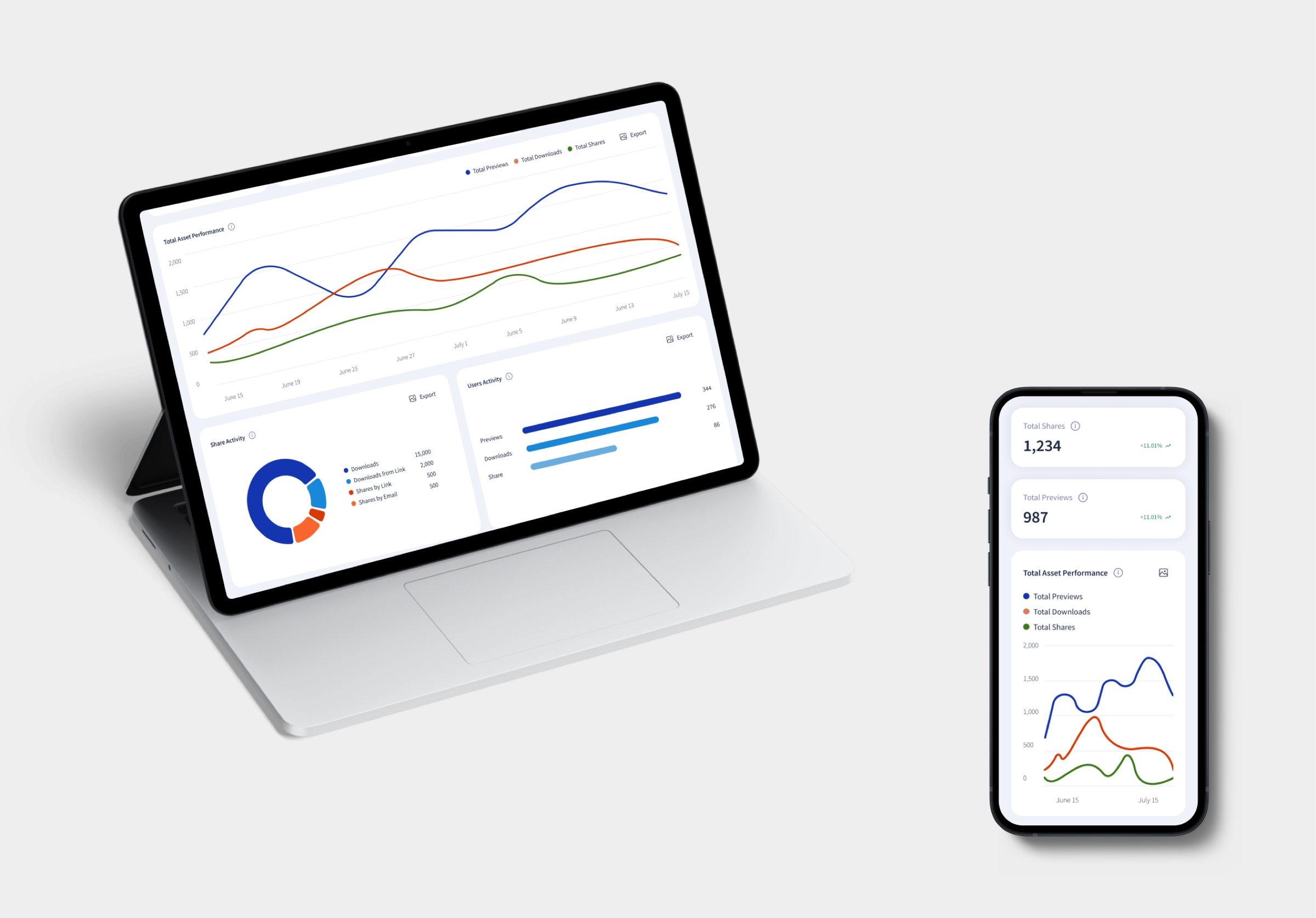
One asset's life over time: what's worth keeping.
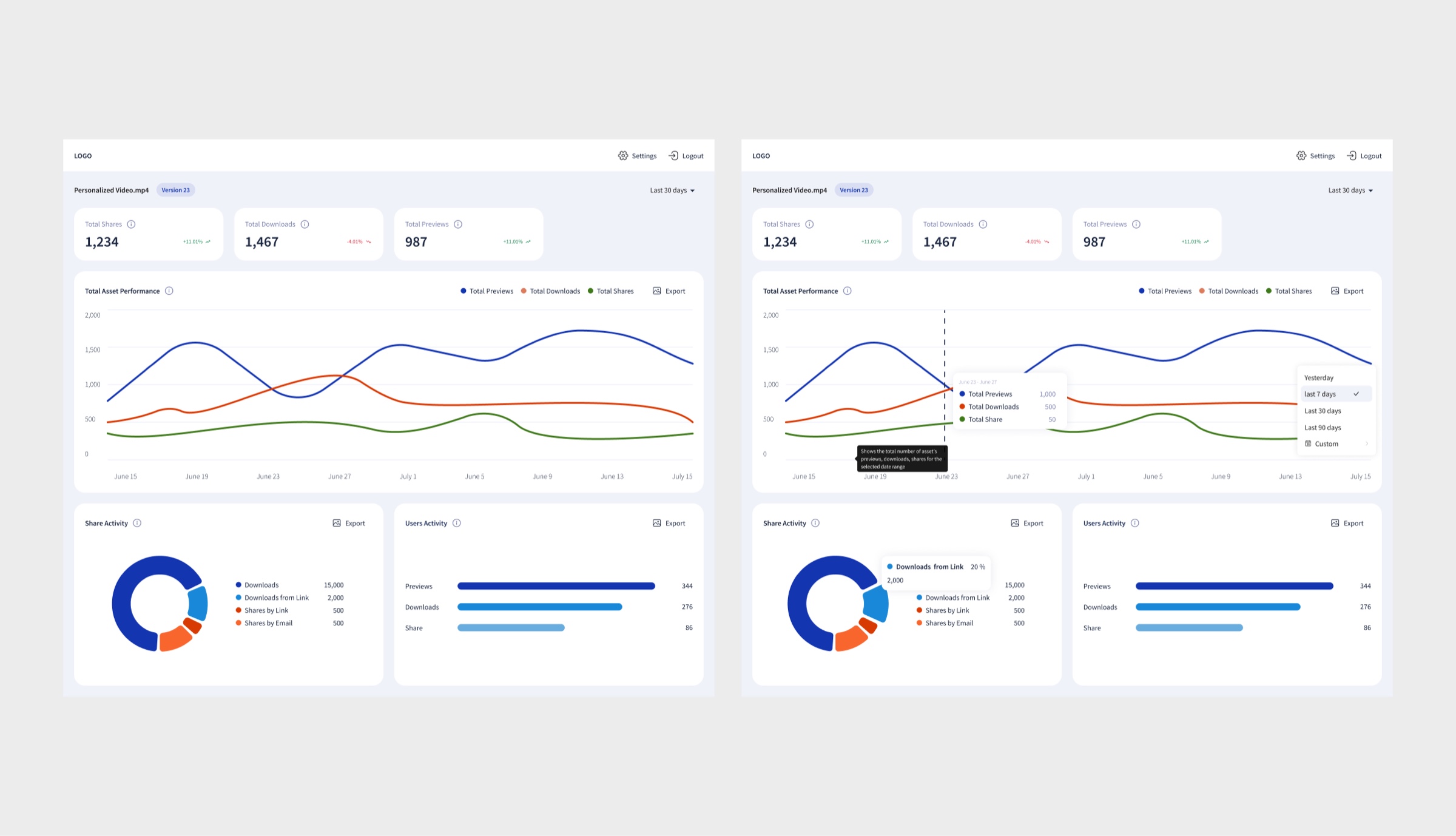
One asset over time: previews, downloads, shares
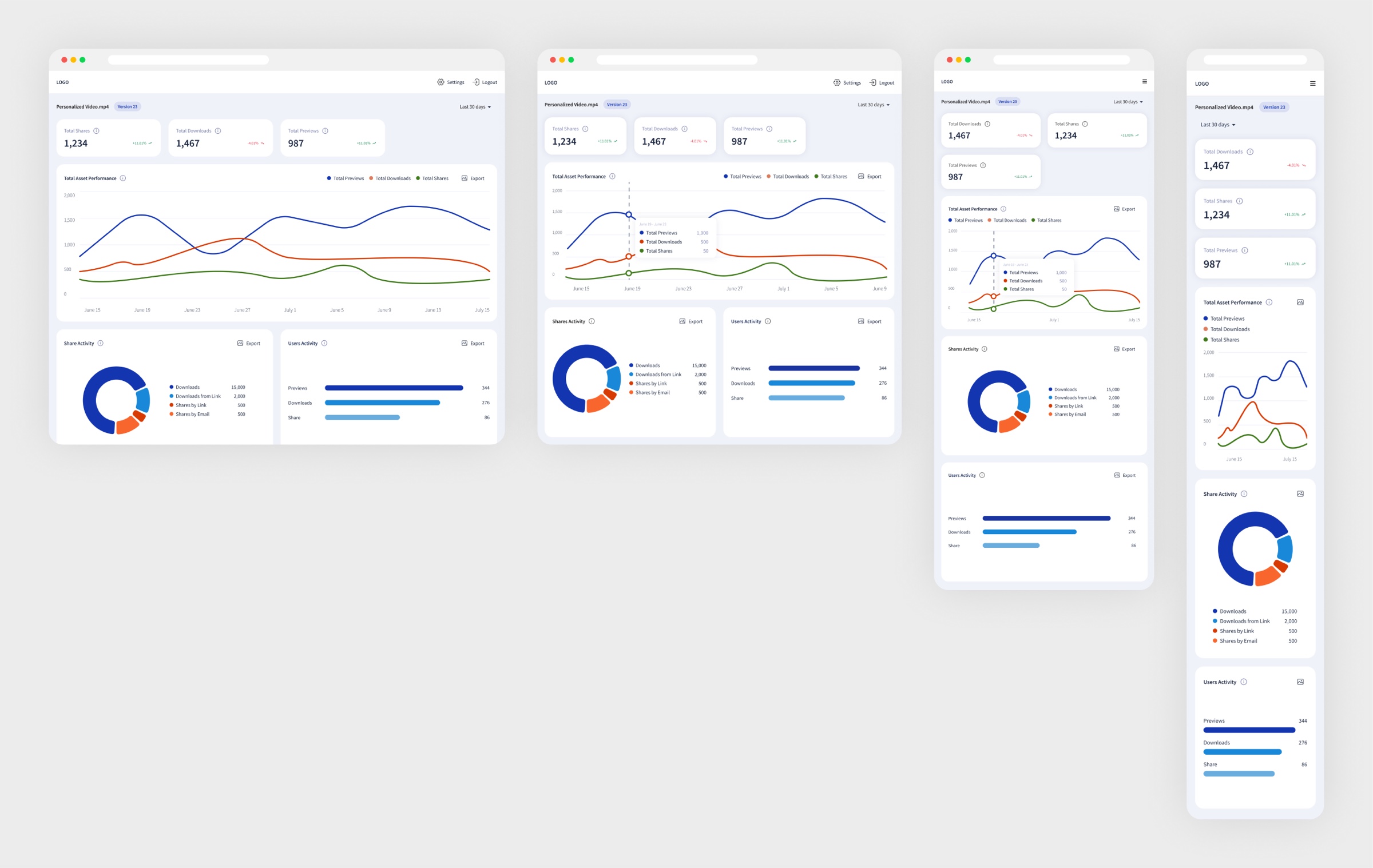
The same asset dashboard at every breakpoint
04
Export
Problem
Dashboard data ended up in reports and decks anyway, as screenshots.
Hypothesis
If export produces clean CSV and PNG, the numbers reach the report without losing quality.
Solution
Charts leave the platform cleanly: CSV for tables, PNG and JPEG for visuals, ready for reports and presentations.
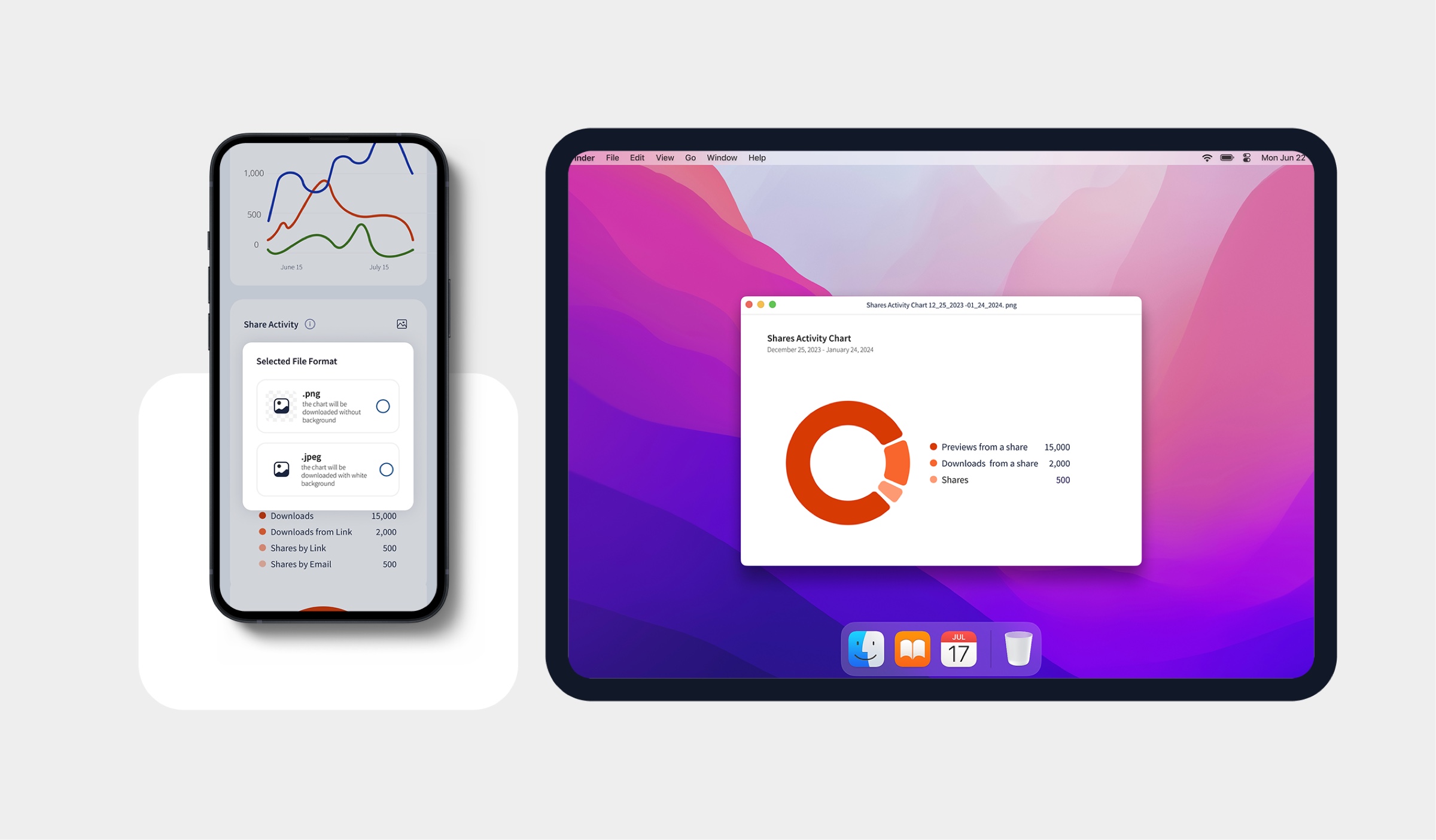
35% of users export, so charts leave the platform clean.
05
Adaptive behavior
Problem
Large datasets made dashboards slow to load, and people opened them on tablets and phones as often as on a desktop. The interface had to stay legible before the data arrived.
Hypothesis
If loading shows skeletons and emptiness is explained, the interface stays legible before the data arrives, on any screen.
Solution
Responsive layouts down to tablet and phone, skeleton loading and informative empty states, so the interface stays clear even before data arrives.
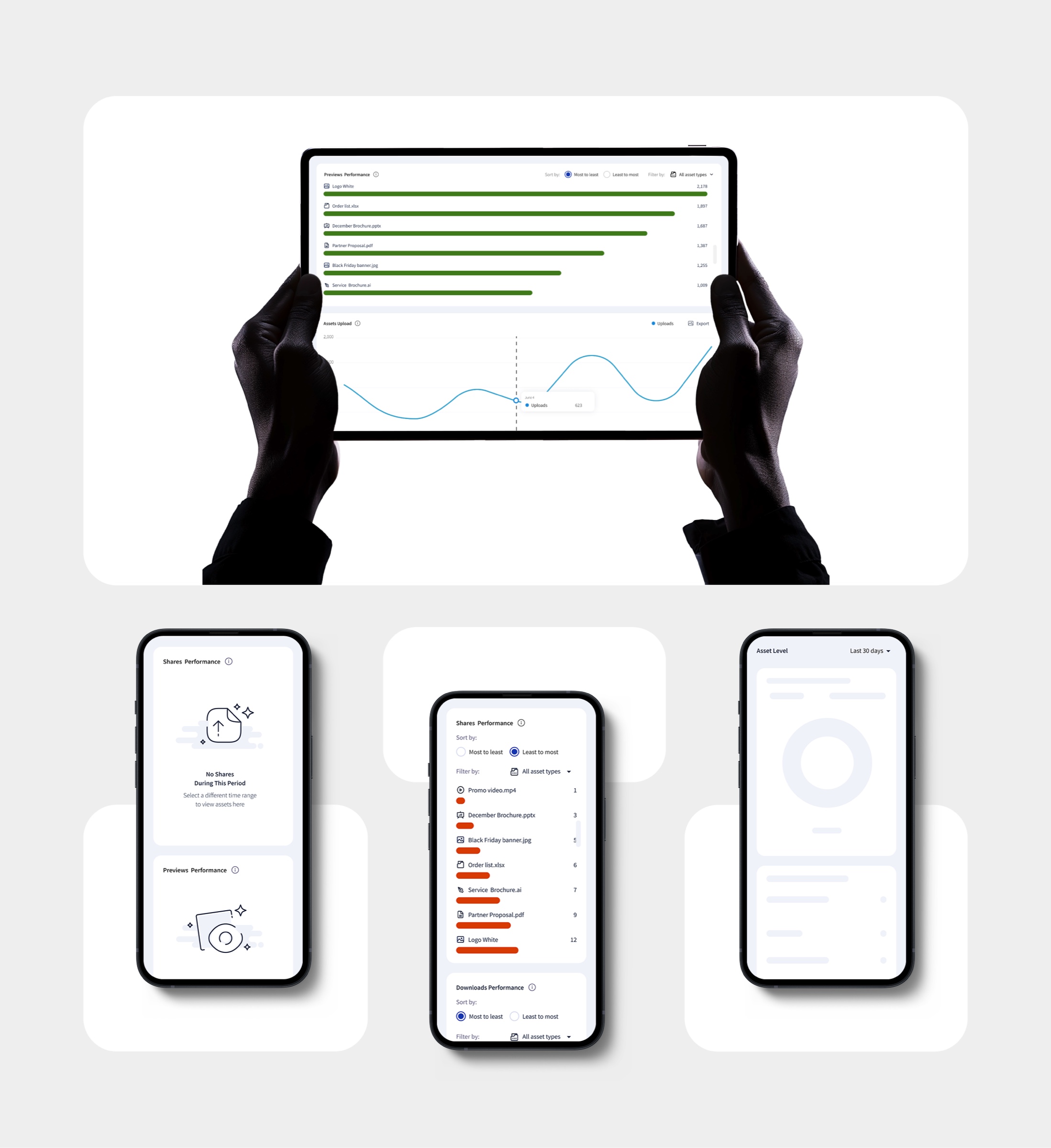
27% open analytics on a phone or tablet, so widgets reflow, not shrink.
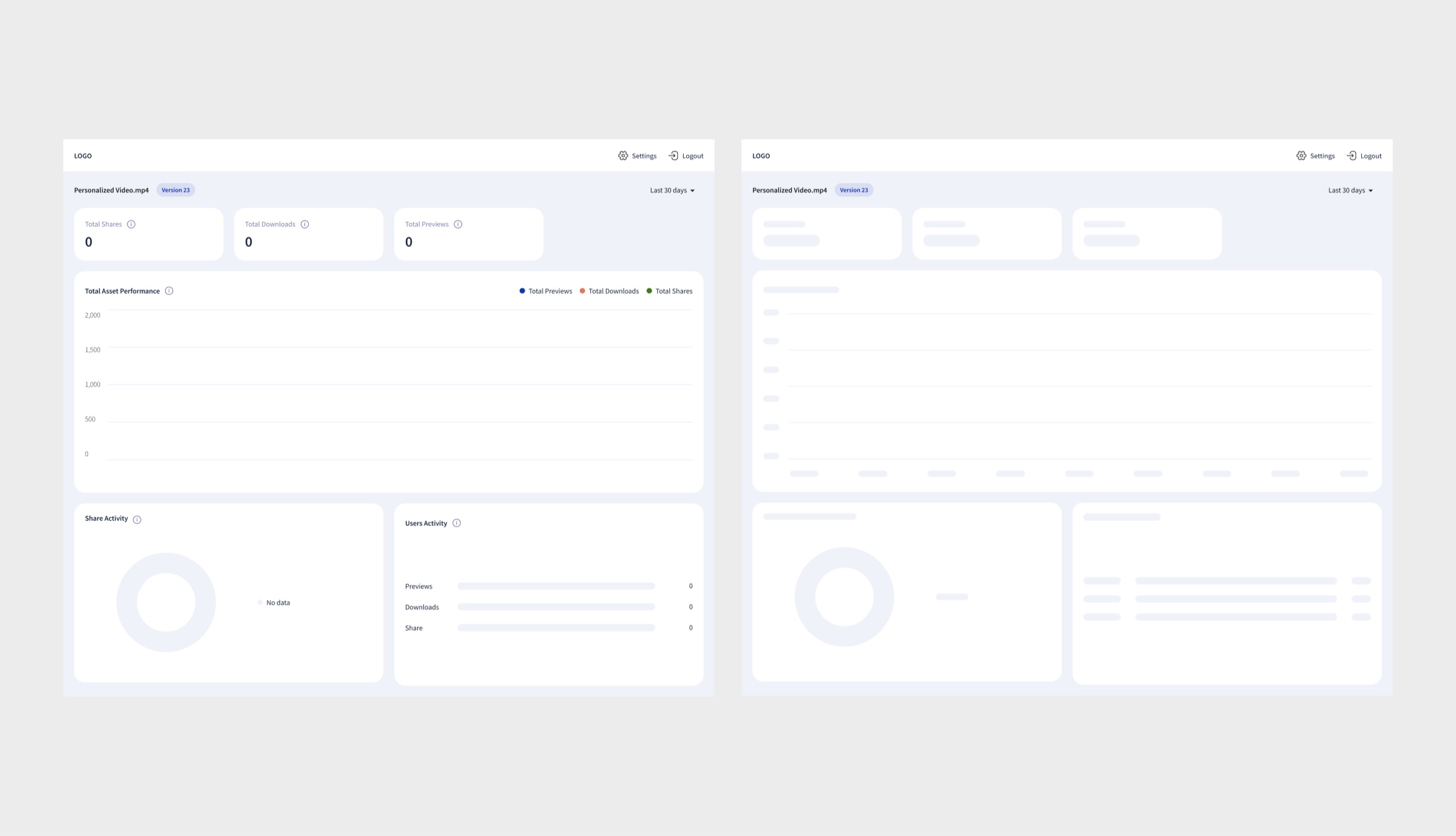
Empty data and skeleton loading: designed, not left over
Result
Skeleton loaders while data is fetched, informative empty states when there is none, and layouts adapted for desktop, tablet in both orientations, and phone.
Key decisions
01
Preset time ranges over a free calendar
Problem
Analytics tools drown users in date pickers, though most comparisons are routine, not custom.
Hypothesis
Most comparisons are routine, so presets will serve the majority better than a free calendar.
Solution
Preset ranges: yesterday, 7, 30, 60, 90 days, one tap away, with the calendar kept only for edge cases.
Proof
41% of sessions included at least one use of the date range picker: a routine tool, not a buried one.
02
Empty, loading and error states as first-class design
Problem
Data-heavy dashboards break trust the moment a widget shows nothing without explaining itself.
Solution
Skeleton loading, informative empty widgets and responsive rules designed alongside the happy path, for every widget, on every viewport.
Proof
The interface stays clear and consistent even when content is still loading or unavailable.
03
Measuring the dashboards themselves
Problem
Shipping analytics without knowing whether anyone uses it would repeat the client's own problem.
Hypothesis
If we track the dashboards like a product, iteration will be driven by real usage instead of opinions.
Solution
Wired behavior analytics into the dashboards: which features, filters and metrics people actually engage with.
Proof
72% of users regularly interact with asset performance charts, 58% use type filters, 35% export data, and those numbers fed the iteration loop.
Outcome
- 72% of users regularly interact with performance charts
- 58% use asset-type filters · 41% of sessions use the date range picker
- 35% export data · 27% open analytics from mobile or tablet
DAM-, user- and asset-level dashboards designed from scratch, with one consistent language for metrics that client teams open daily for decisions.
Next case
Social video & games app
An app for meeting new friends over video calls, with games built into the call. I designed the core experience: call, chat and games unified into one surface, plus onboarding, profiles, messaging and the landing page.
View case