Retail
Inventory system for a mini-market chain
A scanner-first Android app running inventory, deliveries and daily tasks for a grocery mini-market chain. Sole designer from the business model to beta across the chain, tested with real store staff at every step.
- Client's country
- Ukraine
- Platform
- Android
- Team
- 5 people · the only designer
- Duration
- 9 months · 2021–2022
Overview
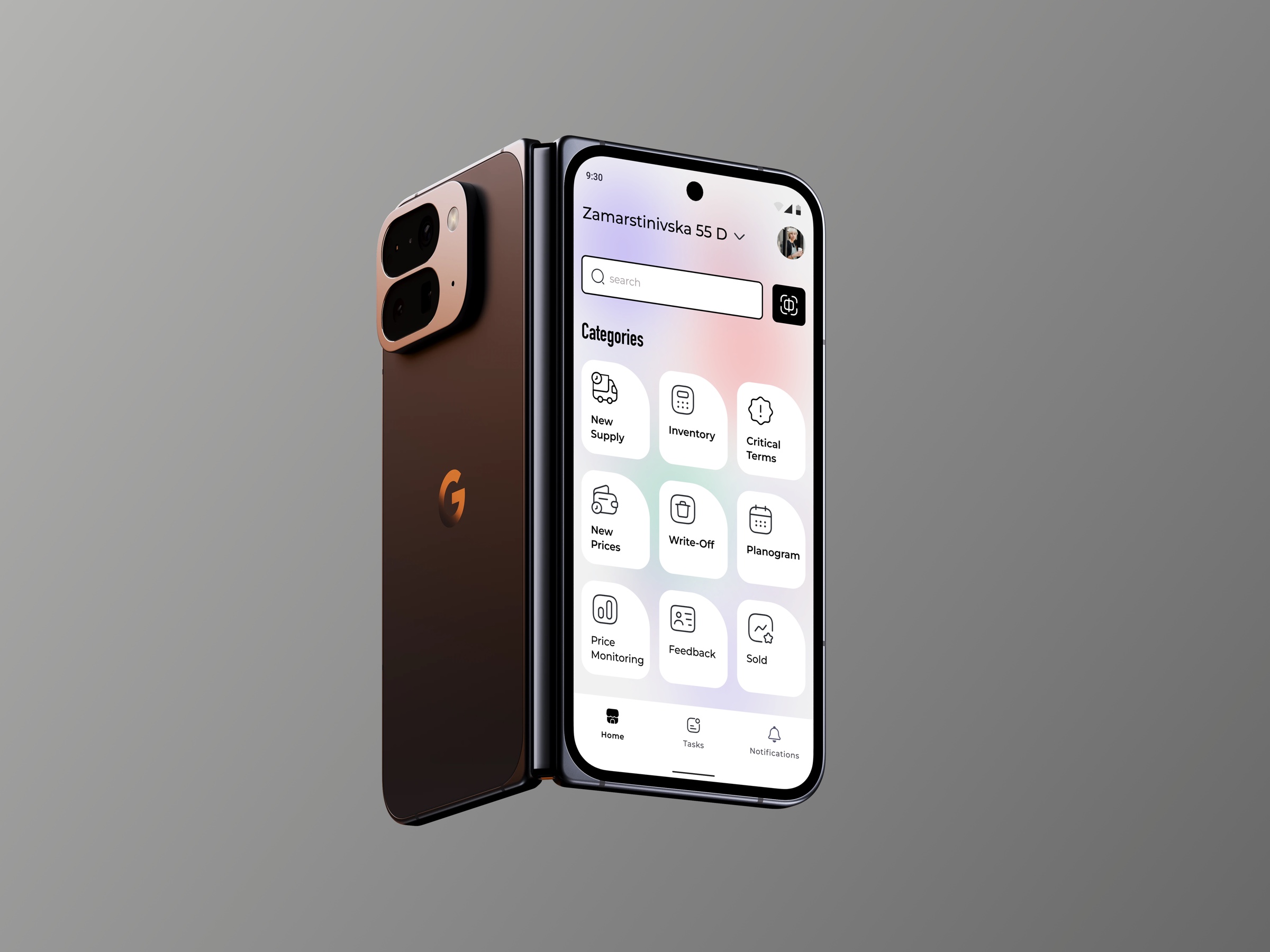
A scanner-first Android app for a grocery mini-market chain: inventory, deliveries, daily tasks.
What I owned
Sole designer from the idea stage, from the business model to the live product.
Research
Direct access to real store employees throughout, and I used it at every step.
Result
Shipped to beta across the chain, replacing paper chaos on the floor.
Context
01
Product
One tool for store employees: scan a product to see stock, expiry and prices; check in deliveries; track daily tasks; handle write-offs and repricing.
02
Users
Store employees and managers of a grocery mini-market chain. On their feet, hands busy, no time for menus, so speed beats features.
Starting point: no unified tool, which meant delivery chaos, stock errors and stale data between managers and the floor.
Approach
Model the business
Business Model Canvas and a Service Blueprint before any screens.
Listen to the floor
Surveys and interviews with the employees who'd use it daily.
Test on the floor
Usability testing on prototypes and the live product.
Direct access to real users end to end, so every design decision was checked against the shop floor.
Process
Core functionality
01
Scanner · the front door
Problem
To find stock, an expiry date or a price, an employee walked to the computer in the back room.
Hypothesis
If a code scan at the shelf opens all three, the answer takes seconds instead of a trip.
Solution
Scan a product to see stock, expiry dates and prices in one place, the fastest path to any answer on the floor.
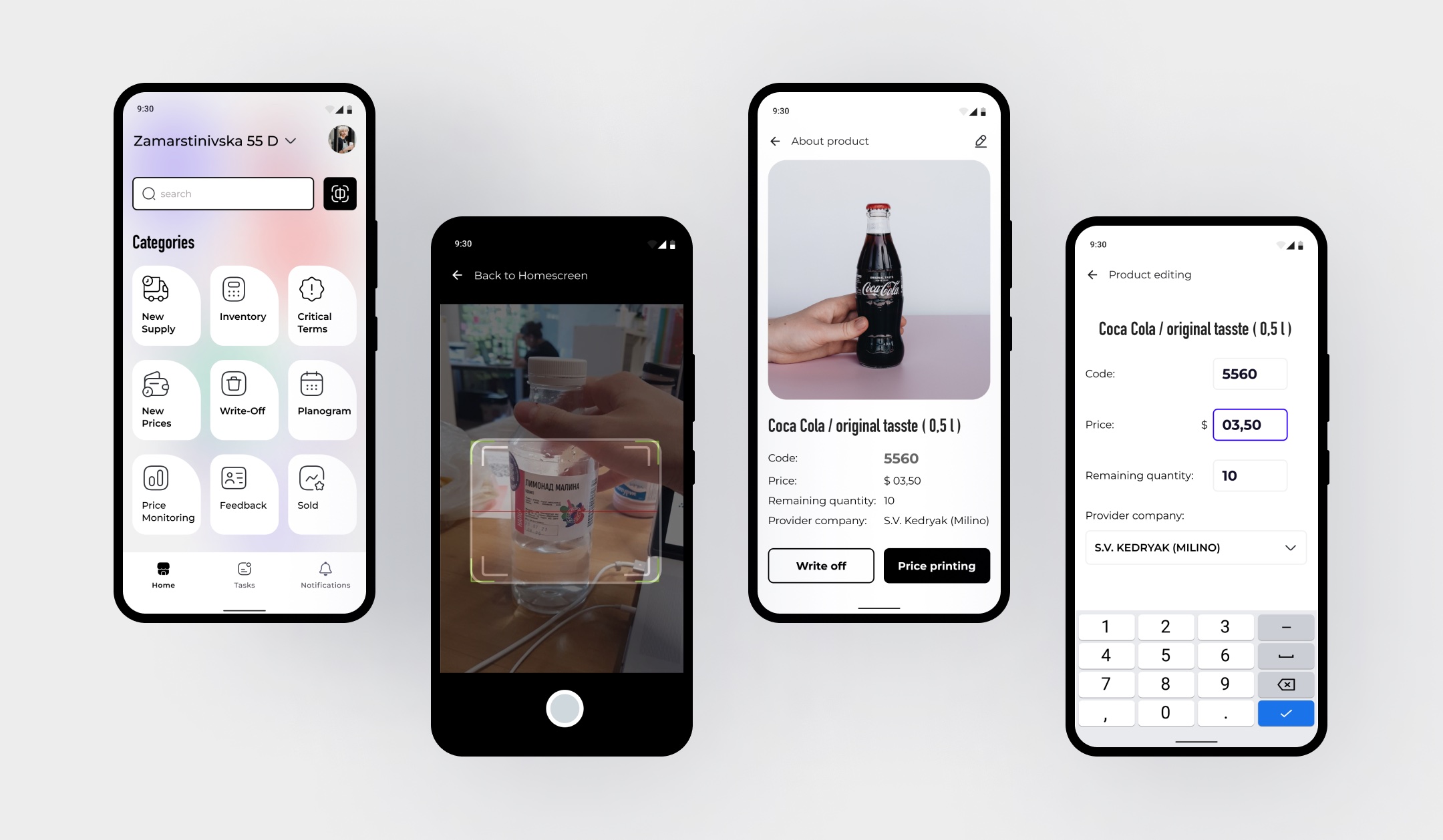

Hands are full at the shelf, so scanning is the front door.
02
QR staff login
Problem
Staff rotate between stores, and passwords on shared devices were passed around by hand.
Hypothesis
If signing in is a badge scan with the store picked, a shift starts without passwords.
Solution
Employees sign in per store location by scanning a QR, with no passwords at the shelf.
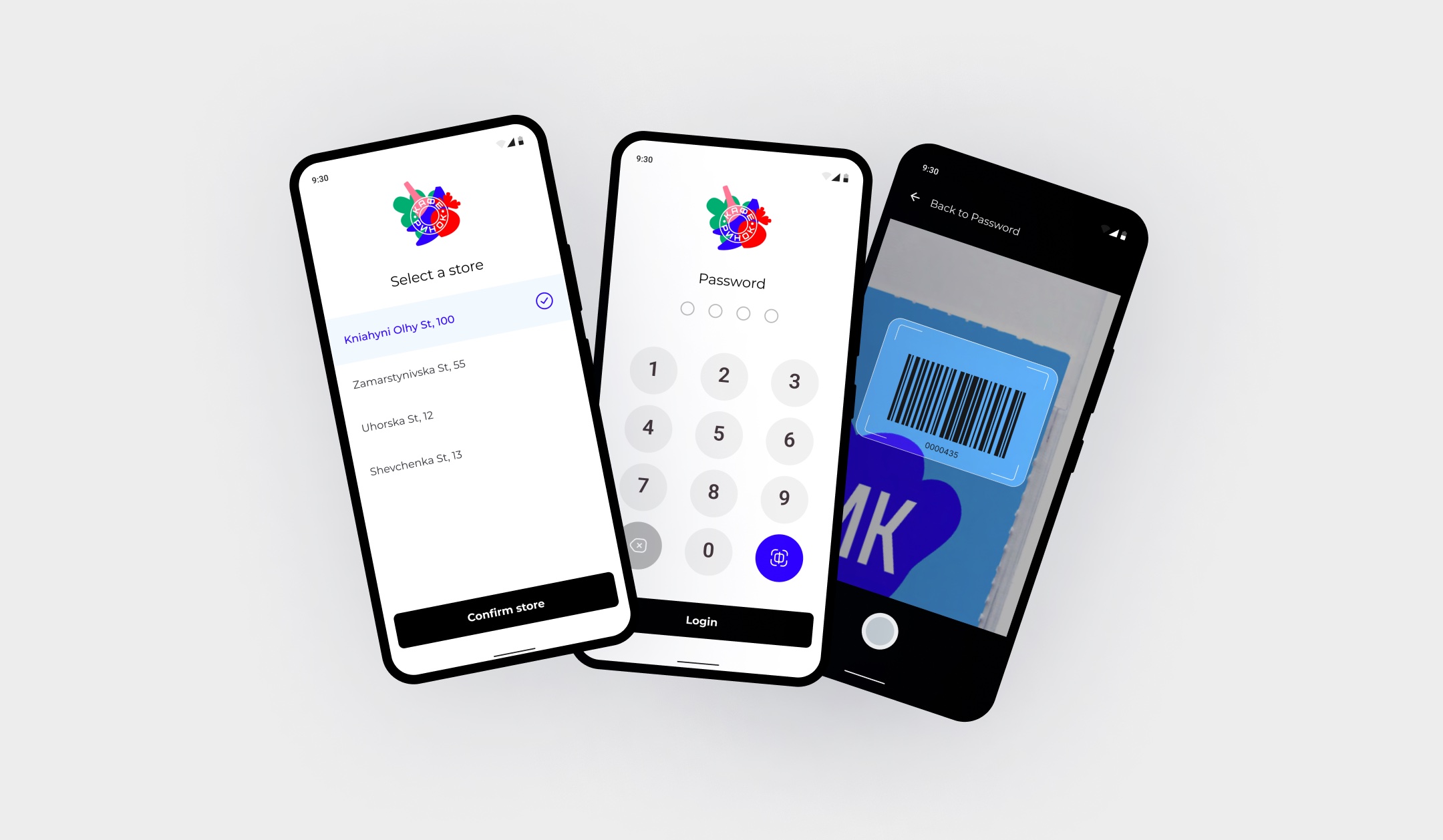
No passwords at the shelf: a badge scan is enough.
03
Supply check-in
Problem
Deliveries were checked against paperwork by hand, and mismatches surfaced after the goods were accepted.
Hypothesis
If items are scanned against the original order, a mismatch shows up at the door.
Solution
Deliveries are checked in by scanning against the original order, so mismatches surface immediately.
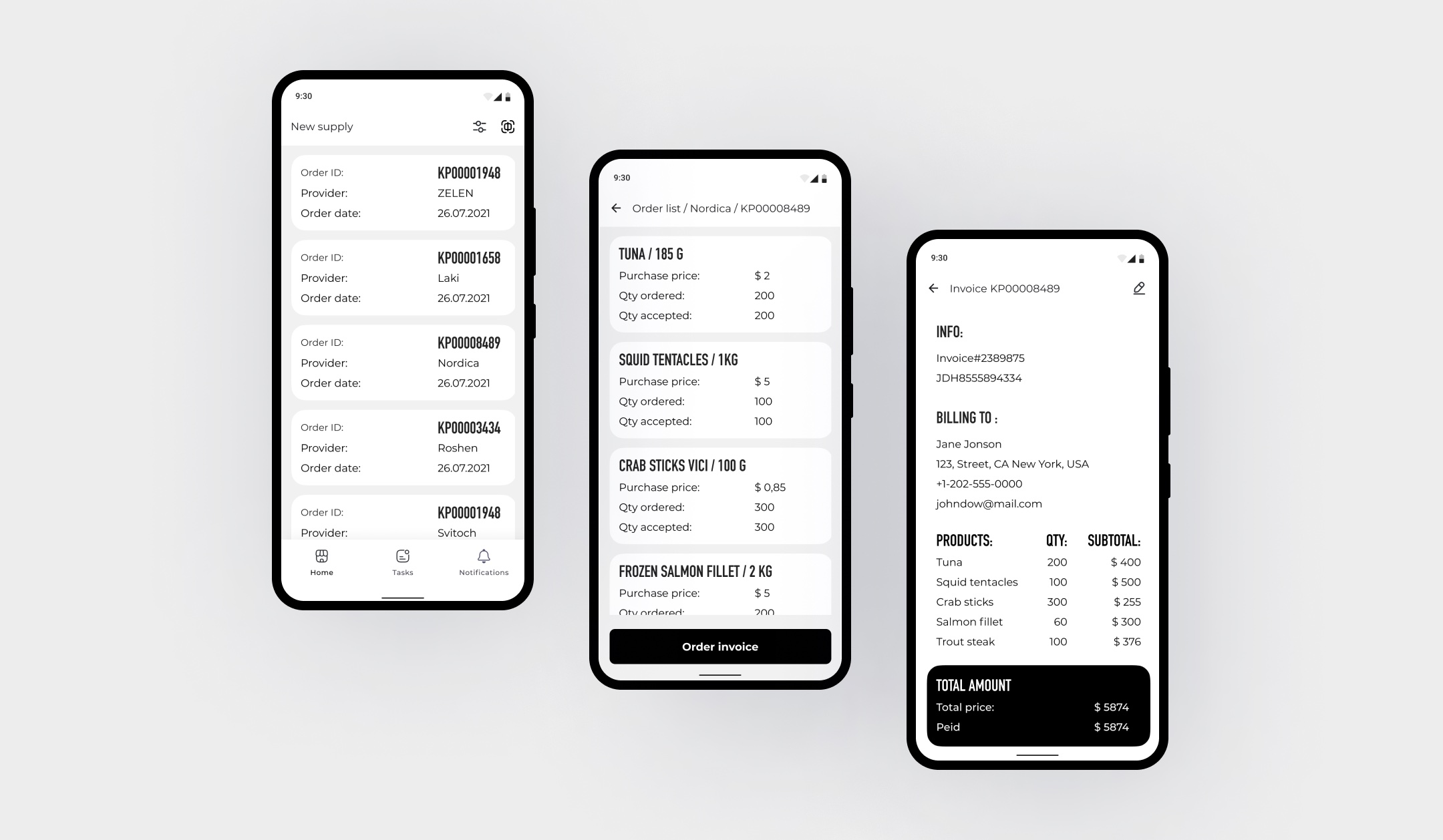
Scan against the order, and mismatches surface at the door.
04
Inventory counts
Problem
General ERP and inventory-management principles do not transfer to a mini-market chain on their own. Most of the work was reading the real workflow: who touches what, during which shift, with what in their hands. Then I adapted the system to it rather than the reverse.
Hypothesis
If the system speaks the language of the actual shift, which is scan, count, order, the staff will use it instead of a notebook.
Solution
A schedule of counts by product group with progress and owners; counting itself is a scan plus a quick quantity entry.
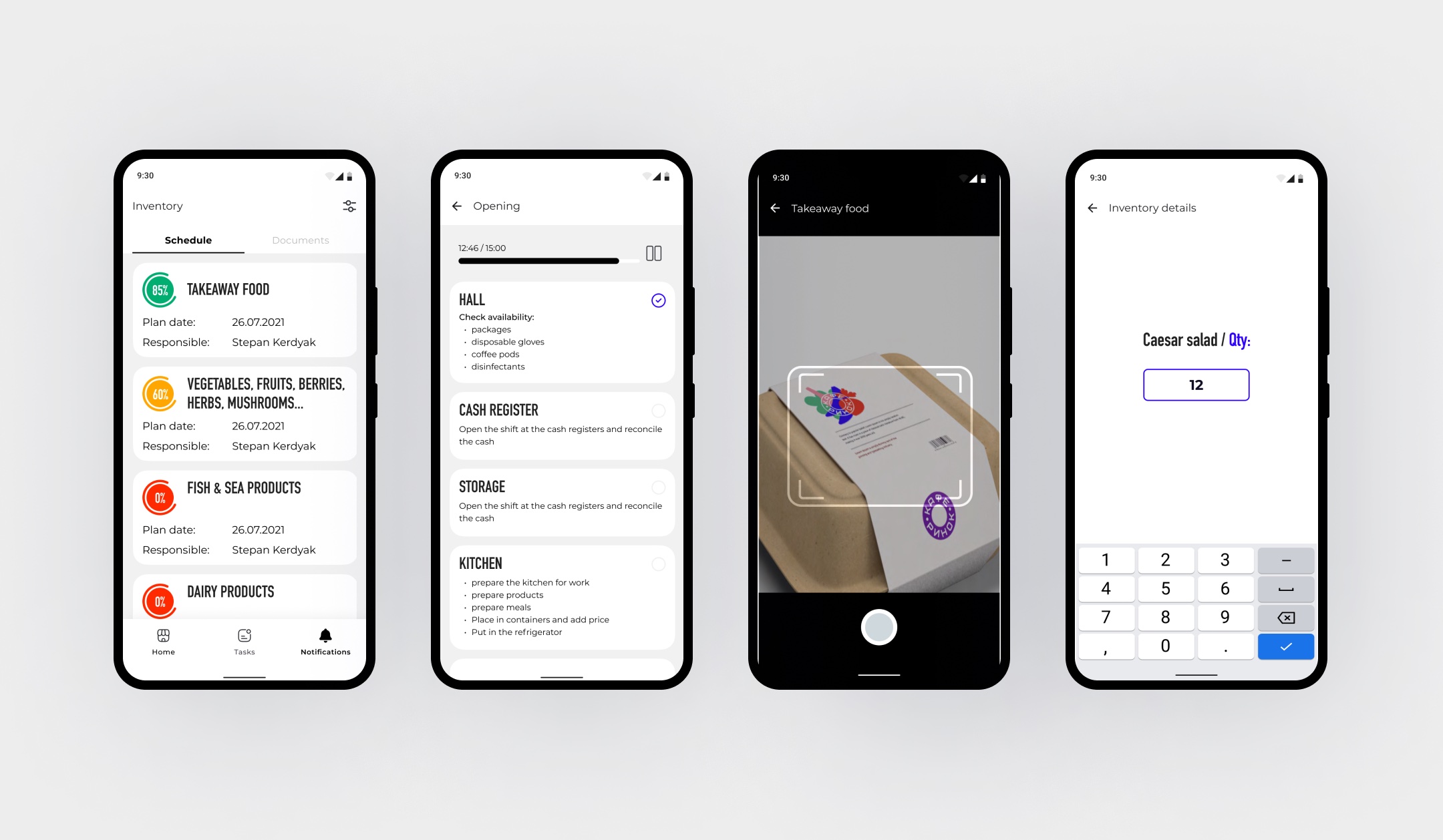
A count is a scan and a number, nothing more.
05
Daily tasks
Problem
Daily duties ran on memory and word of mouth, and nobody knew how long a shift actually took.
Hypothesis
If a shift is a list of tasks with progress, the manager sees the load and the employee sees where it ends.
Solution
Shift checklists for opening, kitchen and cash register, with per-task progress and swipe gestures to complete or flag.
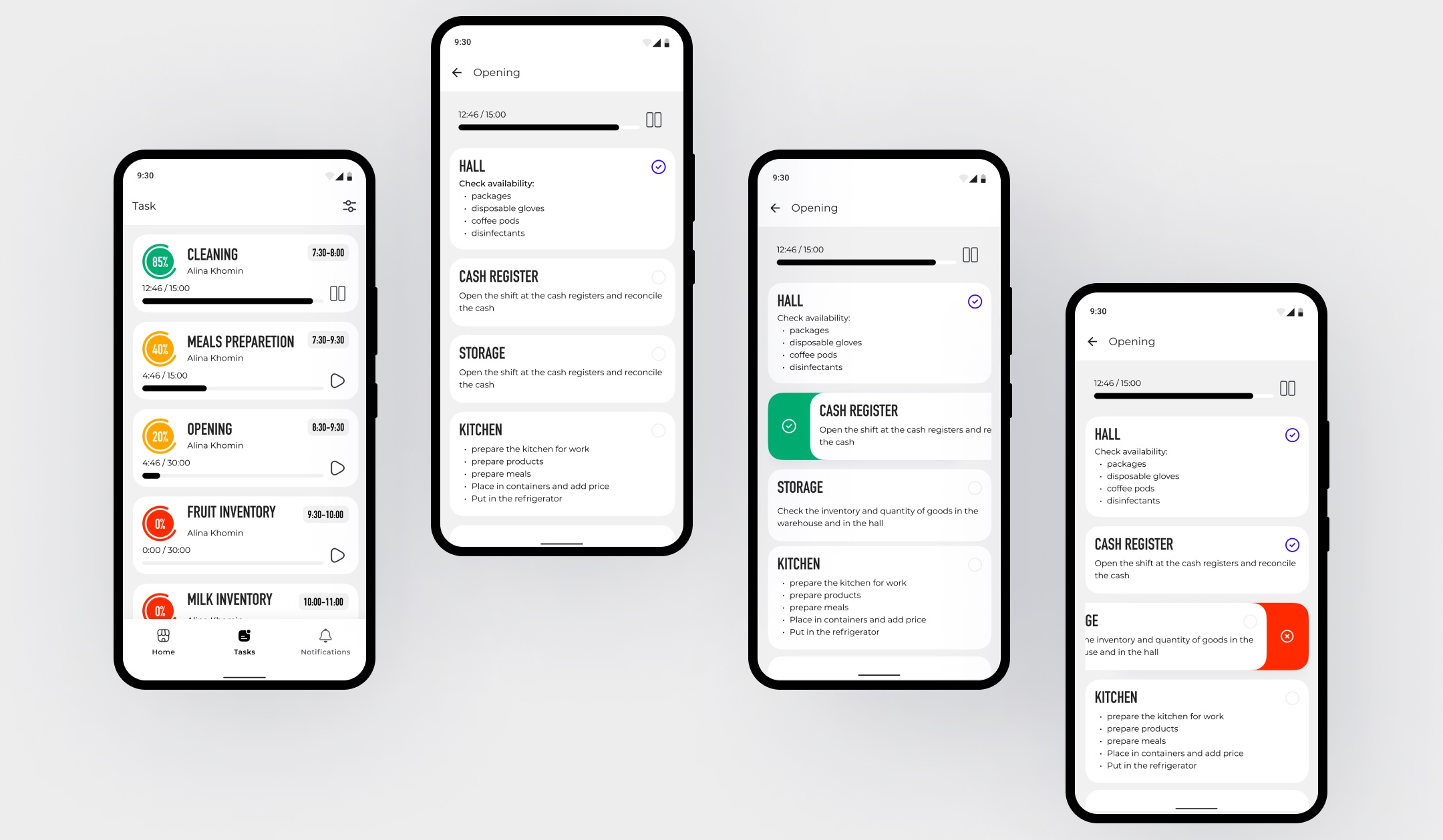
Swipe to complete, built for one hand.
06
Critical terms & repricing
Problem
Goods near their expiry date were noticed when the only option left was to write them off.
Hypothesis
If the system gathers them into their own flow ahead of time, they can still be repriced and sold.
Solution
A dedicated flow for expiring goods and repricing, so expiry dates get caught before they become losses.
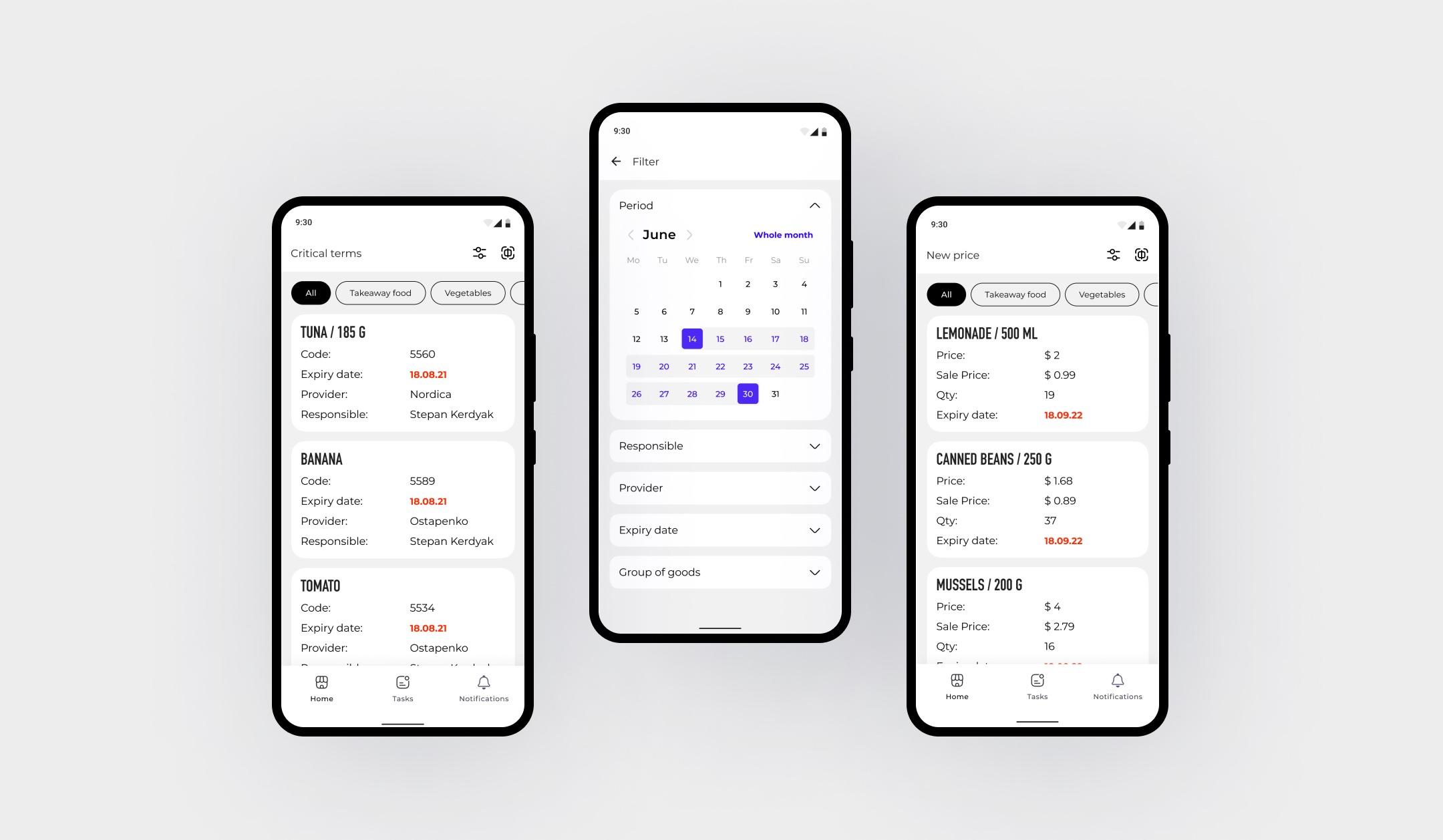
Expiry caught before it becomes a loss.
07
Write-off reasons
Problem
Write-off reasons were typed in free text, so stores could not be compared.
Hypothesis
If the reasons come from a fixed list, the accounting stays clean and comparable across stores.
Solution
A taxonomy of write-off reasons keeps accounting clean and comparable across stores.
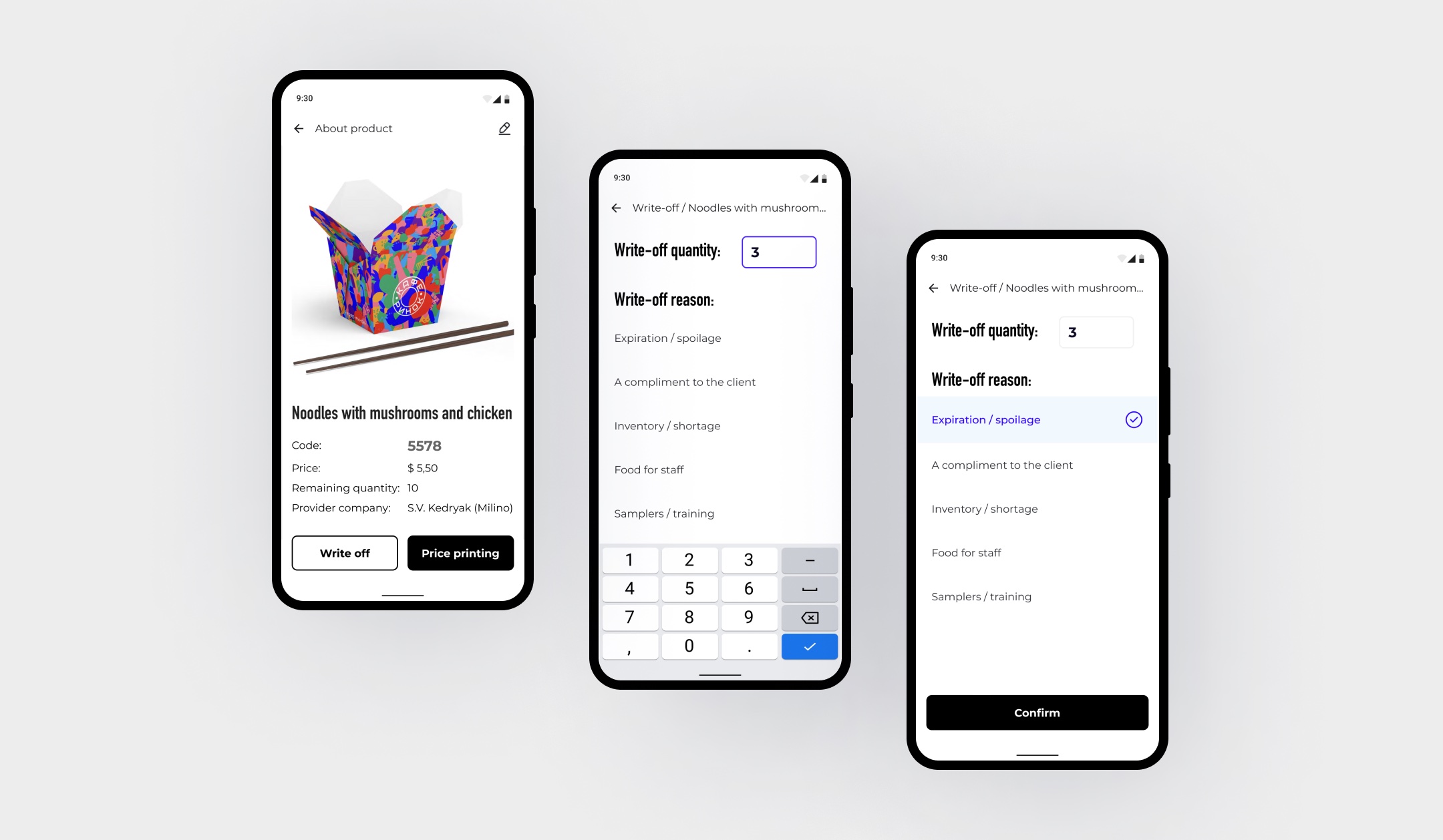
One reason list, so stores become comparable.
08
Notifications
Problem
Remembering what is running out, what is about to expire and what has to be ordered ate the shift. That memory had to move into the system.
Hypothesis
If the system remembers stock and expiry dates, the shift stops depending on who happened to remember what.
Solution
Deadlines, counts and orders arrive as pushes, filterable in the app and visible on the lock screen.
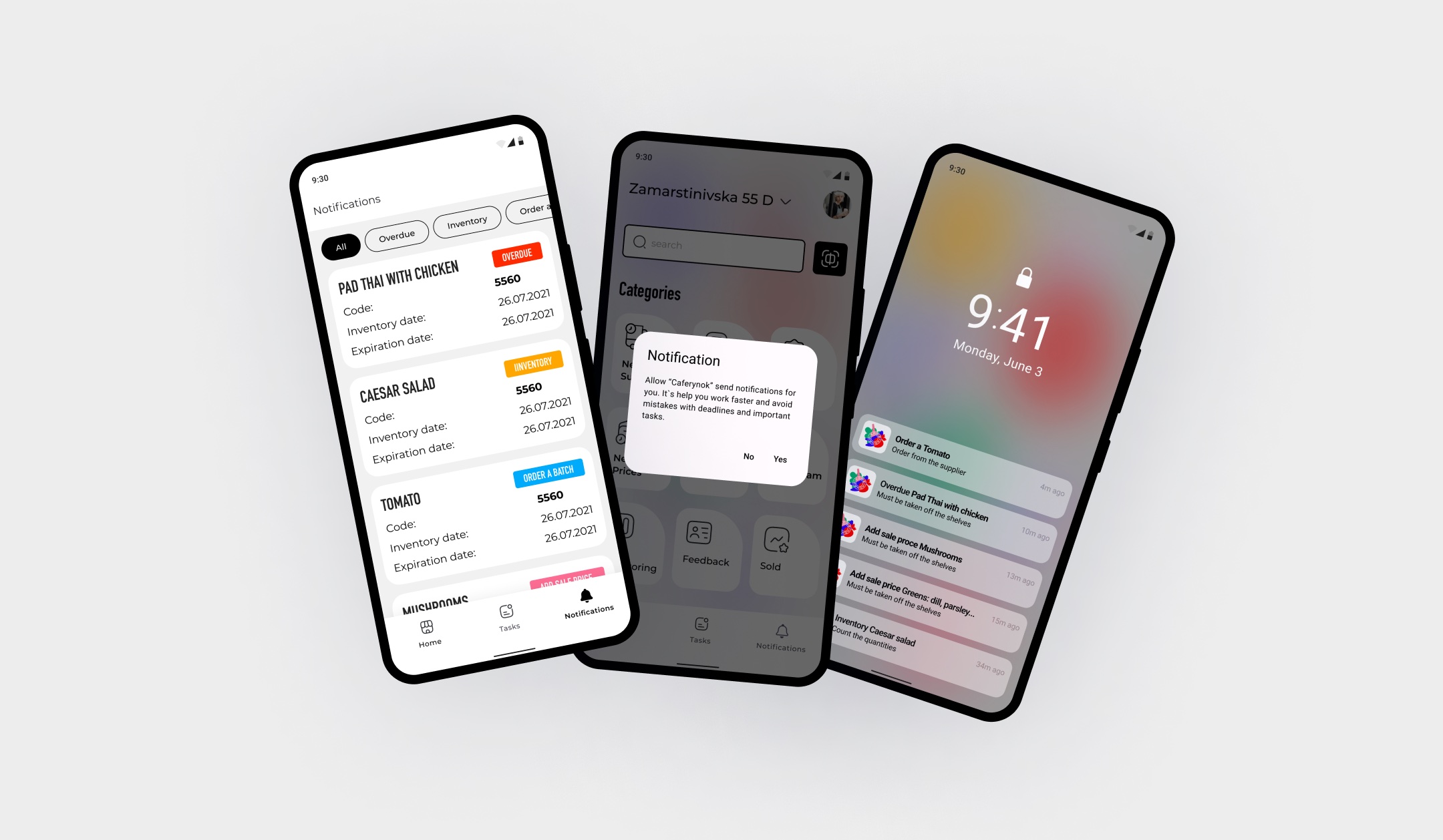
Deadlines come to people, not the other way round.
Result
Automated stock updates, low-stock alerts before a shortage, and procurement informed by sales history.
09
Manual sync, roles & audit
Problem
A chain of stores, rotating staff and several people updating stock at once: the data drifted, and nobody knew whose version was right.
Hypothesis
If sync is explicit and every change is logged, a mismatch becomes something visible and fixable instead of an argument.
Solution
A manual sync button fixes manager–floor data mismatches; roles and audit logging keep actions accountable.
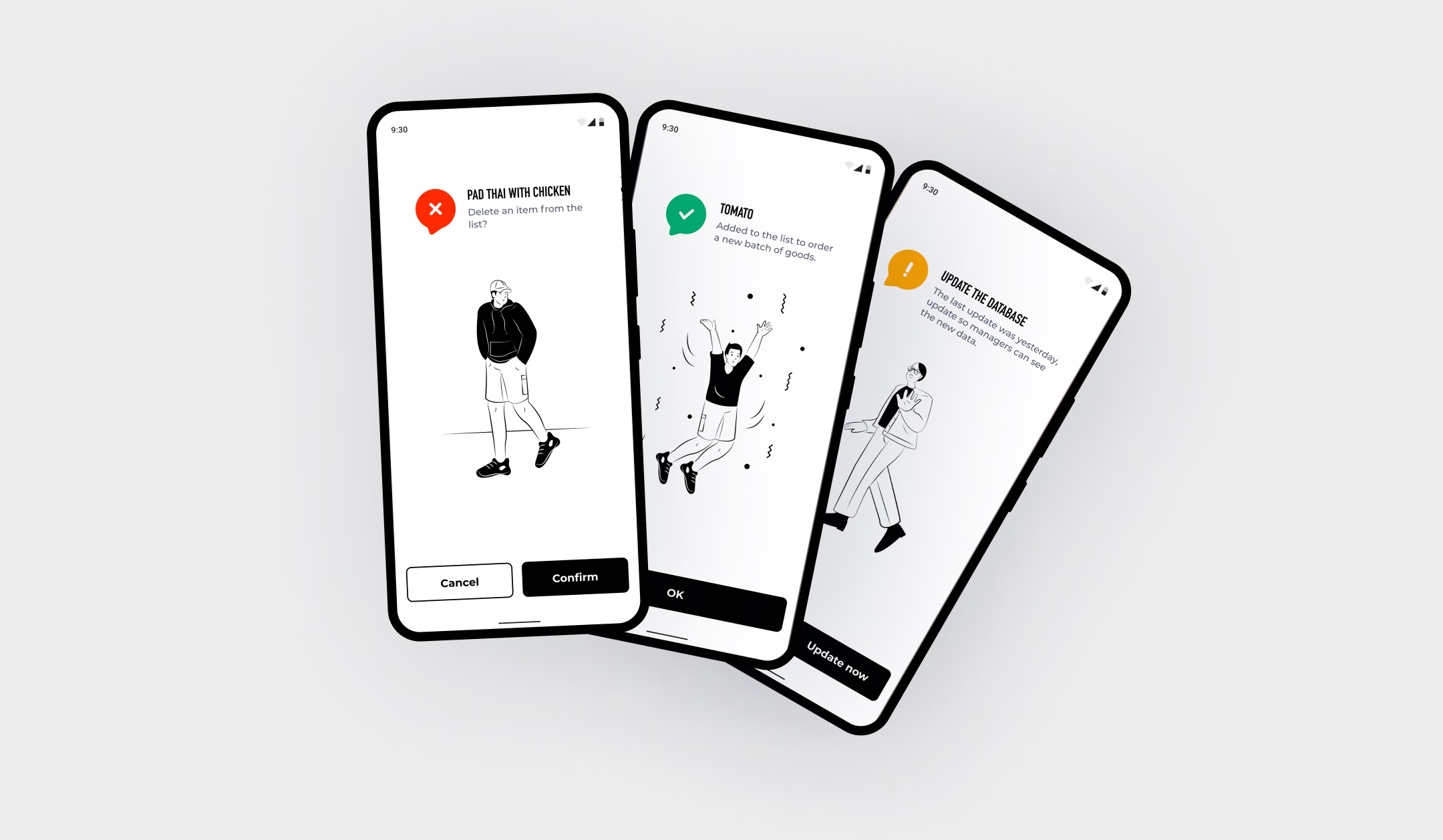
When data drifts, one tap reconciles, and it's logged.
What testing with store staff changed
Stock in the database disagreed with the shelves because stores updated on different cycles.
Sync on demand: one tap and the manager sees what the floor sees.
Manual entry errors: the human factor was the largest source of wrong data.
Scanning a code instead of typing, with prompts and checks in the forms.
Duplicate and missing records when several people updated at the same time.
A structured update order plus audit logging: who changed what, and when.
10
Designed, and in development
Four more parts of the system were designed and handed to development as the app went to beta.
Note
The shop floor kept producing requests; these four were the next ones worth building.
Key decisions
01
Scanner-first by design
Problem
Employees needed answers at the shelf, such as stock, expiry and price, and any path through menus was too slow with hands full.
Hypothesis
If the scanner is the front door, an employee with full hands reaches any answer faster than through any menu.
Solution
Made the scanner the app's front door: scanning a product opens everything about it, from stock and expiry to prices and the actions that follow.
Proof
Usability sessions on the live product: scan-to-answer became the default way employees used the app.
03
An honest fix for stale data
Problem
Data went stale between managers and the floor, so the numbers on the phone didn't match the shelf.
Solution
Added a manual sync button for immediate reconciliation, backed by roles and audit logging so every change is accountable.
Proof
Shipped as part of the beta across the chain, and the mismatch complaints that started it were the feature's own brief.
Outcome
- Shipped to beta across the chain
- Faster goods accounting on the floor
- Deliveries checked against original orders
- Expiry dates caught before they become losses
Paper chaos became one scanner-first tool employees actually keep in hand.
Next case
Private equity portfolio platform
A live, award-winning value-creation platform for PE firms. My part: the dashboard composer, with widgets on a two-width grid, Edit and View modes, and a board that travels into PowerPoint.
View case