Telecom
Wi-Fi & eSIM app
A UK connectivity app with Wi-Fi plans and mobile eSIM in one product. I rebuilt a worn-out design system and cut the architecture down, and the whole thing ran as an AI SDLC: the app was built in code first, and Figma came after. Under 50 hours of my design time.
- Client's country
- UK
- Platform
- Cross-platform (React Native)
- My role
- UX/UI Designer
- Duration
- 1 month · 2026
Overview
Three kinds of user: people on military bases, guests at partner venues, and eSIM customers.
Product
Home builds itself from what the account already has, so the same screen is a shop for a newcomer and a control panel for a customer.
Process
Each flow was a Jira ticket, then a clickable app in code, then Figma via HTML to Design, with tokens set up by the Figma agent.
Status
Under 50 hours of design time. The pipeline made that possible, not the hours.
Context
01
Product
Buy and manage connectivity: plans, purchase, connection, support. The eSIM is one universal plan.
02
Users
Mostly non-technical people on the move and on real networks, where clarity beats cleverness.
A live product and no design file. What the app had to do came from how the product works today, not from a Figma library.
Approach
Spec
Every flow set up as a Jira ticket before anything was drawn.
Build
A clickable app built in code with Claude Code, checked on device.
Transfer
Figma generated from it with HTML to Design; tokens and styles by the Figma agent.
The app came first. Figma documents what already works.
Process
Core functionality
01
Launch with no connection
Problem
People open a connectivity app when the connection is the problem. At launch there is no session and nothing to fetch, so whatever is on screen is all they get.
Hypothesis
If one check runs before anything is drawn, the app can show a state of its own instead of a half-loaded one.
Solution
One check at launch, two exits. Connected: normal sign-in and routing. Offline: a dedicated screen with guidance and Try again, and no cached account or plan pretending to be current.
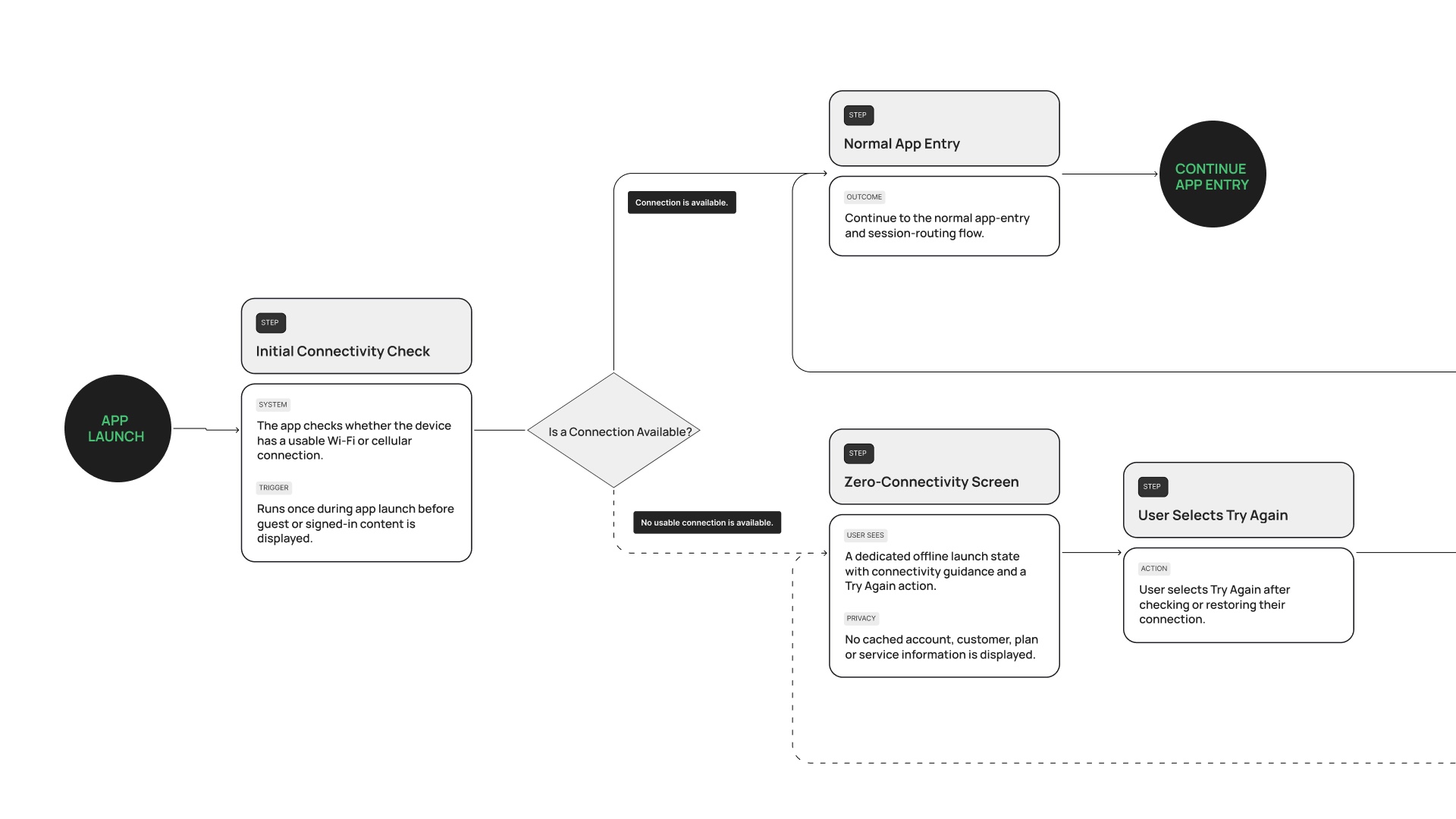

The failure was drawn before the happy path was built.
02
A home that adapts to the user
Problem
One screen had to serve three people: someone who has bought nothing, someone with Wi-Fi, and someone with Wi-Fi and an eSIM. A catalogue sells customers what they already pay for, and a dashboard hands a newcomer an empty room.
Hypothesis
If Home is composed from what the account holds, one page can be a shop for some and a control panel for others.
Solution
Home is built from state. No account: two doors, plans or sign in. One service: its card with speed, devices and next payment, and the eSIM below as the one thing left to add. Both: nothing to buy, because nobody can hold two of either. Buying the eSIM is activating it, since there is only one universal plan.
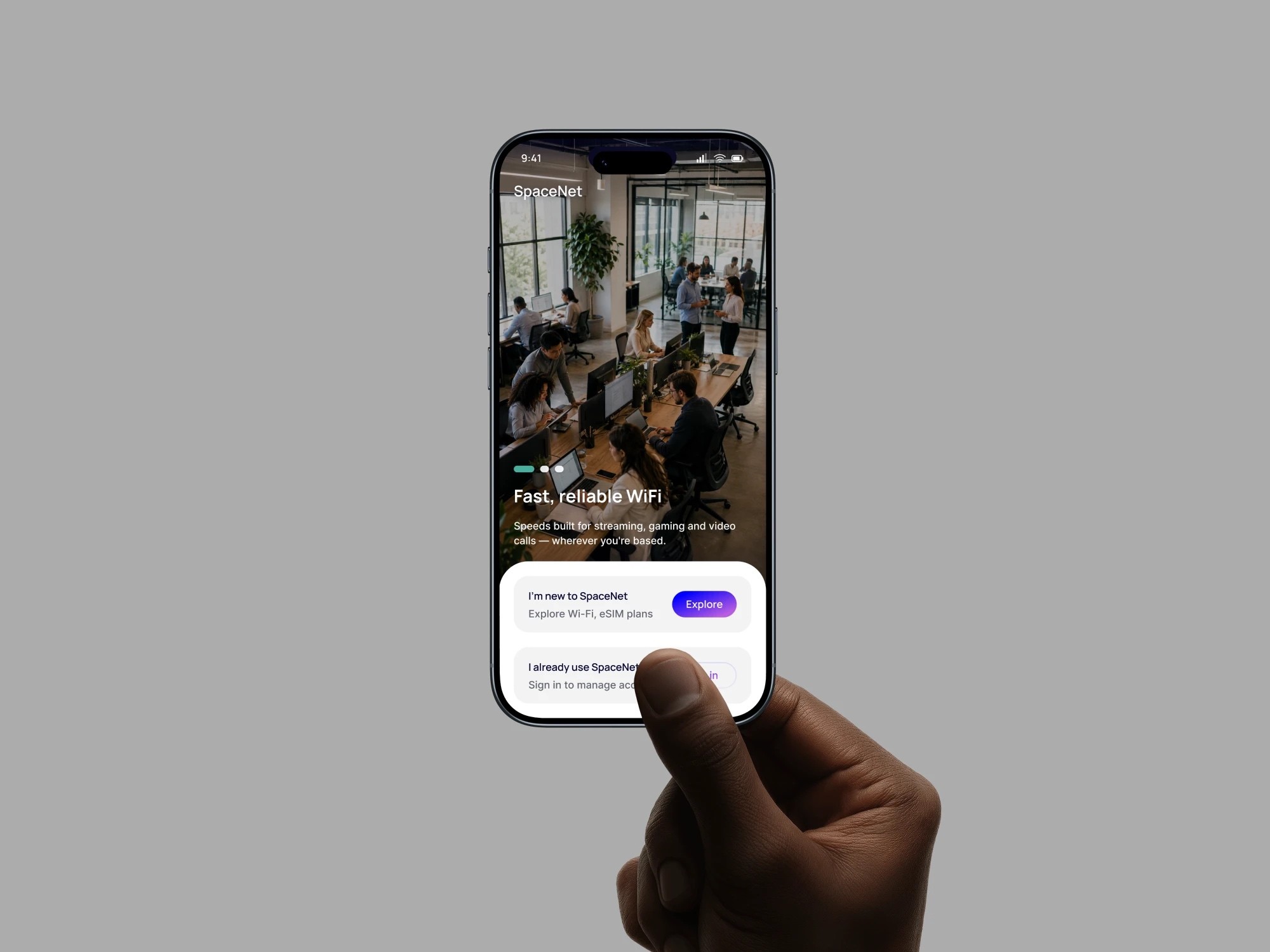
A product that cannot sell you what you already own.
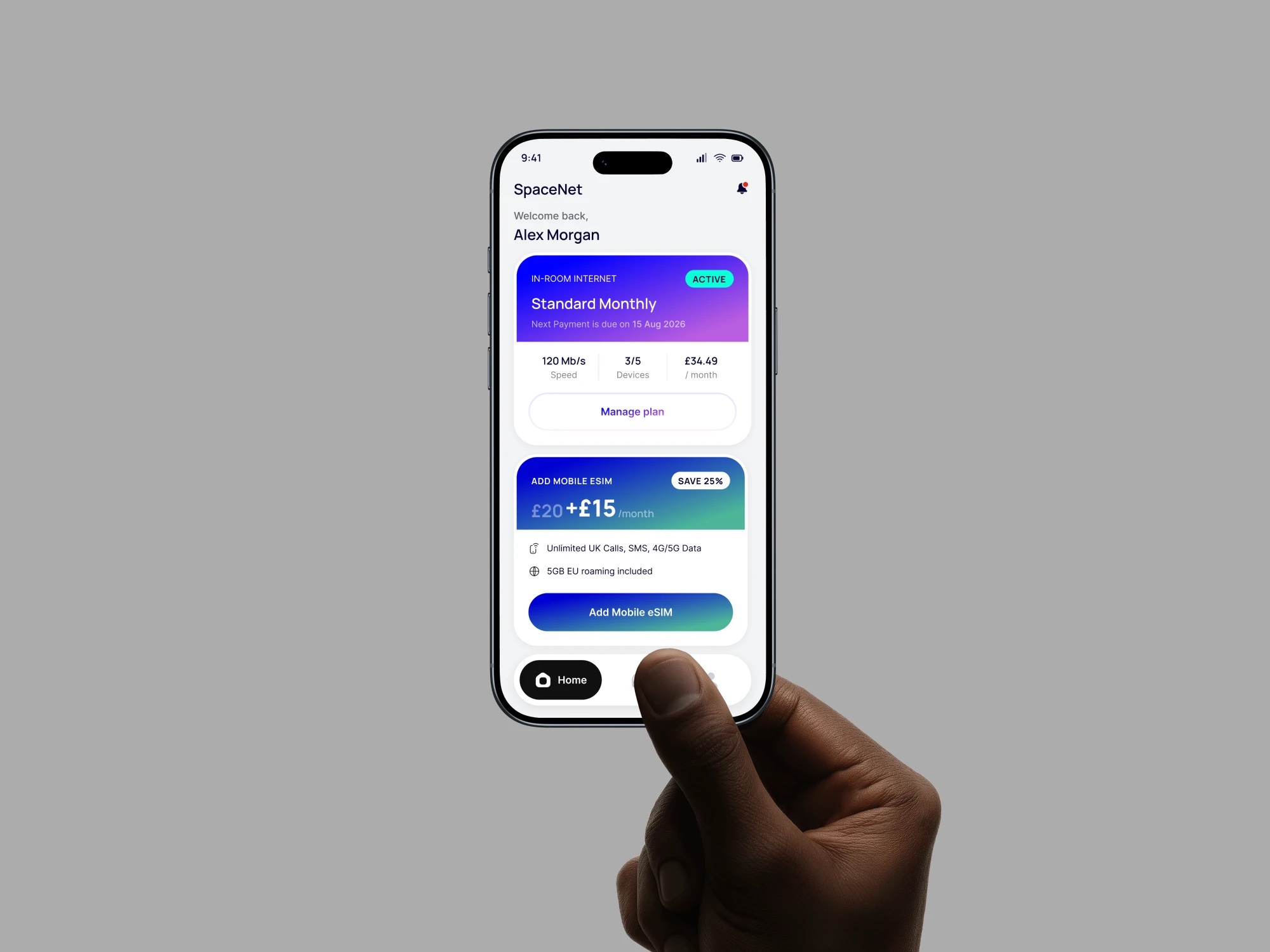
A customer: the running plan's own state first, and under it the eSIM, the only thing left to add
03
App shell · three tabs
Problem
The web portal had seven items in its nav bar and plans were asking for an eighth, although plans are a journey, not a place.
Hypothesis
If the shell keeps three tabs, the navigation matches how the product works.
Solution
Seven pages became three tabs: Home, Support, Account. There is no Plans tab, because Home already shows what this account can still buy.
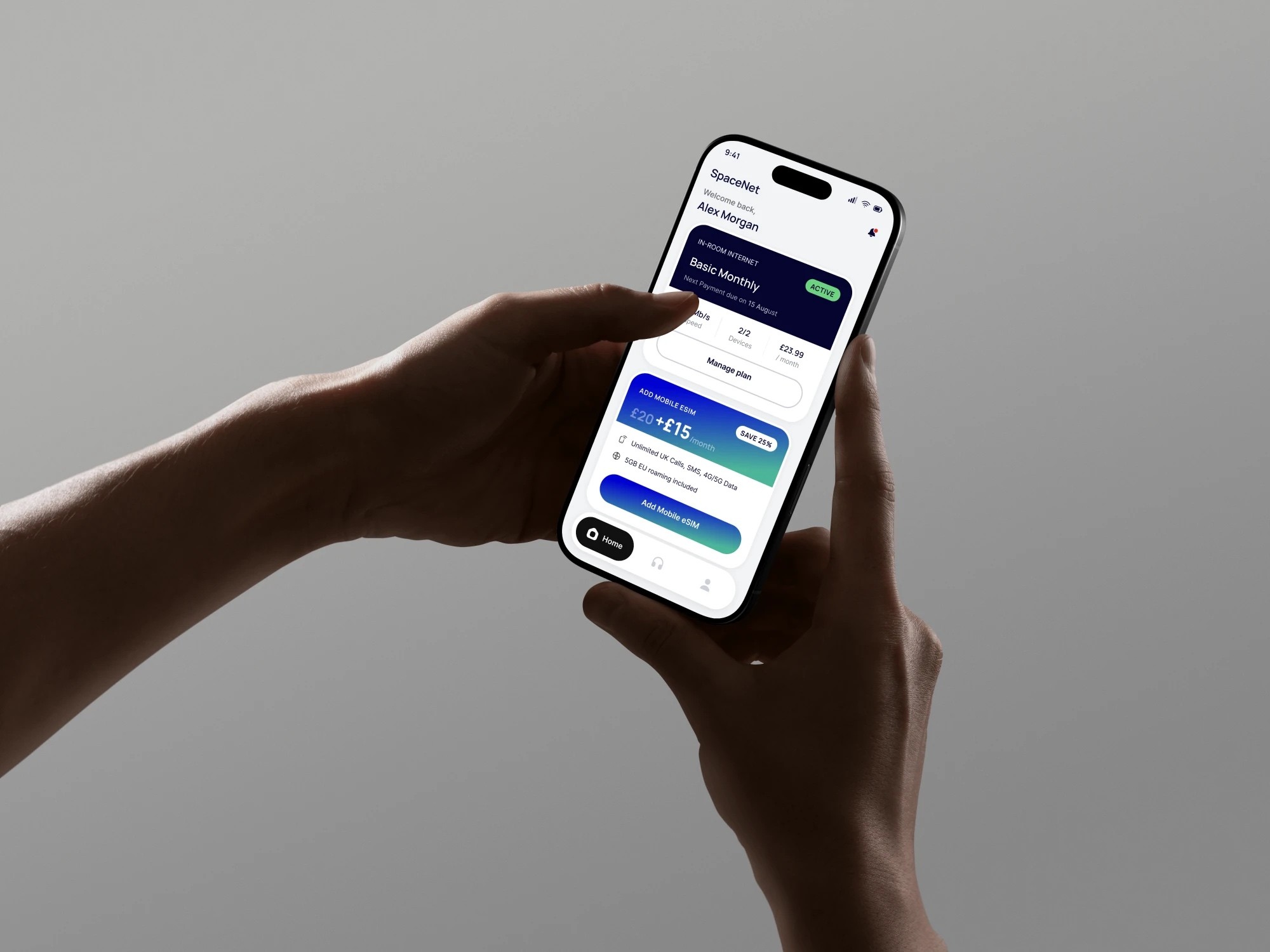
Home, Support, Account: the three tabs the product actually needs; plans are a journey through them, not a fourth place
04
Plan catalogues
Problem
Partner venues and universal plans sat in one list, and nobody could tell what was actually theirs.
Hypothesis
If the app carries only universal plans, the catalogue stops confusing people.
Solution
Two universal catalogues, base Wi-Fi and mobile eSIM. Venue registration stays in the captive portal on purpose.
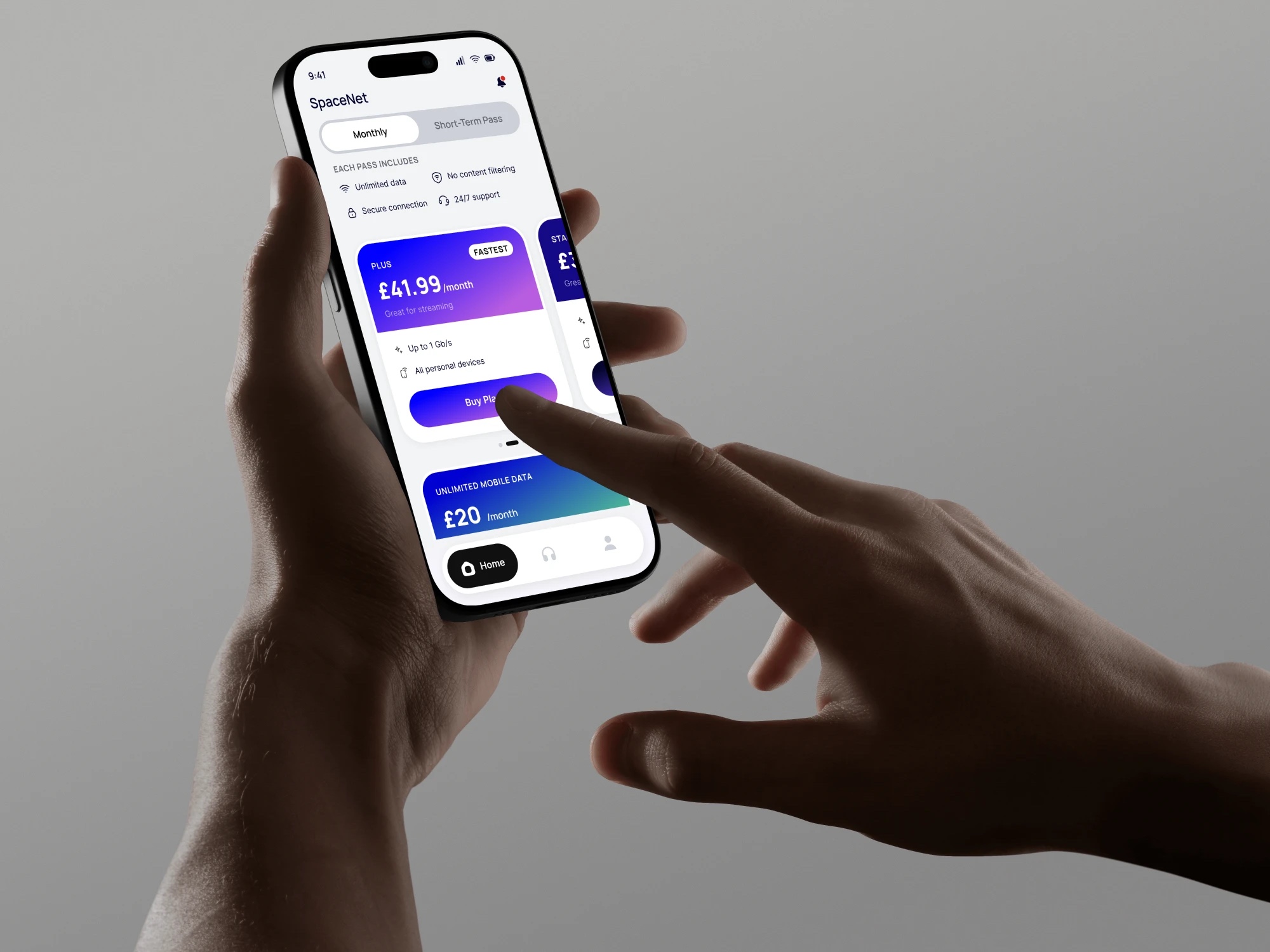
The catalogue: monthly plans and short-term passes on one toggle, with what every pass includes above them
05
Plan purchase · seven steps to three
Problem
Buying on the web took seven steps, with the plan chosen inside the checkout, so comparing and paying blurred into one long form. Every step was a place to give up.
Hypothesis
If browsing leaves the stepper and only what must be sequential stays, buying reads like buying.
Solution
Three steps: plan, account, review and pay. Comparison moved into the app shell, because it is shopping, not checkout, and with the integrations in place a purchase takes seconds instead of minutes.
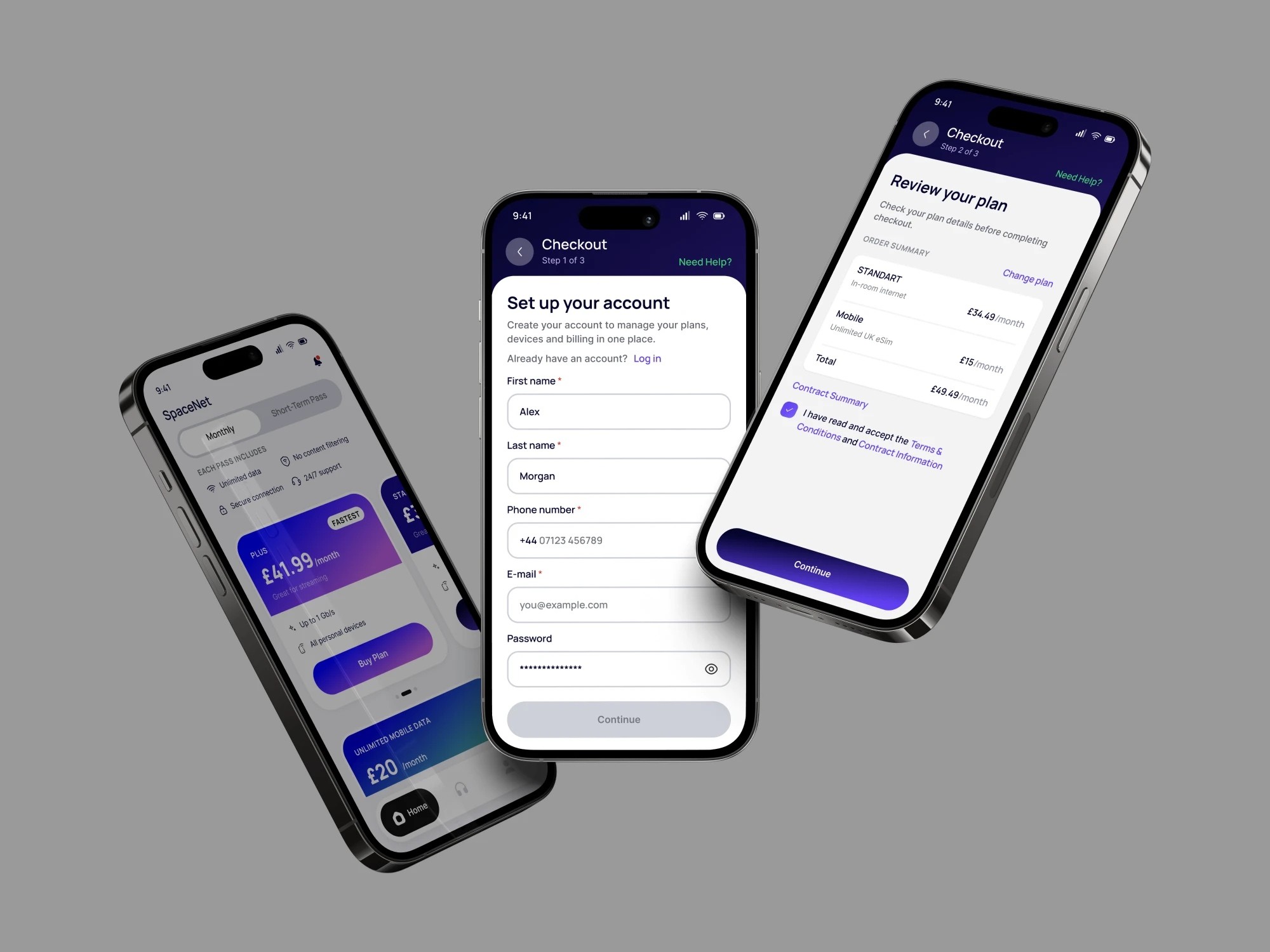
Only what must be sequential stays in the stepper.
06
Account · the plan and the devices
Problem
A plan was something to read: tier, price, renewal. Pausing, upgrading or adding a laptop happened elsewhere, and since nobody buys a second copy of a service, the account is the only place those changes can live.
Hypothesis
If each service screen carries its state and its actions, the account stops being a receipt and becomes where the product is run.
Solution
Account opens on the services and where each stands. Each service gets its own screen: Active, or Paused with the date it resumes, and under it devices, upgrade, cancel. Devices have their own screen with the network name, password and a QR code that connects a phone without typing.
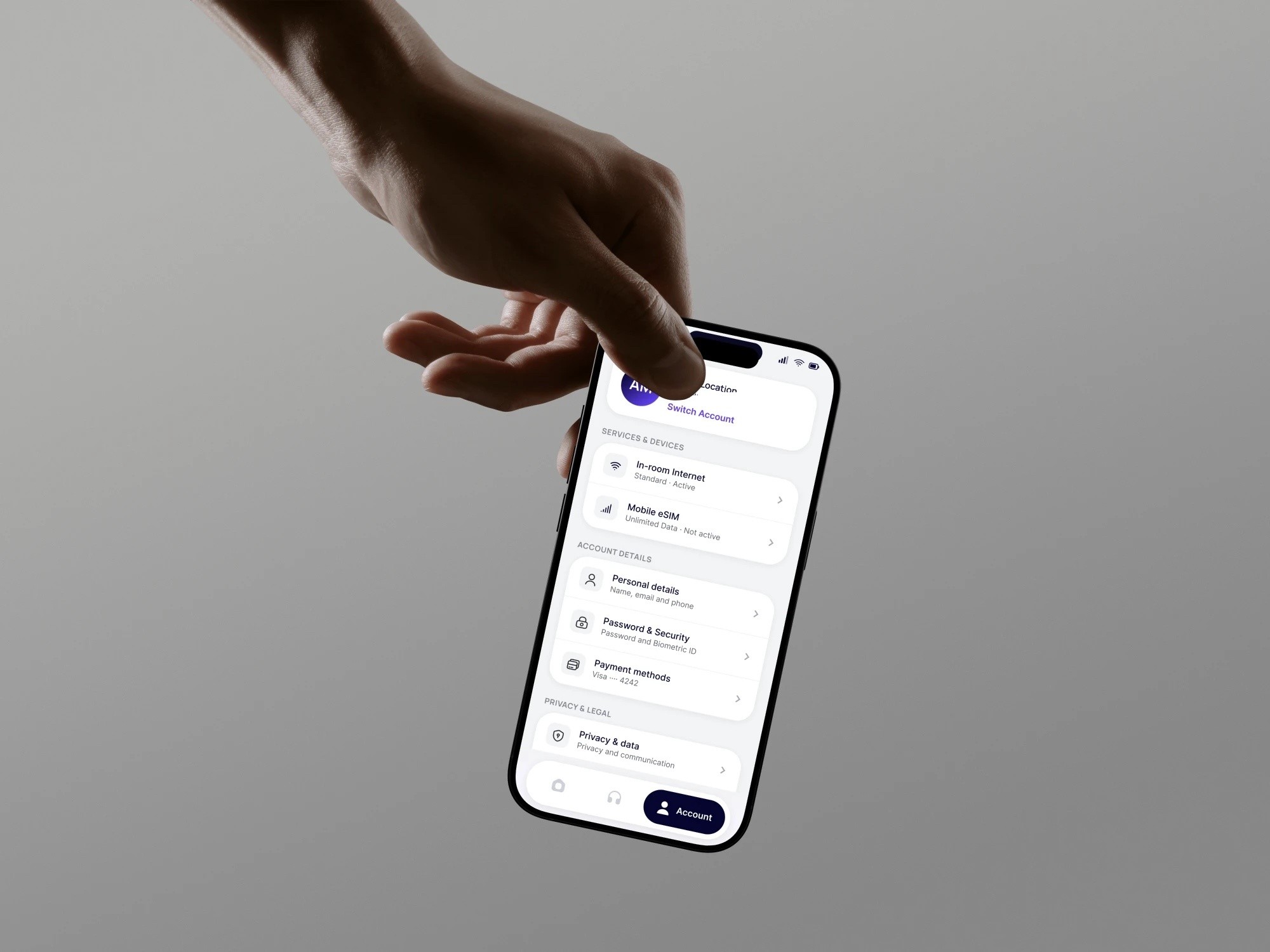
A paused plan has to say when it comes back.
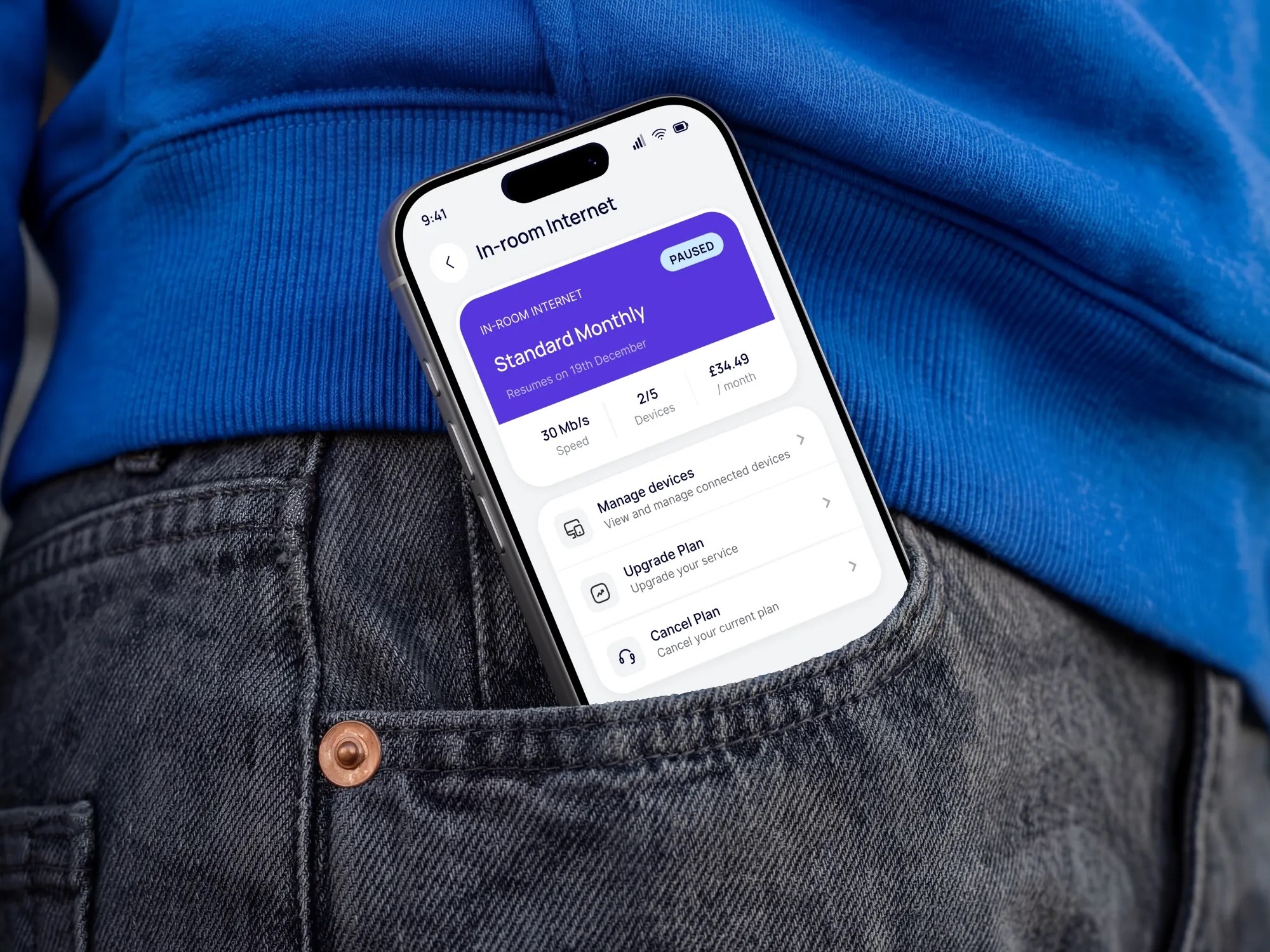
A paused plan, with the date it comes back on the card and its three actions under it
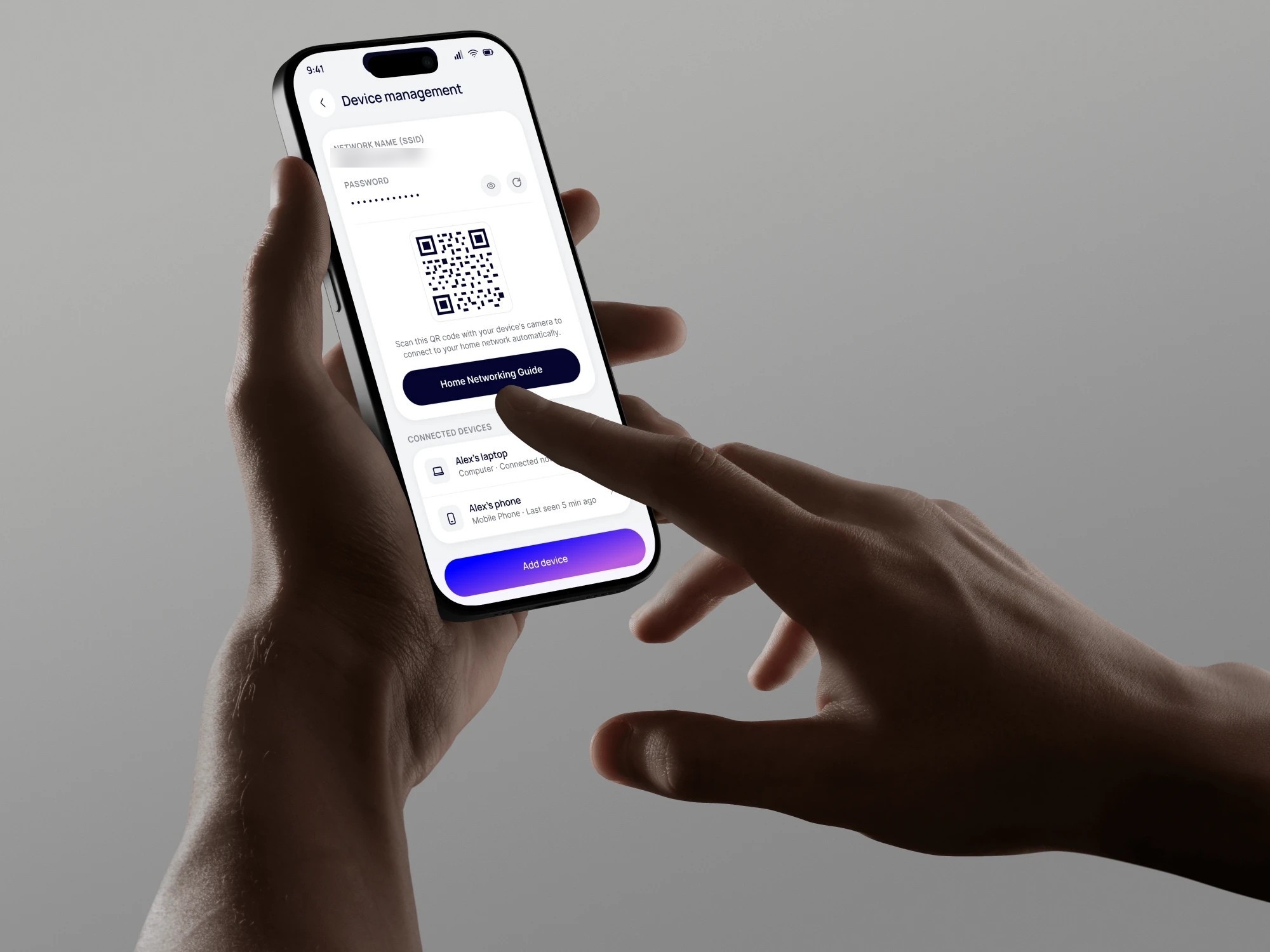
Device management: network name and password, a QR code to join without typing them, and the devices already connected
07
Support, always one tap away
Problem
People usually need help at the moment the connection is failing, often before they have an account. Support that lives inside an account arrives too late.
Hypothesis
If help is its own tab and also a link on the screens before sign-in, nobody has to be signed in to reach a person.
Solution
Support is one of the three tabs and a Need help link on every screen before an account exists. It hands over a phone number and an email instead of a form, so it still works when the connection is the question.
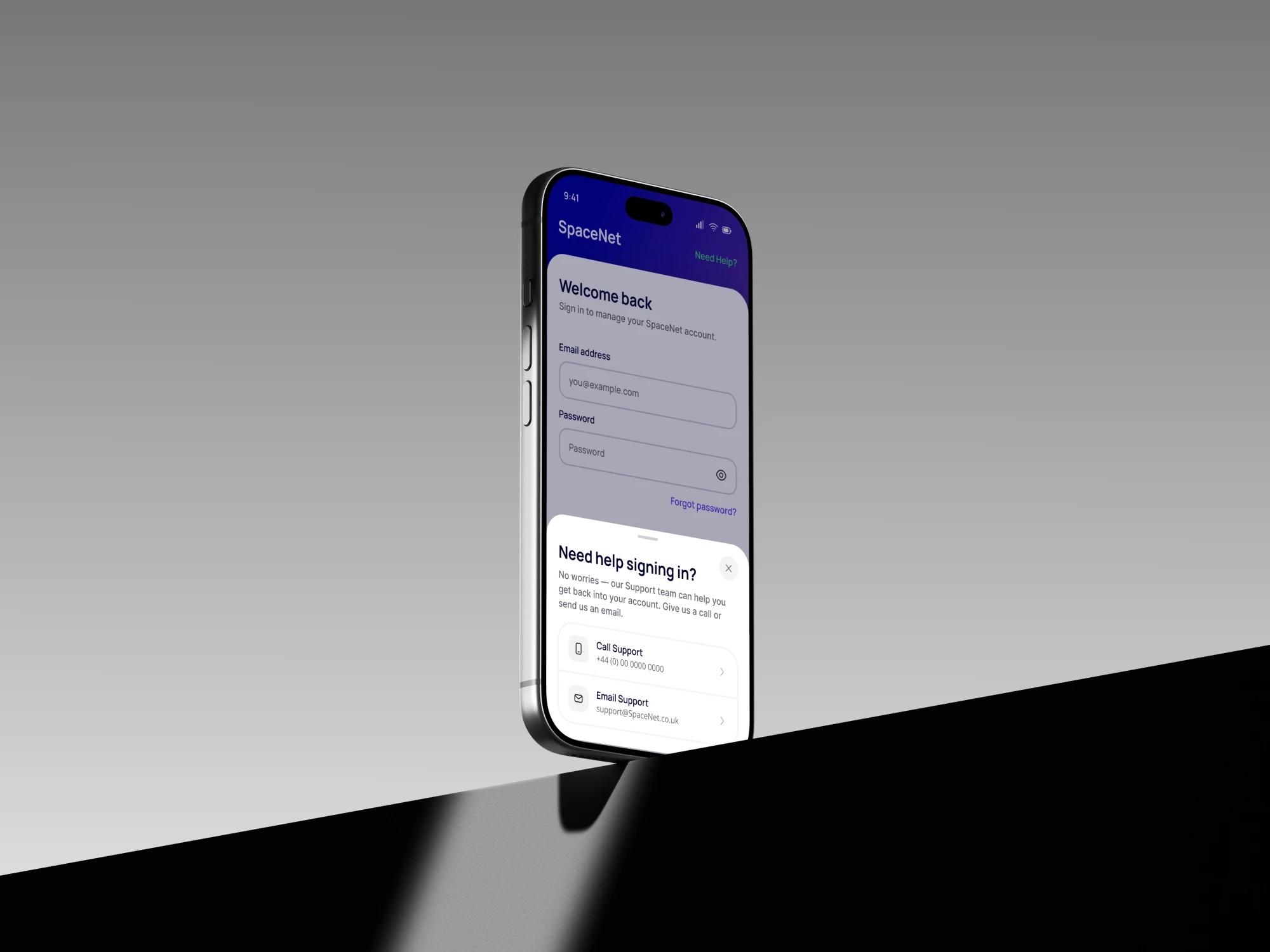
Help has to work before the account does.
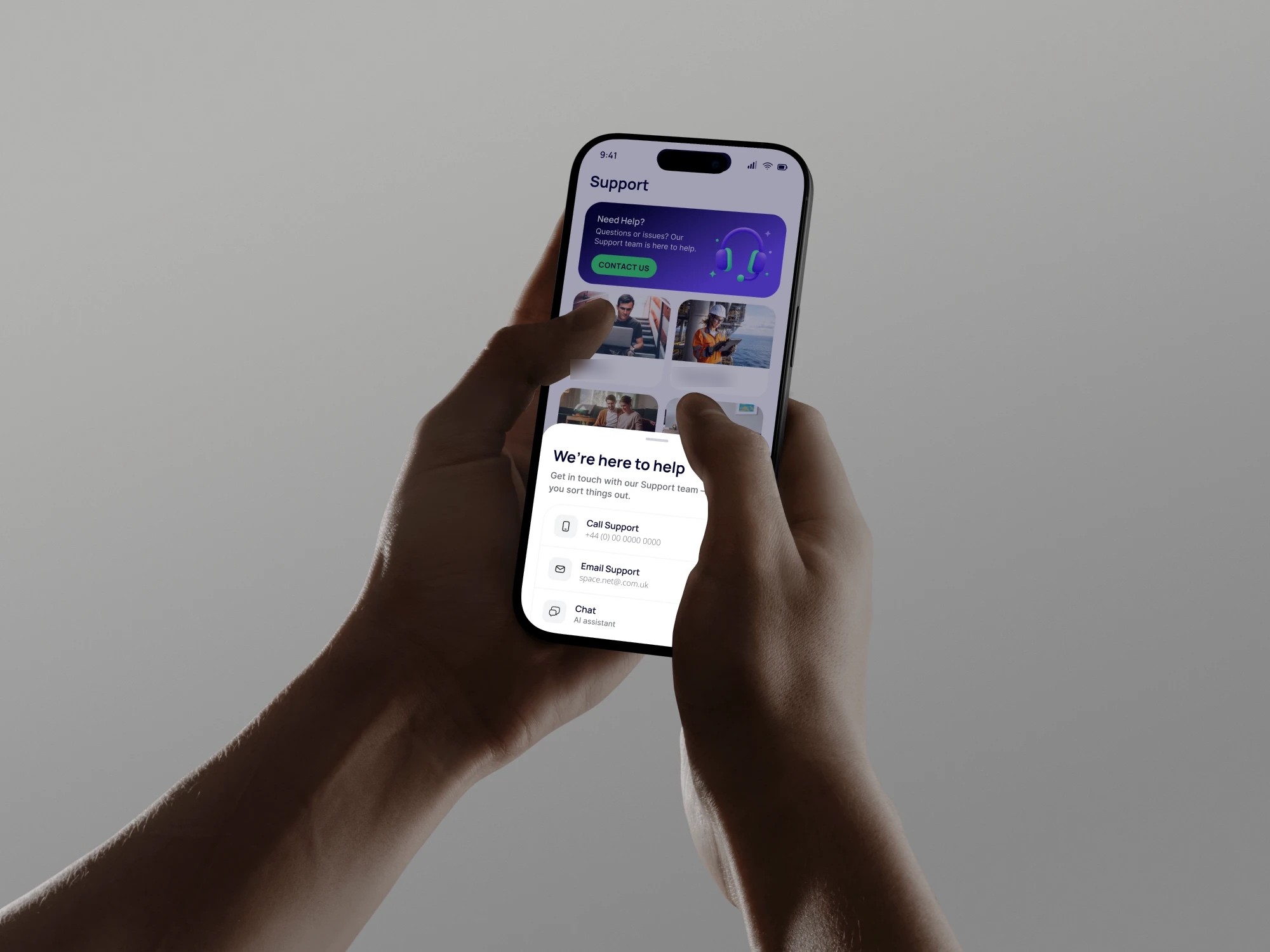
The Support tab, with the ways to reach a person in a sheet over it: phone, email, and the assistant
Key decisions
01
The app first, the design file second
Problem
Static mockups cannot show how a purchase feels on a real device, and drawing a full file before anything works doubles the effort.
Solution
A Jira ticket per flow, a clickable app in code with Claude Code checked on real devices, then Figma via HTML to Design, with every token and style set up by the Figma agent.
Proof
Under 50 hours of design time, and the team clicked through an app instead of looking at pictures of one.
02
Foundations built from a live product, not a library
Problem
There was no design file. The web UI had grown ad hoc: two colour systems, text styles multiplying page by page, and borders that vanished on dark surfaces.
Solution
Foundations rebuilt from the live product: colour never carries text, only fills, strokes and icons, at a contrast that survives dark surfaces. Green belongs to the eSIM alone. Manrope for headings, Inter for body, breakpoints at 768 and 1024 with a 600px height guard so a rotated phone keeps the phone layout.
Proof
One set of foundations where there had been none, set up in the file by the Figma agent.
03
Architecture that deletes UI
Problem
The old structure pushed everything into steppers, tabs and toggles: more chrome, more decisions.
Solution
Purchase in three steps, browsing out of the stepper, one universal eSIM plan instead of a mode toggle, and navigation fixed at three tabs.
Proof
Seven steps to three, seven pages to three tabs, the Wi-Fi/Mobile toggle gone, and no buy button for what the account already holds.
Outcome
- Purchase: seven steps on the web → three in the app
- Checkout: minutes → seconds once the integrations are in place
- Navigation: seven top-level pages in the portal → three tabs in the app
- Under 50 hours of design time across the flows
- Jira ticket → code prototype → Figma, with tokens set by the agent
A product nobody had a design file for now has one that matches the built app, and an architecture that stops fighting its users.
Next case
AI website builder for small businesses
An AI website builder for small businesses. From concept stage I owned e-commerce, live editing, onboarding and the design system behind 2000 templates, and the AI wizard, validated through A/B/C testing, doubled customer engagement.
View case